

Latest Version
September 03, 2026
Appazur
Education
Android
5
Free
com.appazur.semiahmoo
Report a Problem
More About Thunderbird Times – Semiahmoo School Community App
What is Thunderbird Times?
Thunderbird Times is a mobile application created for the Semiahmoo Secondary School community. It brings school‑related information directly to a phone, making it easier for students, parents and staff to stay informed about daily schedules, events and important announcements.
Main features
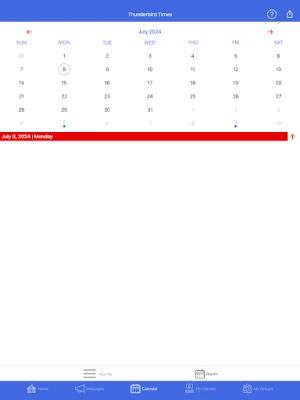
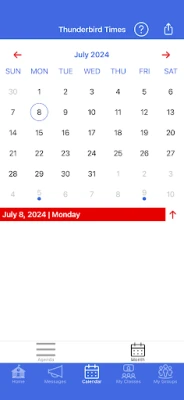
- Event calendar – A consolidated view of school events, sports fixtures, club meetings and exam dates.
- Push notifications – Real‑time alerts for closures, schedule changes or urgent messages from the administration.
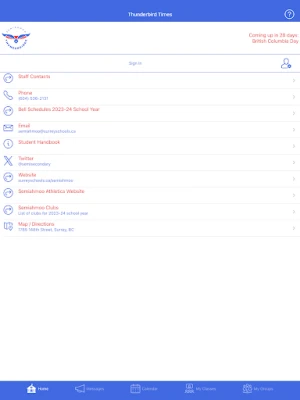
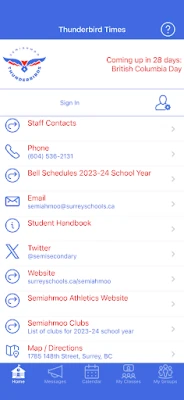
- Contact shortcuts – Quick access to the school’s phone number, email address and navigation to the campus.
- Resource links – Direct links to the school website, social‑media channels and other online resources.
- Export to personal calendar – An option to add school events to the device’s native calendar app.
How it works
After installing the app, users are presented with a home screen that highlights upcoming events and recent notifications. The calendar tab shows a month‑by‑month view that can be filtered by event type. Tapping an event opens details, including time, location and any attached notes. The notification center aggregates messages sent by school staff, ensuring that important information is never missed.
Practical uses
For students, Thunderbird Times serves as a single place to check homework deadlines, sports try‑outs and club meetings. Parents can monitor school closures, upcoming parent‑teacher conferences and extracurricular activities without needing to visit the website repeatedly. Staff members benefit from a streamlined way to broadcast announcements and to keep their contact information up to date.
Installation information
The app is distributed as a free download from the official Android marketplace. Simply search for “Thunderbird Times” or use the package name com.appazur.semiahmoo to locate it. Tap “Install” and follow the standard Android installation prompts.
Things to know before installing
- Internet access is required for the initial download and for receiving updates.
- The app stores basic school information locally; however, real‑time notifications depend on an active data connection.
- Because the app is tailored to Semiahmoo Secondary School, its content is most useful to members of that community.
Who may find it useful?
Anyone directly involved with Semiahmoo Secondary School – current students, their families, teachers, administrators and support staff – will benefit from the consolidated information hub that Thunderbird Times provides.
Frequently asked questions
Do I need a school account to use the app?
No. The app is free to download and does not require a separate login. All publicly available school information is displayed automatically.
Can I customize which notifications I receive?
Yes. Within the settings menu you can enable or disable specific types of alerts, such as sports updates or emergency notices.
Is my personal data collected?
The app does not request personal data beyond what is necessary for basic functionality, such as device identifiers for push notifications. No unrelated data is harvested.
What should I do if I encounter a problem?
The Help screen includes a Feedback option that lets you contact the developer directly. Providing details about the issue helps the team address it promptly.
Rate the App
User Reviews















Popular Apps










 Games
Games Entertainment
 Communication
 E-mail
 Security
 Tools
Tools Media
Media Internet
 Finance
 Design
 Education
 IT Tools
 Travel & Local
 Android
 Windows
 Linux
Linux