




Latest Version
Latest
September 10, 2026
Outfit7 Limited
Entertainment
Android
1
Free
com.outfit7.talkingtom2free
Report a Problem
More About Talking Tom Cat 2 – Interactive Virtual Pet for Android
What is Talking Tom Cat 2?
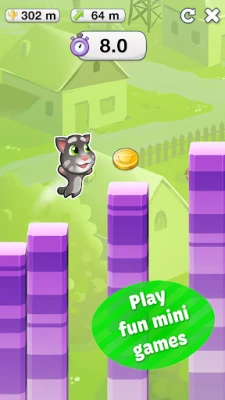
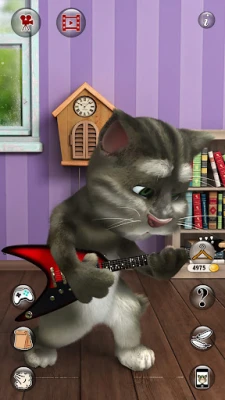
Talking Tom Cat 2 is a free Android application developed by Outfit7 Limited. It offers a virtual pet experience centered around Tom, an animated cat that responds to your voice and gestures. The app is designed for casual, on‑the‑go entertainment, letting users engage with Tom in a variety of playful ways.
Main Features
- Voice Interaction: Speak into your device and Tom repeats your words in a humorous, high‑pitched voice.
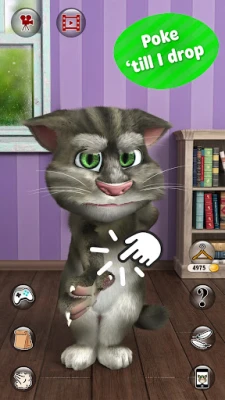
- Touch‑Based Play: Tap, swipe, or poke Tom to trigger reactions such as giggles, animations, or funny sound effects.
- Outfit Customization: Choose from a selection of clothing items and accessories to dress Tom in different styles.
- Home Decoration: Arrange simple items in Tom’s virtual space to personalize his environment.
- Video Recording: Capture short clips of Tom’s antics and share them with friends through your device’s messaging apps.
How It Works
After installing the app, you open it to meet Tom on the main screen. Using the microphone, you can say a phrase; Tom will echo it back with a comical tone. Touch gestures—such as tapping his head, dragging a finger across his back, or shaking the device—trigger a range of animated responses. The interface includes a wardrobe button that opens a catalog of outfits, and a home‑customization icon that lets you place simple decorative items.
Practical Uses
Talking Tom Cat 2 serves as a light‑hearted diversion for users of all ages. It can be a quick way to break up a busy day, a playful tool for parents to engage younger children, or a source of short, shareable video clips for social interaction. Because the app runs offline after installation, it can be used without an active internet connection.
Installation Information
To install Talking Tom Cat 2, search for the package name com.outfit7.talkingtom2free in the Google Play Store or a trusted Android app marketplace. Tap “Install” and wait for the download to complete. The app requires standard Android permissions for microphone access (to capture your voice) and storage access (to save recorded videos).
Things to Know Before Installing
- The app is free to download and use, though it may contain optional in‑app purchases for additional outfits or accessories.
- It accesses the microphone and device storage; you can review and adjust these permissions in your device’s settings.
- While the app is designed for a broad audience, parental controls can be applied if you wish to limit in‑app purchase options.
Who May Find It Useful?
Anyone looking for a simple, interactive pet simulation will enjoy Talking Tom Cat 2. It is especially appealing to:
- Children who enjoy talking to animated characters.
- Adults seeking a quick, entertaining break.
- Users who like creating short, humorous videos to share with friends.
Frequently Asked Questions
Do I need an internet connection to use the app?
After the initial download, most features work offline. An internet connection is only required for downloading updates or sharing recorded videos.
Is the app safe for children?
The app follows standard Android privacy practices. Parents can enable device‑level restrictions to control in‑app purchases.
Can I add new outfits later?
Additional outfits may be available through optional in‑app purchases. The base app includes a variety of starter clothing items.
How do I record a video?
Tap the video‑camera icon within the app, perform an action with Tom, and the app will capture a short clip that you can save or share.
Rate the App
User Reviews













Popular Apps










 Games
Games Entertainment
 Communication
 E-mail
 Security
 Tools
Tools Media
Media Internet
 Finance
 Design
 Education
 IT Tools
 Travel & Local
 Android
 Windows
 Linux
Linux