
Latest Version
Latest
September 16, 2026
VYRTY Corporation
MEDICAL
Android
21
Free
com.vyrty.android.patient
Report a Problem
More About SyncMD Personal Health Record – Manage Your Medical Documents
What is SyncMD Personal Health Record?
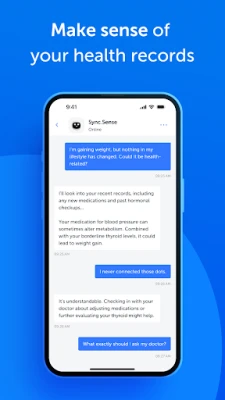
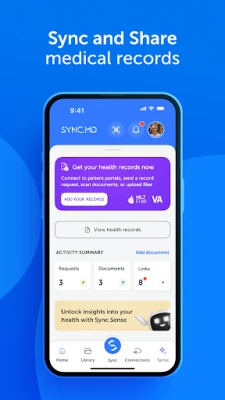
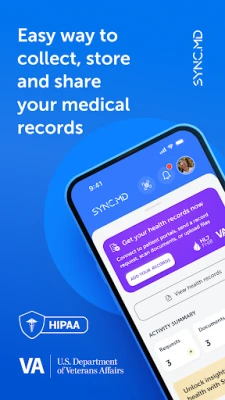
SyncMD is a free Android app from VYRTY Corporation designed to help you keep your medical documents in one place. It acts as a personal health record (PHR) that you can populate with test results, imaging reports, prescriptions, vaccination records, and other health‑related files.
Main capabilities
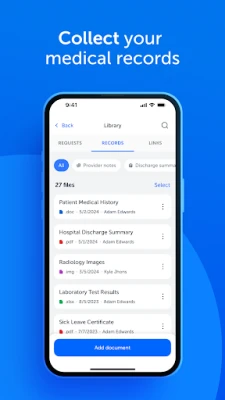
- Document storage – Add PDFs, images, or other files directly from your device.
- Organization tools – Tag records, sort by date, and create custom folders for easy navigation.
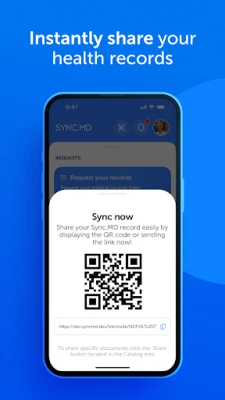
- Secure sharing – Share selected records with doctors, family members, or caregivers through encrypted links.
- Portal integration – When supported, you can log in to patient portals such as MyChart to import existing records.
How it works
After installing the app, you create a personal account and set a strong password. You can then start adding files manually or connect to a supported patient portal using your portal credentials. The app downloads available documents and stores them locally on your device, encrypted for privacy. When you need to share a record, you choose the file, select the recipient, and the app generates a time‑limited, password‑protected link.
Practical uses
SyncMD is useful in several everyday scenarios:
- Doctor visits – Bring a complete set of recent labs or imaging reports without hunting through paper files.
- Emergency situations – Quickly share allergy information or medication lists with emergency responders.
- Family care – Grant a trusted relative access to specific records, such as vaccination history for a child.
- Legal matters – Export selected documents as PDFs for use in insurance claims or legal proceedings.
Installation information
The app is available through the Google Play Store. Search for “SyncMD Personal Health Record” or use the package name com.vyrty.android.patient. Installation follows the standard Android process; no additional permissions beyond storage and network access are required for core functionality.
Things to know before installing
- The app is intended for personal record‑keeping and does not replace professional medical advice.
- It does not function as a medical device and is not certified for diagnostic use.
- All data stays on your device unless you choose to share it; the app does not automatically upload records to a cloud service.
Who may find SyncMD useful?
Anyone who wants a single, organized repository for health information can benefit—from patients managing chronic conditions to caregivers handling records for multiple family members. The app is also helpful for people who travel frequently and need portable access to their medical history.
Frequently asked questions
Is my data encrypted?
Yes, the app encrypts stored files on the device. Shared links are also protected with optional passwords.
Can I import records from any hospital portal?
SyncMD supports a growing list of patient portals. Compatibility depends on the portal’s public API; MyChart is one example that works when credentials are provided.
Do I need an internet connection to view my records?
Once a document is downloaded, it can be opened offline. An internet connection is only required for importing new records or sharing files.
Is there a cost for using the app?
The base version is free. Additional premium features may be offered within the app, but they are optional and clearly labeled.
Rate the App
User Reviews





Popular Apps










 Games
Games Entertainment
 Communication
 E-mail
 Security
 Tools
Tools Media
Media Internet
 Finance
 Design
 Education
 Android Firmwares
 Travel & Local
 Android
 Windows
 Linux
Linux