

Latest Version
September 11, 2026
Northern Health - HealthElife
MEDICAL
Android
29
Free
com.northernhealth.HealthElife.play
Report a Problem
More About Northern Health – HealthElife
What is Northern Health – HealthElife?
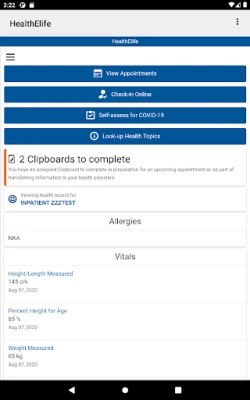
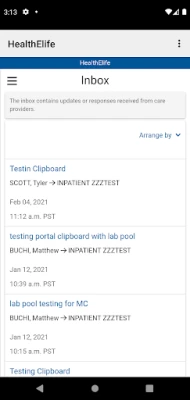
HealthElife is a free Android app from Northern Health that brings key parts of the HealthElife web portal to your mobile device. It lets you view personal health information, manage appointments and stay up‑to‑date with test results without needing a computer.
Main features
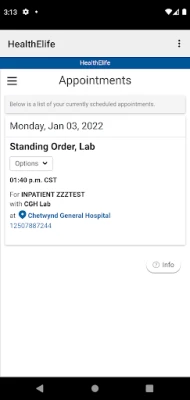
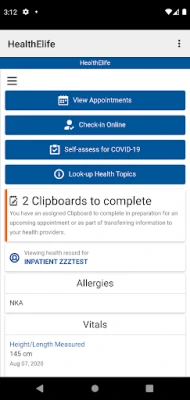
- Appointment overview – See upcoming visits, including date, time and location.
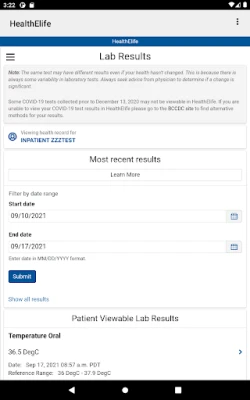
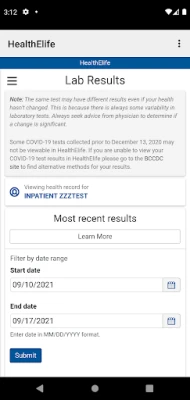
- Result notifications – Get a push notification when new lab, imaging or pathology reports are posted.
- Report access – Browse lab results, radiology reports, microbiology findings and other clinical documents directly in the app.
- Lab scheduling – Book a laboratory appointment at participating Northern Health facilities.
- Virtual visits – Arrange video consultations with providers who offer tele‑health through Northern Health.
How it works
After creating an account on the HealthElife web portal (a PIN is provided by the virtual verification team), you log in to the app with the same username and password. The app then synchronises with the portal, presenting the latest data in a mobile‑friendly layout. All information is pulled securely from Northern Health’s servers; the app does not store medical records locally.
Practical uses
- Check the status of a blood test before a follow‑up appointment.
- Confirm the time and location of a specialist visit while traveling.
- Schedule a lab draw without calling the clinic.
- Join a video visit from home, reducing the need for in‑person trips.
Who may find it useful?
Patients who receive care from Northern Health facilities, families managing a loved one’s health information, and anyone who prefers digital access to medical records will benefit from HealthElife. The app is especially handy for users who need quick reference to upcoming appointments or recent test results.
Things to know before installing
- You must already have a HealthElife web‑portal account; the app does not create new accounts.
- Access requires an internet connection for initial login and for syncing new data.
- All interactions are secured through Northern Health’s authentication system; the app does not request additional permissions beyond what is needed for network access.
Frequently asked questions
Do I need a separate account for the app?
No. Use the same username and password you use for the HealthElife website.
Can I view my entire medical history?
The app shows the information that is available in the web portal, including recent appointments, test results and reports. Older records may be accessible depending on Northern Health’s data retention policies.
Is the app available for iOS?
This description covers the Android version only. Check Northern Health’s official channels for information about other platforms.
What should I do if I forget my password?
Reset it through the HealthElife website; the app will use the updated credentials on the next login.
Rate the App
User Reviews








Popular Apps










 Games
Games Entertainment
 Communication
 E-mail
 Security
 Tools
Tools Media
Media Internet
 Finance
 Design
 Education
 Android Firmwares
 Travel & Local
 Android
 Windows
 Linux
Linux