

Latest Version
September 03, 2026
Benchaa youcef
MEDICAL
Android
12
Free
com.itcastle.healthconnect
Report a Problem
More About HealthConnect – Connect with Healthcare Professionals
What is HealthConnect?
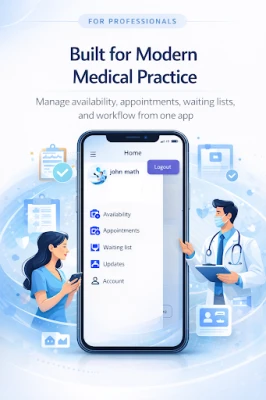
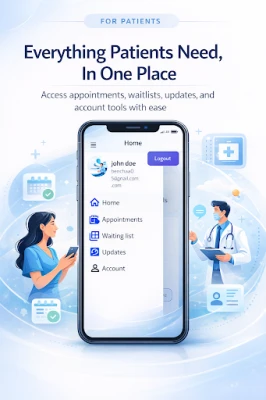
HealthConnect is a mobile application designed to streamline communication between patients and healthcare providers. By bringing professional profiles, appointment requests and wait‑list management into a single interface, the app aims to make the process of finding and scheduling care more transparent and convenient for everyone involved.
Main features
- Searchable professional directory – Users can browse a list of doctors, therapists and other clinicians, view their specialties, locations and languages spoken.
- Appointment requests – Patients can send a request for a specific time slot directly from the provider’s profile.
- Wait‑list enrollment – When a provider’s schedule is full, users may join a wait‑list and receive notifications if an earlier slot becomes available.
- Profile management – Both patients and clinicians can edit their personal information, preferred language and any interpreter needs.
- Communication preferences – The app records how each patient prefers to be contacted, helping providers tailor reminders and messages.
- Insurance visibility – Providers can list accepted insurance plans, giving patients a quick way to verify coverage.
How it works
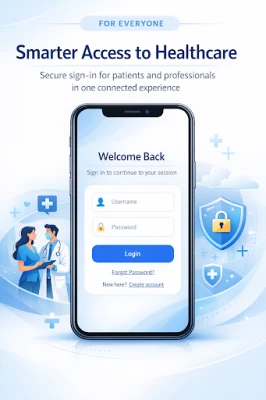
After installing HealthConnect, users create a basic account and indicate whether they are looking for care or offering it. Clinicians set up a professional profile that includes their qualifications, services offered, workplace address, photos and any languages they speak. Patients can then search by name, specialty or location, read the profile details and decide whether to request an appointment or join a wait‑list.
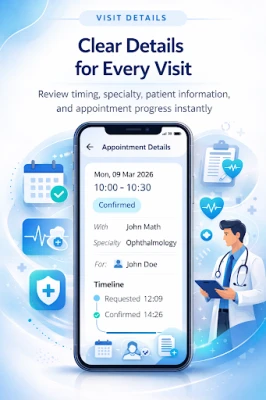
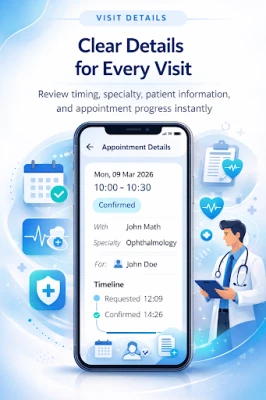
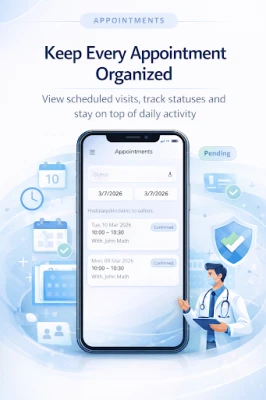
When an appointment request is sent, the provider receives a notification within the app. They can accept, propose a new time or decline the request. Accepted appointments appear in the patient’s personal schedule, and both parties receive reminders according to the communication preferences saved in the profile.
Practical uses
- Finding a new primary‑care physician when moving to a different city.
- Scheduling a specialist visit without spending time on phone calls.
- Joining a wait‑list for a high‑demand service and being alerted as soon as a slot opens.
- Ensuring language needs are met by selecting providers who speak the patient’s preferred language.
Who may find HealthConnect useful?
The app is helpful for anyone who wants a clearer view of local healthcare options, including:
- Patients seeking to compare providers quickly.
- Families managing appointments for multiple members.
- Clinicians who want a simple way to display their services and handle appointment flow.
Things to know before installing
HealthConnect is offered free of charge. The app does not require a specific Android version to be listed, so users should check the Play Store for the minimum OS requirement before downloading. As with any health‑related tool, users should verify that the information displayed (such as insurance acceptance) is up‑to‑date by contacting the provider directly.
Frequently asked questions
Is my personal data safe?
HealthConnect stores user profiles and communication preferences within the app. Users should review the privacy policy provided in the settings to understand how data is handled.
Can I cancel an appointment through the app?
Yes. Once an appointment is confirmed, patients can open the appointment details and select the cancel option. The provider will receive a notification of the cancellation.
Do I need an internet connection to use the app?
Internet access is required for searching providers, sending requests and receiving updates. The app does not function offline.
Rate the App
User Reviews





Popular Apps










 Games
Games Entertainment
 Communication
 E-mail
 Security
 Tools
Tools Media
Media Internet
 Finance
 Design
 Education
 IT Tools
 Travel & Local
 Android
 Windows
 Linux
Linux