
Latest Version
Latest
September 02, 2026
University of Missouri
MEDICAL
Android
18
Free
com.cerner.healthelife.univmo.play
Report a Problem
More About HEALTHConnect – Your Personal Health Portal
What is HEALTHConnect?
HEALTHConnect is a free Android app developed by the University of Missouri in partnership with MU Health Care. It provides a secure gateway for patients and families to access personal health information and communicate with their care team directly from a smartphone.
Main Features
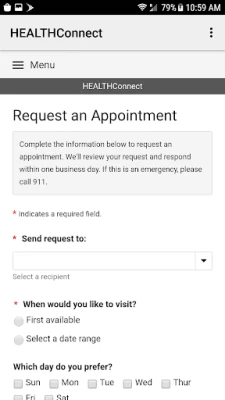
- Secure Messaging – Send and receive encrypted messages with your doctors, nurses, or other members of your care team.
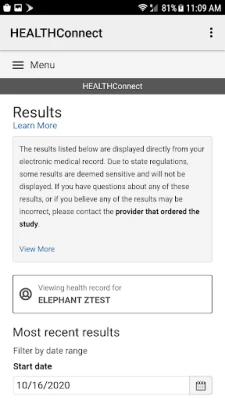
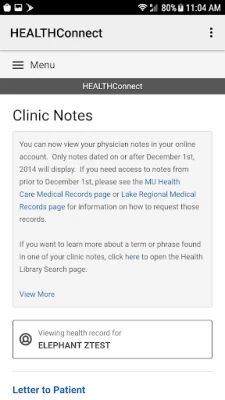
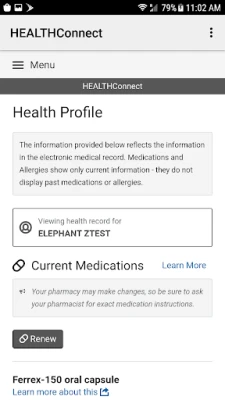
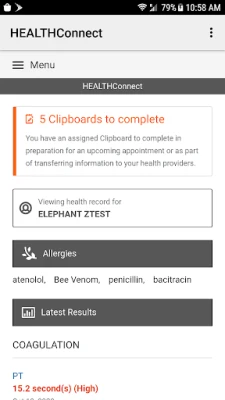
- Medical Record Access – View recent lab results, allergies, immunizations, medication lists, and vital signs.
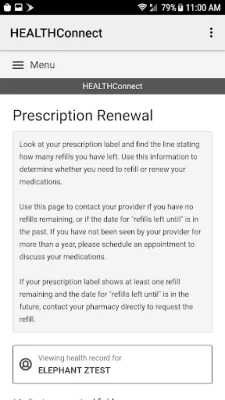
- Prescription Management – Request prescription renewals without calling the clinic.
- Account Convenience – Use fingerprint authentication to log in quickly and safely.
How It Works
After creating an online HEALTHConnect account on the university’s patient portal, you download the app and sign in with your username and password. The app stores your credentials securely and can be linked to your device’s fingerprint sensor for faster access. Once logged in, the dashboard presents a summary of your health data and navigation links to the features listed above.
Practical Uses
Whether you are managing a chronic condition, following up after a hospital visit, or simply keeping track of routine check‑ups, HEALTHConnect helps you stay organized. You can:
- Check lab results as soon as they are posted.
- Confirm that your medication list is up to date.
- Ask a quick question about a symptom or treatment plan.
- Request a refill before you run out of medication.
Who May Find It Useful?
The app is designed for patients of MU Health Care, their families, and anyone who has been granted access to a personal health portal through the university. It is especially helpful for:
- Individuals managing multiple appointments or specialists.
- Caregivers who need to stay informed about a loved one’s health.
- Students and staff who prefer digital communication with their health providers.
Installation Information
Search for “HEALTHConnect” in the Google Play Store, verify the developer name (University of Missouri), and tap Install. The app requires an Android device with a Google Play Services account. No additional downloads are needed after installation.
Things to Know Before Installing
- You must already have an online HEALTHConnect account; the app does not create accounts.
- Internet connectivity is required to sync data and send messages.
- All communications are encrypted, but you should still keep your device protected with a screen lock.
Frequently Asked Questions
Do I need a separate login for the app?
Use the same username and password you use for the web portal. Fingerprint login can be enabled after the first sign‑in.
Can I view older medical records?
The app shows the most recent information that is available in your online portal. Older records may be accessed through the web interface.
Is my data safe?
All data transmission is encrypted, and the app follows the university’s security policies for patient information.
What should I do if I forget my password?
Use the password‑reset link on the university’s portal website; the app does not handle password recovery directly.
Rate the App
User Reviews



Popular Apps










 Games
Games Entertainment
 Communication
 E-mail
 Security
 Tools
Tools Media
Media Internet
 Finance
 Design
 Education
 IT Tools
 Travel & Local
 Android
 Windows
 Linux
Linux