

Latest Version
Latest
September 09, 2026
Cerner Corporation
MEDICAL
Android
2
Free
com.cerner.iris.play
Report a Problem
More About HealtheLife – Your Personal Health Portal
What is HealtheLife?
HealtheLife is a mobile client that lets patients connect to the online health portals provided by their care organizations. Developed by Cerner Corporation, the app offers a single place to view personal health information and communicate with care teams.
Main Features
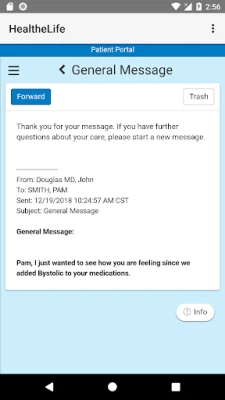
- Secure messaging – Send and receive encrypted messages with your provider.
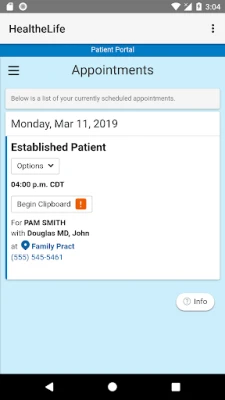
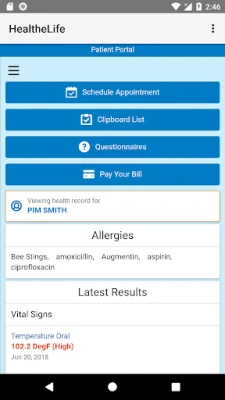
- Appointment management – View upcoming visits, confirm or request changes.
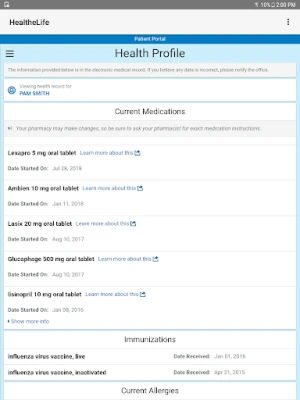
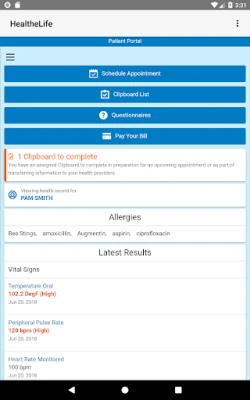
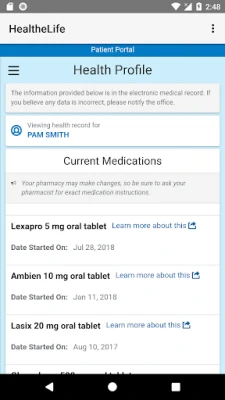
- Health record overview – Browse allergies, immunizations, medication lists, lab results and other documents that your organization makes available.
- Multi‑portal support – If you have accounts with more than one Cerner‑based portal, you can switch between them without leaving the app.
How It Works
First, your health organization must grant you access to its Cerner portal. Once you have a username and password, you log in through the app. After authentication, the app pulls the latest data from the portal and presents it in a mobile‑friendly layout. All interactions remain within the secure environment of the portal, so no health data is stored locally on the device.
Practical Uses
- Check lab results as soon as they are posted, without waiting for a phone call.
- Send a quick question to your nurse or doctor through the messaging feature.
- Review medication changes before a pharmacy visit.
- Confirm the time and location of upcoming appointments while on the go.
Installation Information
The app is distributed as a free download from the Google Play Store. After installing, open the app and follow the on‑screen prompts to enter your Cerner portal credentials. No additional configuration is required.
Things to Know Before Installing
- You must already have an active account with a Cerner‑powered health portal.
- The app does not replace the web portal; it mirrors the information that is already available online.
- All data is transmitted over encrypted connections; the app does not retain personal health information after you log out.
Who May Find It Useful?
Patients who want a convenient way to stay up‑to‑date with their health information, families managing care for multiple members, and anyone who prefers mobile access over a desktop browser will benefit from HealtheLife.
Frequently Asked Questions
Do I need an internet connection?
Yes. The app retrieves data from the online portal each time you log in.
Can I use the app with any health provider?
The app works with health organizations that use Cerner’s patient portal solution. If your provider does not use Cerner, the app will not connect.
Is the app available on iOS?
Currently, HealtheLife is offered only for Android devices.
Rate the App
User Reviews





Popular Apps










 Games
Games Entertainment
 Communication
 E-mail
 Security
 Tools
Tools Media
Media Internet
 Finance
 Design
 Education
 IT Tools
 Travel & Local
 Android
 Windows
 Linux
Linux