
Latest Version
September 10, 2026
NasCorp Technologies
Education
Android
0
Free
com.db.nascorp.stsj
Report a Problem
More About St. Thomas Hr. Sec School – School Management App
What is St. Thomas Hr. Sec School?
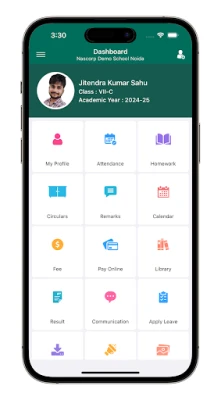
St. Thomas Hr. Sec School is a mobile application created by NasCorp Technologies for the St. Thomas Higher Secondary School community in Jabalpur. It provides a single place where teachers, parents and students can exchange information about daily school activities, track attendance, view academic performance and receive important notices.
Main features
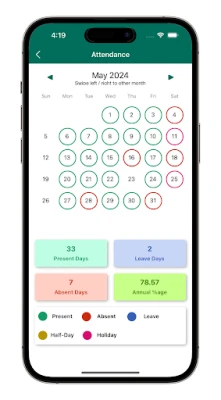
- Attendance tracking – Teachers can mark daily attendance and parents can view their child’s record in real time.
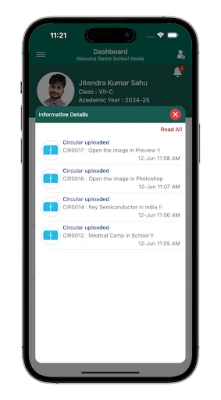
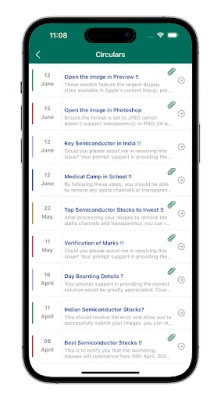
- Notices and announcements – School administrators can push notices, holiday schedules or event reminders directly to users.
- Performance overview – Grades, test scores and progress reports are available for students and parents to review.
- Messaging – A built‑in messaging channel lets teachers communicate with parents without leaving the app.
- Appointment scheduling – Parents can request meetings with teachers and receive confirmation through push notifications.
How it works
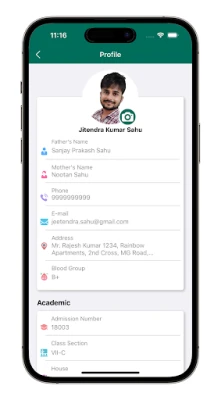
After installing the app, users create an account linked to the school’s database. Teachers receive a role that allows them to enter attendance, post notices and upload grades. Parents log in with a student‑specific identifier, giving them read‑only access to the information that concerns their child. All data is synchronized with the school’s central system, so updates appear instantly on every device.
Practical uses
- Parents can check whether their child was present each day without calling the school office.
- Teachers can send a quick reminder about an upcoming exam or field trip.
- Administrators can monitor overall attendance trends and identify patterns that need attention.
- Students can view their own grades and stay informed about upcoming assignments.
Installation information
The app is distributed as a free download from the Google Play Store. Search for the package name com.db.nascorp.stsj or the title “St. Thomas Hr. Sec School” to locate the correct listing. Tap Install and wait for the download to complete. The initial launch will guide you through account setup.
Things to know before installing
- The app requires an internet connection for data synchronization.
- Access is limited to members of the St. Thomas school community; a valid school‑issued login is required.
- All content is managed by the school, so the information you see reflects the institution’s official records.
Who may find it useful?
Teachers who need a convenient way to record attendance and share grades, parents who want timely updates about their child’s school life, and school administrators looking for a digital channel to communicate with the entire community will all benefit from this app.
Frequently asked questions
Do I need a separate account for each child?
Yes. Each student is assigned a unique identifier, and parents can link multiple identifiers to a single parent account.
Can I receive notifications on a non‑Android device?
The current version is built for Android only. Parents who use other platforms can still access the web portal provided by the school.
Is my data private?
All data is stored on the school’s secure server and is only accessible to authenticated users. The app does not share personal information with third parties.
Rate the App
User Reviews















Popular Apps










 Games
Games Entertainment
 Communication
 E-mail
 Security
 Tools
Tools Media
Media Internet
 Finance
 Design
 Education
 IT Tools
 Travel & Local
 Android
 Windows
 Linux
Linux