
Latest Version
Latest
August 21, 2026
Charter/Spectrum
Entertainment
Android
122
Free
com.TWCableTV
Report a Problem
More About Spectrum TV – Stream Live Channels & On‑Demand Content
What is Spectrum TV?
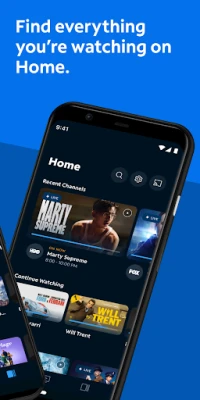
Spectrum TV is the official mobile companion for Charter/Spectrum subscribers. It lets you bring the TV experience you have at home to a smartphone or tablet, letting you watch live channels, catch up on on‑demand movies and series, and manage recordings when you’re away from the couch.
Main features
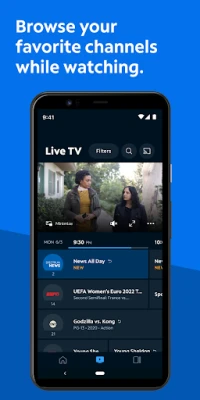
- Live streaming – Access the channels included in your Spectrum TV package in real time.
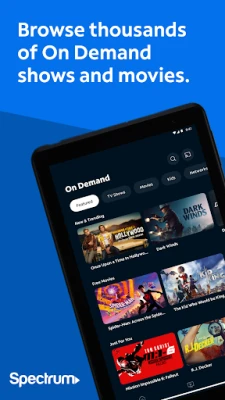
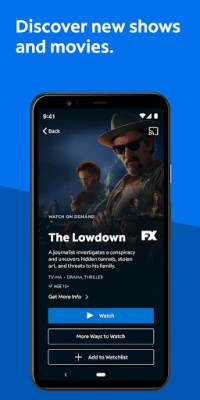
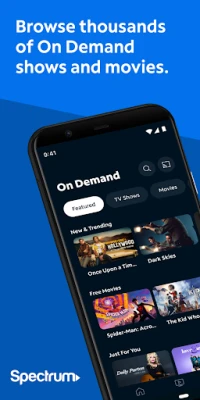
- On‑demand library – Browse a selection of movies, series, and Spectrum Originals that are available to stream at any time.
- Personalized guide – Mark favorite channels and create a custom guide that highlights the programming you watch most.
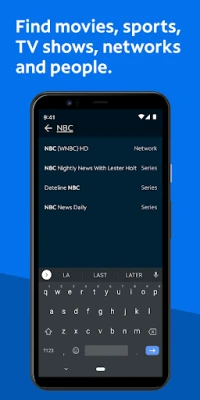
- Search tools – Find content by title, network, actor, or sports team without leaving the app.
- DVR integration – If you have a Spectrum DVR, you can view, delete, or modify scheduled recordings directly from the mobile interface.
- Parental controls – Set a PIN to restrict access to channels or programs based on rating, and the settings apply across all devices linked to your account.
- Casting support – Use Chromecast to send video to a compatible TV for a larger viewing experience.
How it works
After installing the app, you sign in with the username and password associated with your Spectrum TV subscription. The app then authenticates your account and presents the channels and on‑demand titles that belong to your package. Streaming relies on an internet connection; some content may require a connection to Spectrum’s in‑home Wi‑Fi network for optimal performance.
Practical uses
- Traveling and need to keep up with favorite shows.
- Watching a live sports event while away from the TV.
- Using a tablet in a bedroom or kitchen without moving the cable box.
- Managing DVR recordings when you’re on the go.
Installation information
The app is available through the Google Play Store. Search for “Spectrum TV” or use the package name com.TWCableTV. Installation follows the standard Android process: tap Install, wait for the download, then open the app to begin sign‑in.
Things to know before installing
- A current Spectrum TV subscription is required; the app does not provide free access to channels.
- Login credentials must match the account that holds the TV package.
- Streaming quality depends on your mobile data plan or Wi‑Fi speed.
- Some on‑demand titles may be restricted to certain regions or require additional permissions from your provider.
Who may find it useful?
Any existing Spectrum TV subscriber who wants flexibility to watch their regular programming away from the primary TV set will benefit. The app is also handy for households that share a single cable box but need individual viewing options on multiple devices.
Frequently asked questions
Do I need a separate internet connection?
No. The app uses whatever internet connection your device has—cellular data or Wi‑Fi. For the best experience, a stable Wi‑Fi network is recommended.
Can I use the app without a Spectrum DVR?
Yes. You can still stream live and on‑demand content; DVR‑related features simply won’t be available.
Is casting required to watch on a TV?
Casting is optional. You can watch directly on the phone or tablet, or use a Chromecast‑compatible device to display the video on a larger screen.
What should I do if I encounter playback issues?
First, verify your internet connection. If the problem persists, try signing out and back in, or reinstall the app. For persistent issues, contact Spectrum support for assistance.
Rate the App
User Reviews














Popular Apps










 Games
 Entertainment
 Communication
 E-mail
 Security
 Tools
 Media
 Internet
 Finance
 Design
 Education
 Android Firmwares
 Travel & Local
 Android
 Windows
 Linux