

Latest Version
Latest
September 02, 2026
Africa Sunrise
Entertainment
Android
9
Free
com.africasunrise.skinseed
Report a Problem
More About Skinseed for Minecraft – Create and Manage Your Minecraft Skins
What is Skinseed for Minecraft?
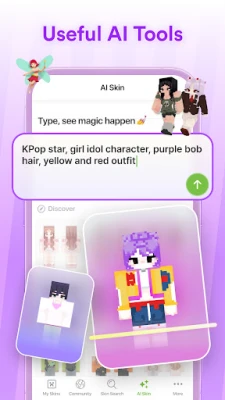
Skinseed for Minecraft is a free Android app that lets players create, edit, and organize Minecraft character skins. It provides tools for both beginners and experienced designers to craft custom appearances for the game’s PC and Pocket Edition versions.
Main Features
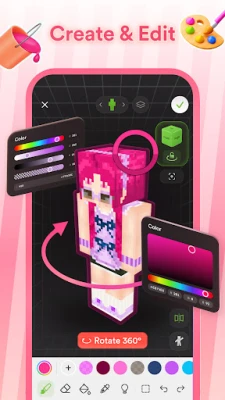
- Skin editor – A canvas with drawing tools, colour picker, and layer support for detailed skin work.
- 3‑D preview – Rotate and view the skin on a model to see how it looks from every angle.
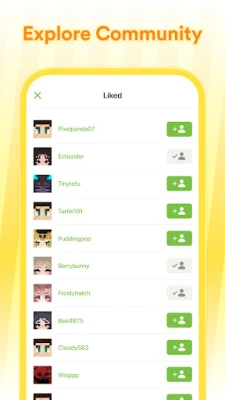
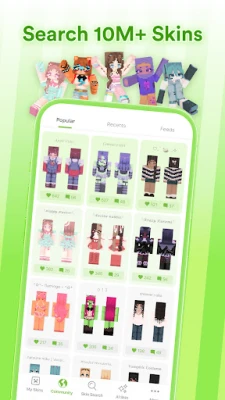
- Searchable library – Access a large collection of community‑shared skins that can be used as a starting point or inspiration.
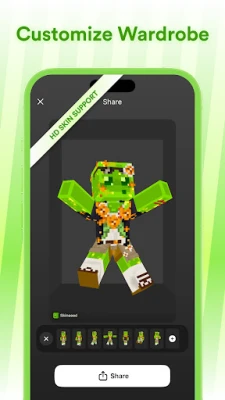
- My Wardrobe – Save favorite or frequently used skins in a personal gallery for quick access.
- Import by username – Load a skin directly from a Minecraft account name for editing or reuse.
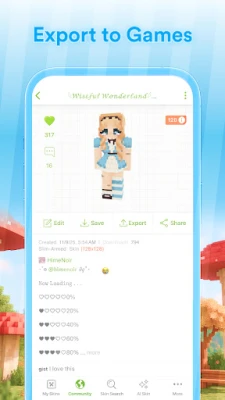
- One‑tap export – Send the finished skin to the Minecraft game on the same device.
How It Works
After installing the app, you can start a new skin from a blank template or pick an existing one from the library. The editor offers brush sizes, eraser, colour fill, and a grid overlay to keep pixel placement accurate. When you are satisfied, the 3‑D preview lets you rotate the model and spot any misaligned pixels. Saving the skin adds it to My Wardrobe, where you can organise skins into folders or mark favourites.
Practical Uses
- Personalisation – Give your Minecraft avatar a unique look that reflects your style.
- Community sharing – Create skins to share with friends or upload them to community sites.
- Learning tool – Practice pixel art techniques in a familiar format.
- Quick edits – Modify an existing skin (for example, change colours) without starting from scratch.
Installation Information
The app is available through the standard Android app marketplace. Simply search for "Skinseed for Minecraft" and tap Install. The download size is modest, and the app does not require additional data packs to run.
Compatibility
Skinseed works on Android devices that meet the minimum system requirements for the Google Play Store. It supports both the Java edition of Minecraft (PC) and the Bedrock edition (Pocket Edition) when exporting skins.
Things to Know Before Installing
- The app does not modify the Minecraft game itself; it only creates skin files that you can apply manually.
- All features are provided at no cost, and there are no mandatory in‑app purchases to use the core editor.
- Skinseed is not affiliated with Mojang or Microsoft; it operates as an independent tool.
Who May Find It Useful?
Anyone who enjoys customizing their Minecraft character – from casual players looking for a fresh look to hobbyist pixel artists who want a dedicated workspace on their phone.
Frequently Asked Questions
Can I edit skins I already own?
Yes. Use the import‑by‑username feature or load a skin file from your device to edit it.
Do I need an internet connection?
An internet connection is required to download skins from the library and to import skins by username. Editing and previewing can be done offline.
How do I apply a skin to Minecraft?
After exporting, open Minecraft, go to the skin settings, and select the file you saved from Skinseed.
Rate the App
User Reviews















Popular Apps










 Games
Games Entertainment
 Communication
 E-mail
 Security
 Tools
Tools Media
Media Internet
 Finance
 Design
 Education
 IT Tools
 Travel & Local
 Android
 Windows
 Linux
Linux