

Latest Version
Latest
September 03, 2026
AimCrafters Software Pvt Ltd.
Education
Android
5
Free
com.aimcrafters.quranwtow
Report a Problem
More About Quran Word To Word, Vocabulary – Free Quran Learning App
What is Quran Word To Word, Vocabulary?
Quran Word To Word, Vocabulary is a free Android application developed by AimCrafters Software Pvt Ltd. It is designed for anyone who wants to engage with the Qur'an at a granular level, examining each Arabic word alongside its translation and tafseer. The app focuses on learning and memorization rather than simply reading, offering tools that help users internalize meanings and build a personal word list.
Main Features
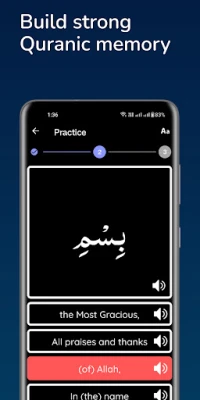
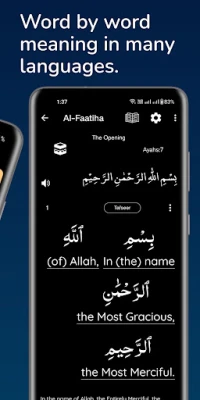
- Word‑by‑word view: Each verse is displayed with individual Arabic words, their English (and other language) translations, and tafseer where available.
- Vocabulary builder: Users can tap a word to add it to a personal study list, allowing focused review later.
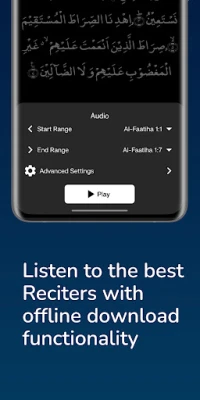
- Audio playback: Verse‑by‑verse audio lets you listen to the recitation while following the text, supporting auditory learners.
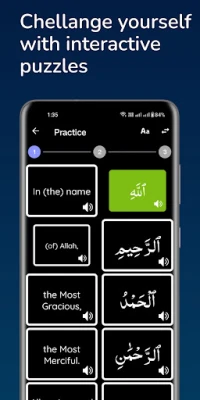
- Interactive exercises: Simple quiz‑style activities such as matching words to meanings or recalling translations help reinforce memory.
- Multi‑language support: The interface includes several languages for navigation, making the app accessible to a broader audience.
How It Works
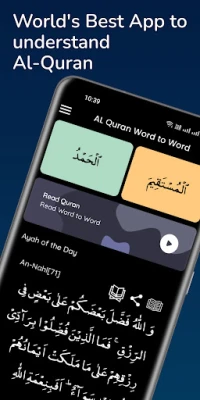
When you open the app, you are presented with a list of Surahs. Selecting a Surah shows the verses broken down into individual words. Each word can be tapped to reveal its translation and any associated tafseer notes. If a word is difficult, a single tap adds it to the “My Vocabulary” section, where you can review it later.
In the Vocabulary tab, the app groups saved words by the chapter (para) they belong to, making it easy to study them in context. The built‑in review tools let you choose between different modes – for example, a multiple‑choice quiz or a simple recall exercise – to test your knowledge.
Practical Uses
- Personal study: Ideal for individuals who want to deepen their understanding of the Qur'an without relying on a teacher.
- Classroom aid: Teachers can assign specific words or verses for students to explore using the app’s vocabulary list.
- Memorization support: The audio playback combined with word‑by‑word text helps learners memorize verses more effectively.
Installation Information
The app is available for free on the Google Play Store. Simply search for the package name com.aimcrafters.quranwtow or the title “Quran Word To Word, Vocabulary” and tap Install. No additional permissions beyond standard reading and audio playback are required.
Compatibility
While specific Android version requirements are not listed, the app follows standard Android development practices and should run on most modern devices running Android 5.0 (Lollipop) or later. Users with very old devices may experience slower performance.
Things to Know Before Installing
- The app is ad‑free and does not include in‑app purchases.
- All content is stored locally; an internet connection is only needed for initial download of audio files.
- Translations and tafseer are provided within the app; no external links are required.
Who May Find It Useful?
Anyone interested in a structured, word‑level approach to Qur'an study can benefit from this app – from beginners learning Arabic script to advanced students seeking to refine their vocabulary and comprehension.
Frequently Asked Questions
- Can I export my vocabulary list? The current version does not include an export feature; the list is kept within the app for personal study.
- Is the audio recitation from a specific Qari? The app uses a standard recitation that is included with the download; details about the reciter are shown in the audio settings.
- Are there updates to add more languages? The developer has indicated plans to expand language support, but no timeline is provided.
Rate the App
User Reviews















Popular Apps










 Games
Games Entertainment
 Communication
 E-mail
 Security
 Tools
Tools Media
Media Internet
 Finance
 Design
 Education
 IT Tools
 Travel & Local
 Android
 Windows
 Linux
Linux