

Latest Version
September 14, 2026
Syed Technologies
Education
Android
5
Free
com.syedapps.qurananddua
Report a Problem
More About Quran & Dua — Islamic App
What is Quran & Dua?
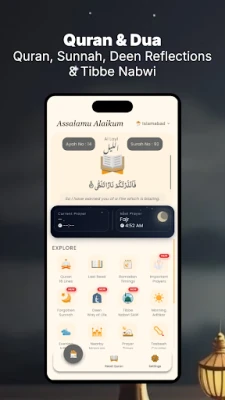
Quran & Dua is a free Android application developed by Syed Technologies. It is designed to serve as a personal companion for Muslims who want quick access to the Holy Quran, accurate prayer times, Qibla direction and a collection of daily supplications (Azkar). The app combines these core Islamic resources in a single, easy‑to‑navigate interface.
Main features
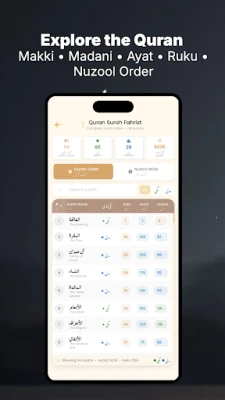
- Quran reading – Browse the entire Quran with clear Arabic text. The layout supports smooth scrolling and optional font adjustments for comfortable reading.
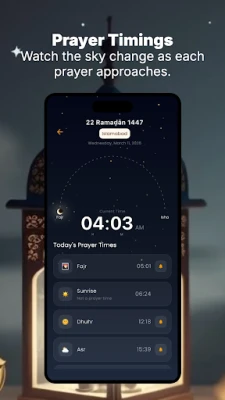
- Prayer times – Get daily prayer timings based on your location. The app calculates times using standard calculation methods and updates automatically as you move.
- Qibla finder – Locate the direction of the Kaaba using the device’s compass. The feature provides a simple visual indicator to help you face the Qibla for prayer.
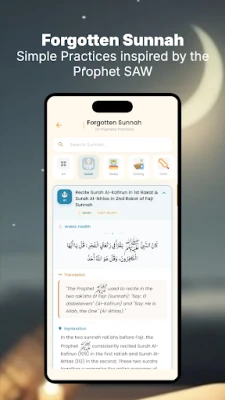
- Daily Azkar – Access a curated list of daily supplications and remembrance verses. The collection includes common morning, evening and post‑prayer Azkar.
How it works
After installing the app, you can start by opening the Quran section to read or listen to verses. The prayer times module requests permission to access your location; once granted, it determines your city or coordinates and displays the five daily prayer times. The Qibla compass uses the device’s built‑in magnetometer; a quick calibration step ensures accurate direction. The Azkar section presents short texts that can be copied or bookmarked for personal use.
Practical uses
- Use the Quran reader during personal study or while traveling, without needing an internet connection.
- Check prayer times on the go, especially when you are in a new city or country.
- Quickly find the Qibla direction before entering a mosque or when praying outdoors.
- Incorporate daily Azkar into your routine to maintain regular remembrance.
Installation information
The app is available for free on the Google Play Store. Search for the package name com.syedapps.qurananddua or the title "Quran & Dua — Islamic App" and tap Install. The download size is modest, and the app does not require additional data after the initial installation.
Things to know before installing
- The app may request access to location services for prayer‑time calculations and Qibla direction.
- No in‑app purchases are required; all core features are provided without charge.
- Regular updates from the developer may improve accuracy of prayer calculations or add new Azkar entries.
Who may find it useful?
Anyone looking for a lightweight, all‑in‑one Islamic resource on Android will benefit from Quran & Dua. It is especially handy for students, travelers, and anyone who prefers a single app rather than juggling multiple utilities.
Frequently asked questions
Do I need an internet connection to read the Quran?
Once the app is installed, the Quran text is stored locally, so you can read offline.
How accurate are the prayer times?
The times are calculated based on your current location and standard Islamic calculation methods. Accuracy depends on the device’s location services.
Can I customize the prayer‑time calculation method?
The app follows common methods by default; any additional options are provided within the settings menu.
Is the Qibla compass reliable?
It uses the device’s built‑in magnetometer. For best results, calibrate the compass as instructed in the app.
Rate the App
User Reviews















Popular Apps










 Games
Games Entertainment
 Communication
 E-mail
 Security
 Tools
Tools Media
Media Internet
 Finance
 Design
 Education
 IT Tools
 Travel & Local
 Android
 Windows
 Linux
Linux