

Latest Version
Latest
September 12, 2026
Praktika.ai Company
Education
Android
2
Free
ai.praktika.android
Report a Problem
More About Praktika – AI Language Tutor
What is Praktika?
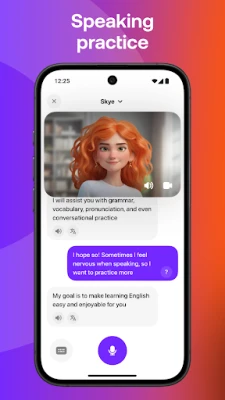
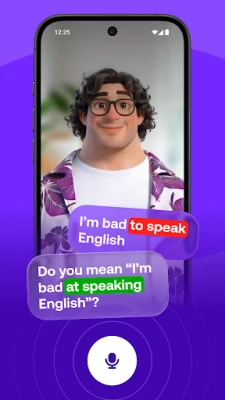
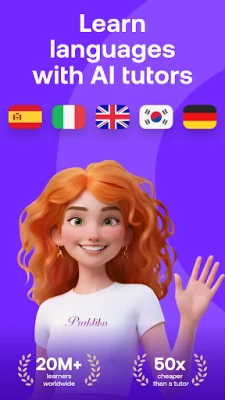
Praktika is a free Android app that lets you improve speaking skills in several languages by chatting with virtual tutors. Each tutor is presented as an avatar with a distinct personality, cultural background and accent, aiming to make practice feel like a natural conversation rather than a textbook exercise.
Main features
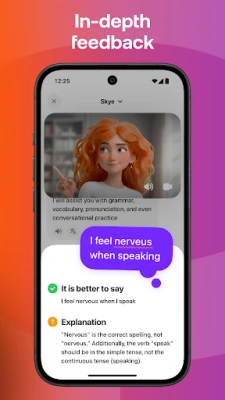
- AI‑powered avatars – Interact with characters that respond to your tone, speed and vocabulary, offering corrections and suggestions in real time.
- Multimodal input – You can share photos, audio clips or documents during a session, allowing the avatar to generate context‑based dialogue or pronunciation feedback.
- Conversation‑first approach – The app focuses on listening, speaking and responding, so you spend more time using the language than memorising isolated words.
- Multiple languages – English, Spanish, Japanese, Korean, French, Portuguese, Italian and German are supported, each with several regional accents.
How it works
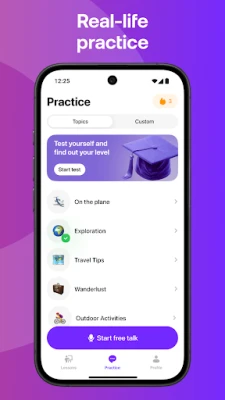
After installing the app, you choose a language and select an avatar that matches the accent or cultural style you want to practice. The avatar greets you and proposes a topic, such as travel, work or everyday life. You respond by speaking or typing; the AI analyses your input, provides immediate feedback on pronunciation, grammar and word choice, and continues the dialogue.
When you upload a piece of content – for example, a photo of a street sign or a résumé – the avatar can generate relevant questions, explain vocabulary, or simulate a role‑play scenario (like a job interview) based on that material.
Practical uses
- Preparing for language‑proficiency exams by practicing spoken sections in a low‑pressure environment.
- Building confidence for real‑world situations such as ordering food, asking for directions or networking at conferences.
- Enhancing professional communication by rehearsing presentations, interviews or business negotiations.
- Exploring cultural nuances through avatars that reflect specific regional speech patterns.
Who may find it useful?
Students who need extra speaking practice, travelers who want to sound more natural, professionals preparing for multilingual meetings, and language enthusiasts looking for an interactive way to keep skills sharp.
Things to know before installing
- The app is free to download and use; additional premium tools may be offered inside the app.
- It requires an internet connection for the AI processing that powers the avatars.
- Audio input is used to evaluate pronunciation, so a microphone is needed for the full experience.
Frequently asked questions
Do I need to be fluent to start?
No. The avatars adapt to beginner, intermediate and advanced levels, offering simpler prompts for newcomers and more complex discussions for seasoned speakers.
Can I switch languages during a session?
Each session is tied to a single language, but you can start a new conversation with a different avatar at any time.
Is my data private?
All content you share is processed to generate responses. Review the app’s privacy policy for details on data handling.
Rate the App
User Reviews












Popular Apps










 Games
Games Entertainment
 Communication
 E-mail
 Security
 Tools
Tools Media
Media Internet
 Finance
 Design
 Education
 IT Tools
 Travel & Local
 Android
 Windows
 Linux
Linux