

Latest Version
September 06, 2026
Plex, Inc.
Entertainment
Android
6
Free
com.plexapp.android
Report a Problem
More About Plex: Find Movies & TV Shows – Stream & Track Your Favorites
What is Plex?
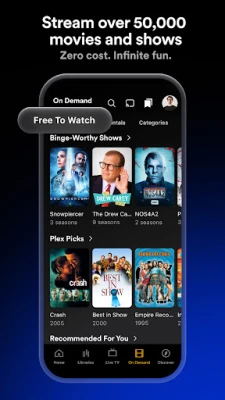
Plex is a media‑center app that brings together the content you already watch. By linking the streaming accounts you own, Plex shows you where a particular movie or TV episode is available and lets you add it to a single watchlist. The app is free to download and use, and it is developed by Plex, Inc.
Main features
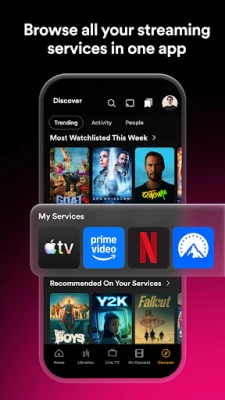
- Unified search – Enter a title and see which of your connected services offer it.
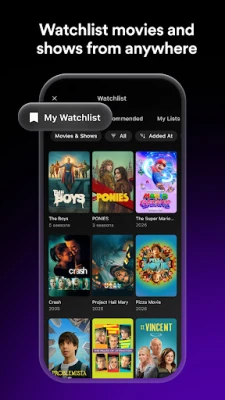
- Universal watchlist – Save movies and shows in one place, regardless of the platform they belong to.
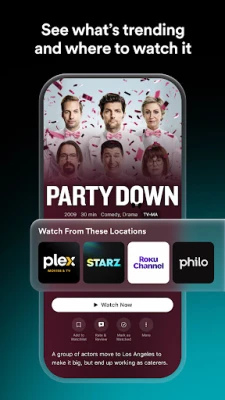
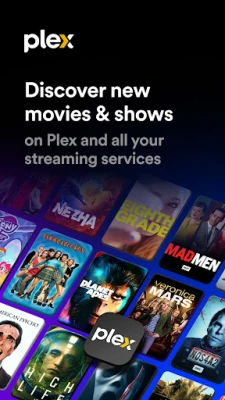
- Trending insights – Browse lists of popular titles and see where they can be streamed.
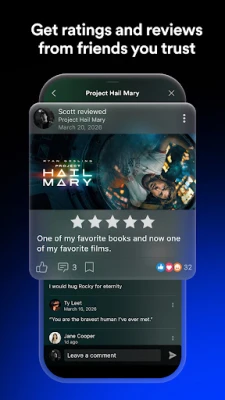
- Community ratings – View ratings and short reviews from other Plex users to help decide what to watch next.
How it works
After installing the app, you can link the streaming services you subscribe to (such as Netflix, Hulu, Amazon Prime Video, etc.). When you search for a title, Plex queries those services and displays the available options, including the price or subscription requirement. You can then tap a result to add it to your watchlist or start playback if the service supports in‑app streaming.
Practical uses
- Save time searching – Instead of opening each streaming app separately, a single search tells you where the content lives.
- Plan your viewing – Build a watchlist that spans multiple platforms, making it easy to see what’s next.
- Discover new shows – Browse trending sections to find titles you might have missed.
Installation information
The app is available through the Google Play Store. Search for "Plex: Find Movies & TV Shows" or use the package name com.plexapp.android. Tap Install and follow the on‑screen prompts. No additional files are required.
Things to know before installing
- The core app is free; some features may require a Plex Pass subscription, but basic search and watchlist functionality work without it.
- To get the most out of the unified search, you will need to sign in to each streaming service you want Plex to check.
- Internet connectivity is required for searching and streaming content.
Who may find Plex useful?
Anyone who subscribes to multiple streaming platforms and wants a single place to track what to watch. It is also handy for families sharing a common watchlist, as well as for users who enjoy exploring trending titles across services.
Frequently asked questions
Do I need a Plex account?
Yes, a free Plex account is required to link your streaming services and sync your watchlist across devices.
Can I stream directly from Plex?
If the linked service supports in‑app playback, Plex will launch the stream within the app. Otherwise, it will open the respective service’s app.
Is there a limit to how many services I can connect?
No hard limit is published; you can add as many supported services as you like.
Rate the App
User Reviews













Popular Apps










 Games
Games Entertainment
 Communication
 E-mail
 Security
 Tools
Tools Media
Media Internet
 Finance
 Design
 Education
 IT Tools
 Travel & Local
 Android
 Windows
 Linux
Linux