
Latest Version
Latest
September 15, 2026
RoboRisen
Education
Android
6
Free
com.roborisen.pingpongscratch
Report a Problem
More About PingPongScratch – Learn Coding with Scratch and G‑Cube
What is PingPongScratch?
PingPongScratch is an educational Android app created by RoboRisen. It combines the visual programming environment of Scratch with the ability to control G‑Cube hardware modules. The goal is to give learners a concrete way to see code in action, turning abstract concepts into interactive experiments.
Main Features
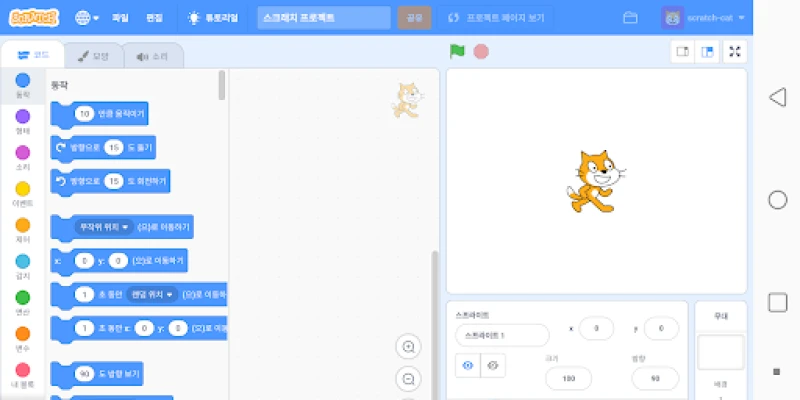
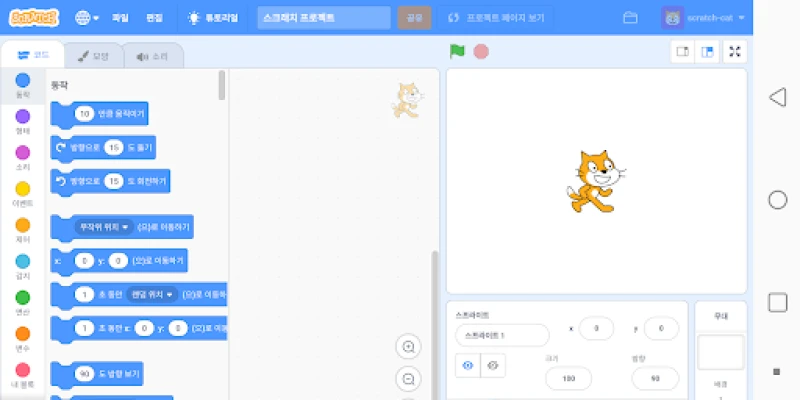
- Scratch‑based interface – Users build programs by dragging and connecting colorful blocks, eliminating the need to write text‑based code.
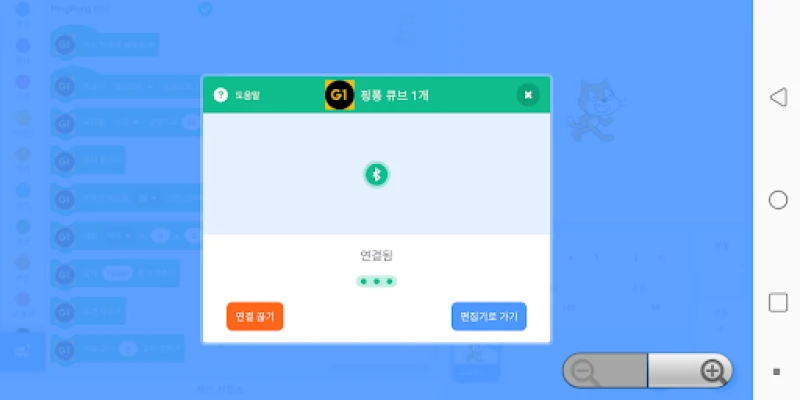
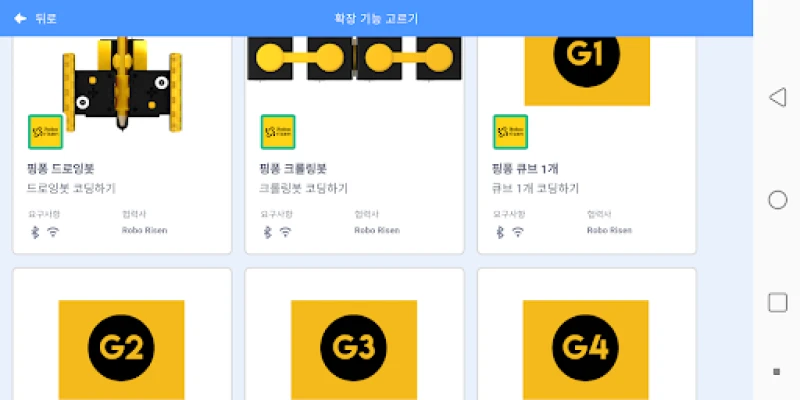
- Hardware integration – The app communicates with G‑Cube devices, allowing blocks to trigger lights, motors, sensors, and other peripherals.
- Real‑time feedback – Changes in the program are reflected instantly on the connected hardware, helping users understand cause and effect.
- Step‑by‑step lessons – Built‑in tutorials guide newcomers through basic concepts such as loops, conditionals, and event handling.
- Project saving – Work can be saved locally on the device, enabling users to revisit and extend their creations.
How It Works
After installing the app, users start by selecting a tutorial or creating a new project. The Scratch‑style workspace appears, where blocks are arranged to define actions. When a G‑Cube device is connected via Bluetooth, the app detects it automatically. Users then assign hardware actions to specific blocks—for example, turning on an LED when a sprite touches a color. Pressing the “Run” button sends the compiled instructions to the G‑Cube, which executes them in real time.
Practical Uses
- Classroom activities – Teachers can design simple robotics challenges that reinforce logic and sequencing.
- After‑school clubs – Kids can experiment with building games that respond to physical inputs, fostering creativity.
- Self‑paced learning – Individuals exploring programming for the first time can progress at their own speed, revisiting lessons as needed.
Installation Information
The app is distributed as a free download from the Appitika store. Installation follows the standard Android process: tap “Install,” grant any required Bluetooth permissions, and launch the app. No additional configuration is needed beyond pairing a G‑Cube device.
Things to Know Before Installing
- Bluetooth must be enabled on the device to communicate with G‑Cube hardware.
- The app stores projects locally; backing up to external storage is recommended if you plan to switch devices.
- While the app itself is free, a G‑Cube kit is required for hardware interaction.
Who May Find It Useful?
PingPongScratch is aimed at beginners of all ages who want a tactile introduction to coding. It is especially suitable for:
- Students in elementary or middle school science and technology classes.
- Educators looking for a low‑cost, visual programming tool.
- Parents seeking a screen‑time activity that also teaches problem‑solving.
Frequently Asked Questions
Do I need prior programming experience?
No. The block‑based approach is designed for complete beginners.
Can I use the app without a G‑Cube?
Yes, the Scratch environment works independently, but hardware features require a connected G‑Cube.
Is the app compatible with all Android versions?
The app runs on devices that support Bluetooth and meet the standard Android runtime requirements. Specific version details are listed in the store description.
Rate the App
User Reviews













Popular Apps










 Games
Games Entertainment
 Communication
 E-mail
 Security
 Tools
Tools Media
Media Internet
 Finance
 Design
 Education
 IT Tools
 Travel & Local
 Android
 Windows
 Linux
Linux