

Latest Version
Latest
September 13, 2026
ParentSquare
Education
Android
4
Free
com.parentsquare.psapp
Report a Problem
More About ParentSquare – School Communication App
What is ParentSquare?
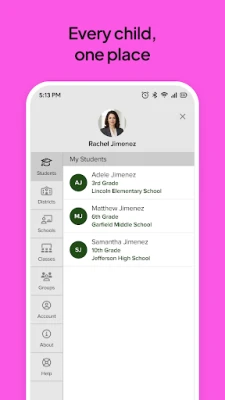
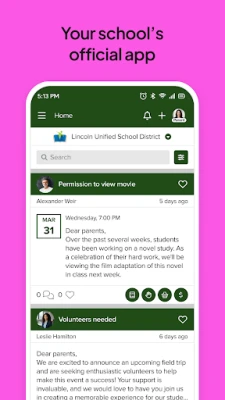
ParentSquare is a communication platform that links families, teachers, and school administrators. The Android app provides a single place to receive school news, classroom updates, and important alerts, helping parents stay informed about their child’s education.
Main features
- Unified inbox – All messages from teachers, staff, and the district appear in one organized feed.
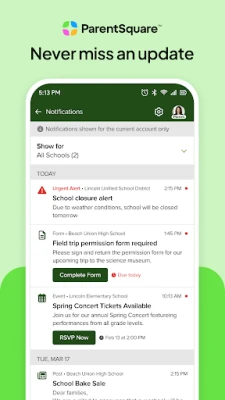
- Real‑time notifications – Push alerts let you know instantly about attendance notices, schedule changes, or emergency announcements.
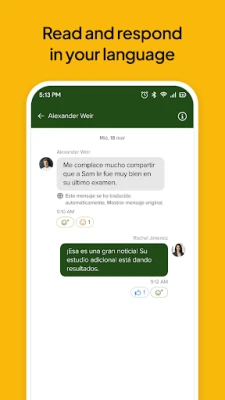
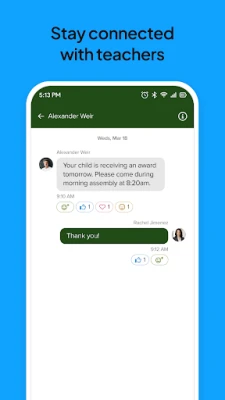
- Direct messaging – Send private messages to teachers or school staff without leaving the app.
- Group conversations – Join class‑wide or grade‑level discussions to share information with other parents.
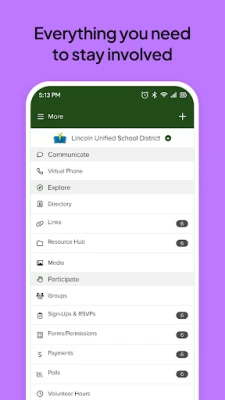
- Event and volunteer sign‑ups – View upcoming events, sign up for volunteer opportunities, and manage conference appointments.
How it works
After downloading the app, you log in with the credentials provided by your school. Once authenticated, the app syncs with the school’s ParentSquare account, pulling in the latest announcements, messages, and calendar items. You can customize notification settings for different types of alerts, ensuring you only receive the information that matters most to you.
Practical uses
- Quickly check daily classroom updates and homework assignments.
- Receive attendance alerts the moment a child is marked absent or tardy.
- Stay aware of cafeteria balances, fee invoices, and payment deadlines.
- Participate in school‑wide surveys or polls directly from your phone.
Installation information
The app is available for free on the Google Play Store. Search for “ParentSquare” or use the package name com.parentsquare.psapp to locate it. Installation follows the standard Android process: tap “Install,” grant the requested permissions, and open the app to begin setup.
Things to know before installing
- The app requires an internet connection for syncing messages and notifications.
- Access to basic device permissions (e.g., storage for saving attachments) may be requested during first launch.
- All communication is managed through your school’s ParentSquare account; the app does not create separate user profiles.
Who may find it useful?
Parents and guardians who want a reliable way to receive school communications, teachers looking to streamline messaging, and school administrators seeking a centralized channel for alerts will benefit from ParentSquare.
Frequently asked questions
Do I need a separate account for ParentSquare?
No. Your school provides login credentials that link directly to the school’s ParentSquare system.
Can I use the app on multiple devices?
Yes. Logging in with the same credentials on another Android device will sync your messages and settings.
Is the app free?
ParentSquare is offered at no cost to users; any fees related to school services are handled separately by the school.
Rate the App
User Reviews














Popular Apps










 Games
Games Entertainment
 Communication
 E-mail
 Security
 Tools
Tools Media
Media Internet
 Finance
 Design
 Education
 IT Tools
 Travel & Local
 Android
 Windows
 Linux
Linux