
Latest Version
August 29, 2026
Netflix, Inc.
Entertainment
Android
20
Free
com.netflix.mediaclient
Report a Problem
More About Netflix – Stream Movies & TV Shows
What is Netflix?
Netflix is a subscription‑based streaming service that offers on‑demand access to a large library of movies, TV series, documentaries, and original productions. The Android app lets you enjoy this content on smartphones and tablets, using your existing Netflix account.
Main features
- Extensive library – Thousands of titles across genres and languages.
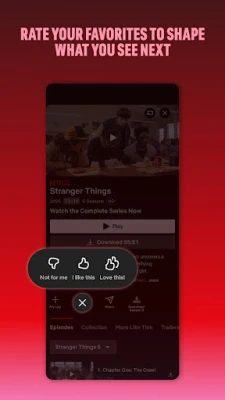
- Personalized recommendations – The app suggests content based on your viewing history and ratings.
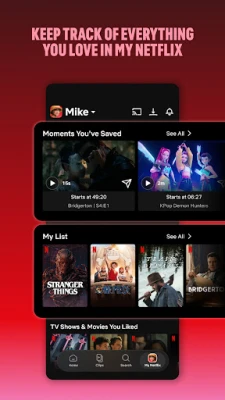
- My List – Save titles you want to watch later and access them with a single tap.
- Offline viewing – Download selected movies or episodes to watch without an internet connection.
- Multiple profiles – Create separate profiles for family members, each with its own recommendations and watch history.
- Parental controls – Set maturity level restrictions and PIN protection for younger viewers.
How it works
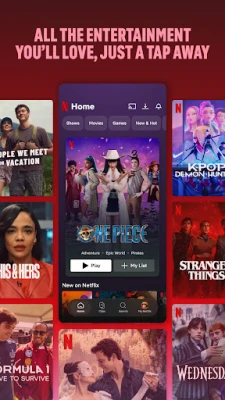
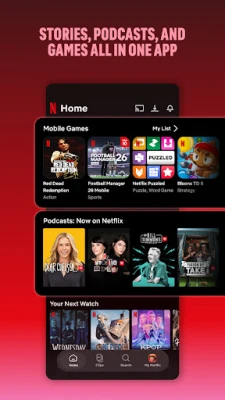
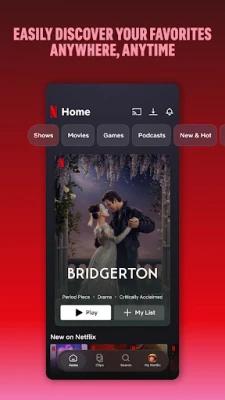
After installing the app, sign in with your Netflix credentials. The home screen presents a mix of new releases, continue‑watch items, and personalized suggestions. Use the bottom navigation bar to explore categories such as Home, Search, Downloads, and More. Selecting a title opens a detail page with a synopsis, cast information, episode list (for series), and playback options.
Practical uses
- Travel: Download episodes before a flight and watch offline.
- Commute: Stream short episodes or documentaries during transit.
- Family time: Switch profiles to let each member watch their preferred shows.
- Learning: Explore documentaries and educational series across many subjects.
Installation information
The Netflix app is available for free download from the Google Play Store. No additional purchase is required to install; however, a paid Netflix subscription is needed to access content.
Compatibility
The app runs on Android devices that meet the minimum system requirements set by Netflix. While specific version numbers are not disclosed here, the Play Store will indicate whether your device is compatible at the time of download.
Things to know before installing
- A valid Netflix subscription is required to stream content.
- Data usage can be high when streaming in HD or higher resolutions; consider using Wi‑Fi or adjusting playback quality in settings.
- Some titles may be unavailable in certain regions due to licensing.
Who may find it useful?
Anyone with an interest in on‑demand video entertainment—whether you enjoy blockbuster movies, binge‑watch series, or niche documentaries—will benefit from the Netflix app. It is also convenient for families who want separate viewing profiles and for travelers who need offline access.
Frequently asked questions
- Can I watch Netflix without an internet connection? Yes, by downloading titles to your device while you have a connection, you can watch them later offline.
- How many devices can I use at the same time? The number of simultaneous streams depends on your subscription plan.
- Is there a free trial? Availability of a free trial varies by region and promotional periods; check the app or Netflix website for current offers.
- Can I change the playback quality? Yes, the app includes settings to select data usage levels, ranging from low to high definition.
Rate the App
User Reviews














Popular Apps










 Games
Games Entertainment
 Communication
 E-mail
 Security
 Tools
Tools Media
Media Internet
 Finance
 Design
 Education
 IT Tools
 Travel & Local
 Android
 Windows
 Linux
Linux