
Latest Version
Latest
August 25, 2026
MarcoPolo Learning, Inc.
Education
Android
105
Free
com.gomarcopolo.worldschool
Report a Problem
More About MarcoPolo World School – Free Learning App for Young Children
What is MarcoPolo World School?
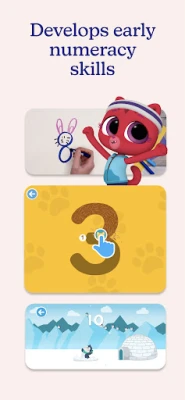
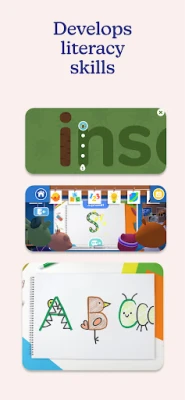
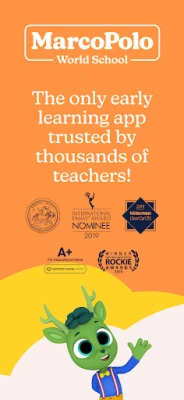
MarcoPolo World School is a free Android application created by MarcoPolo Learning, Inc. It is designed to introduce early learners to foundational concepts in science, technology, engineering, art, math, and literacy. The app presents content in a playful, age‑appropriate format that encourages exploration and curiosity.
Main Features
- Curriculum‑aligned activities – Lessons are organized around early‑childhood learning goals, helping children develop skills that prepare them for school.
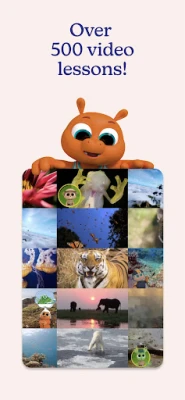
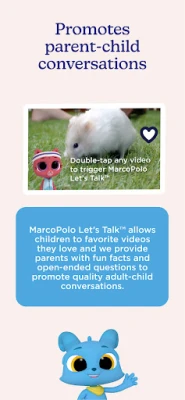
- Interactive multimedia – The app combines short videos, animated explanations, and hands‑on exercises to keep young users engaged.
- Progress tracking – Parents can see which topics their child has explored and which areas may need more practice.
- Safe, offline‑first design – Content can be accessed without a constant internet connection, providing a secure environment for kids.
How It Works
After installing the app, users are guided through a simple onboarding process that selects an age range and learning interests. The home screen displays themed modules such as "Science Adventures" or "Math Fun." Tapping a module opens a series of short videos followed by interactive tasks. Children earn virtual stickers for completing activities, which can motivate continued learning.
Practical Uses
- Supplemental home learning – Parents can use the app to reinforce concepts taught at preschool or kindergarten.
- Classroom enrichment – Educators may incorporate selected modules into lesson plans for interactive group activities.
- Travel companion – Offline access makes the app useful for keeping kids engaged during trips.
Installation Information
The app is available through the Google Play Store. Search for the package name com.gomarcopolo.worldschool or the title "MarcoPolo World School" to locate the correct listing. Installation follows the standard Android process: tap Install, wait for the download, and then open the app.
Compatibility
MarcoPolo World School runs on Android devices that meet the minimum system requirements set by Google Play. Because specific version details are not published, users should ensure their device runs a recent version of Android and has sufficient storage for the app and its media files.
Things to Know Before Installing
- The app is free to download and use; no in‑app purchases are required for core content.
- While the app works offline after the initial download, an internet connection is needed for the first installation and any future updates.
- Parental controls are built in, allowing adults to set usage limits or restrict access to certain sections.
Who May Find It Useful?
MarcoPolo World School is aimed at children ages 3 to 6 who are beginning formal education. It is also helpful for parents seeking a structured, screen‑based learning tool, as well as early‑childhood educators looking for supplemental digital resources.
Frequently Asked Questions
- Is the app safe for children? Yes, the app is designed with child safety in mind, offering offline access and parental controls.
- Do I need an account? No account is required to use the core learning modules.
- Can I track my child’s progress? The app includes a simple progress view that shows completed lessons and earned stickers.
- Are there ads? The free version does not display third‑party advertisements.
Rate the App
User Reviews













Popular Apps










 Games
 Entertainment
 Communication
 E-mail
 Security
 Tools
 Media
 Internet
 Finance
 Design
 Education
 Android Firmwares
 Travel & Local
 Android
 Windows
 Linux