

Latest Version
Latest
August 28, 2026
White Platform Studio
Entertainment
Android
122
Free
com.skin.editor.avatar.maker
Report a Problem
More About Makerblox – Create Skins
What is Makerblox?
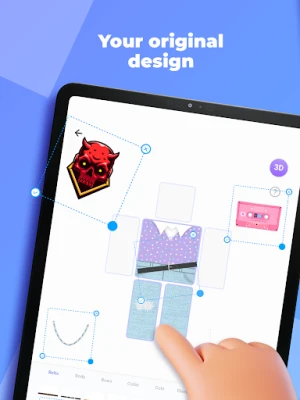
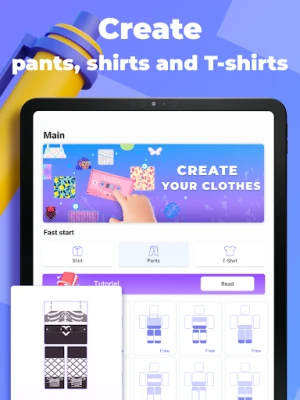
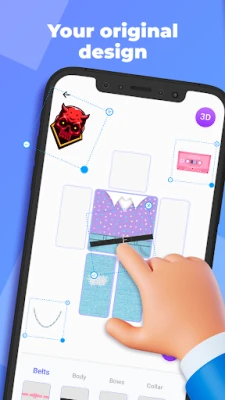
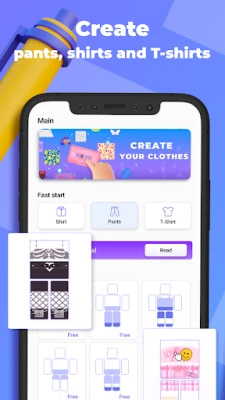
Makerblox is a free Android app that lets you design and customize clothing for avatar skins used in various games. Developed by White Platform Studio, the tool provides a visual editor so you can craft shirts, pants, accessories and full outfits without needing external graphics software.
Main features
- Full wardrobe creation – design shirts, t‑shirts, trousers and complete clothing sets.
- Gender‑specific templates – choose male or female avatar bases to match the style you need.
- Layered accessories – add hoods, pockets, ties, scarves, jewelry and other decorative elements.
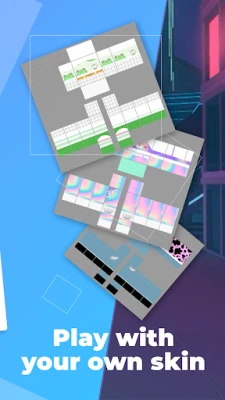
- Texture library – select from a range of fabric textures and patterns to give your designs a realistic look.
- Sticker library – apply pre‑made stickers or draw your own details directly on the canvas.
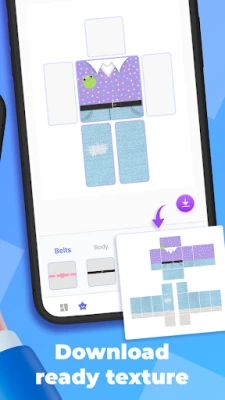
- Export ready – save your creations in a format that can be imported into supported games.
How it works
The app opens to a simple canvas showing a blank avatar silhouette. From the toolbar you can pick a clothing piece, choose a base texture, and then layer stickers or draw freehand. A pinch‑to‑zoom gesture lets you work on fine details, while undo/redo buttons help you experiment safely. When you are satisfied, the design can be exported with a single tap.
Practical uses
Makerblox is useful for players who want a personal touch in games that support custom skins. It also serves hobbyists who enjoy digital fashion design, as well as small creators who need quick mock‑ups for community projects or streaming overlays.
Installation information
The app is available for free on the Android platform. Simply search for "Makerblox - Create Skins" in the Play Store, tap Install, and launch the app after the download completes.
Things to know before installing
- The app does not require root access.
- All design work is stored locally on your device unless you choose to share the exported files.
- Makerblox does not include built‑in game integration; you will need to follow each game’s instructions for importing custom skins.
Who may find it useful?
Anyone who enjoys personalizing their in‑game appearance, from casual gamers to dedicated modders, will benefit from Makerblox’s straightforward editor. It is also a handy tool for educators introducing basic graphic design concepts on mobile devices.
Frequently asked questions
- Can I use Makerblox for any game? The app creates generic skin files; compatibility depends on whether the target game supports custom skin imports.
- Do I need an internet connection? No, the editor works offline after installation.
- Is there a limit to how many designs I can save? The app stores designs locally, limited only by your device’s storage capacity.
Rate the App
User Reviews











Popular Apps










 Games
 Entertainment
 Communication
 E-mail
 Security
 Tools
 Media
 Internet
 Finance
 Design
 Education
 Android Firmwares
 Travel & Local
 Android
 Windows
 Linux