
Latest Version
Latest
August 17, 2026
LEGO System A/S
Entertainment
Android
85
Free
com.lego.legobuildinginstructions
Report a Problem
More About LEGO® Builder: 3D Instructions – Digital Building Guide
What is LEGO® Builder: 3D Instructions?
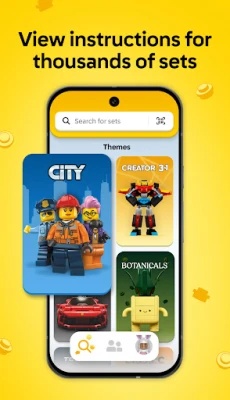
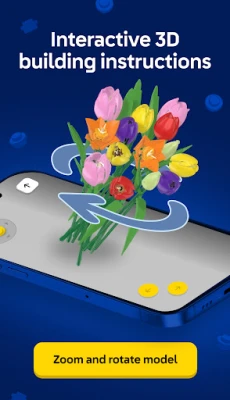
LEGO® Builder: 3D Instructions is a free Android app from LEGO System A/S that turns traditional paper manuals into interactive, three‑dimensional building guides. The app lets you view any supported LEGO® set from every angle, zoom in on individual bricks, and follow a clear, step‑by‑step process without flipping pages.
Main features
- 3D viewing – Rotate, pan and zoom models to see how pieces fit together.
- Digital step‑by‑step instructions – Each building step is highlighted, making it easy to locate the next brick.
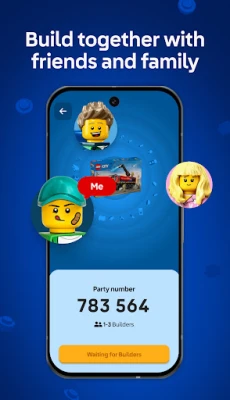
- Build Together mode – Generate a PIN code so multiple users can take turns building the same set, ideal for family or group activities.
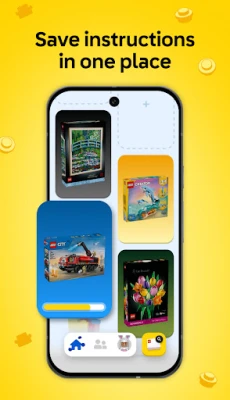
- Searchable library – Find instructions by set name or number, and open them instantly.
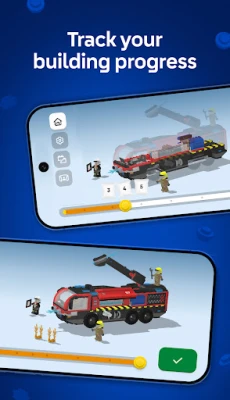
- Progress tracking – Save where you left off and resume later on any device.
How it works
After installing the app, you can browse the built‑in catalog or enter a set number manually. Once a set loads, the 3D model appears on screen. Use pinch gestures to zoom, swipe to rotate, and tap on highlighted bricks to advance through the building steps. If you want to build with others, select the Build Together option, share the generated PIN, and each participant can control the view and progress from their own device.
Practical uses
- Family game night – Turn a LEGO® set into a collaborative activity where each person contributes a few steps.
- Learning tool – Visual learners can see how pieces interlock before handling the physical bricks.
- Travel companion – When you’re away from home, the app lets you continue a build without carrying the paper manual.
Installation information
The app is available through the Google Play Store. Search for "LEGO® Builder: 3D Instructions" or use the package name com.lego.legobuildinginstructions. The download size is modest, and the app does not require a paid license.
Things to know before installing
- An active internet connection is required to download instruction sets and to use Build Together.
- The app stores progress locally; a LEGO® account is optional for syncing across devices.
- Not every LEGO® set may be available immediately; the library is updated regularly by LEGO.
Who may find it useful?
Anyone who owns LEGO® bricks and prefers a digital reference will benefit—from parents looking for a tidy alternative to paper manuals, to hobbyists who enjoy exploring models in 3D, to educators using LEGO® as a hands‑on teaching aid.
Frequently asked questions
Do I need a LEGO® account?
No. The app works without an account, but signing in lets you back up your progress and access it on multiple devices.
Can I use the app offline?
Instructions must be downloaded while online. Once saved, you can continue a build without a connection, but new sets and Build Together require internet access.
Is the app compatible with all Android versions?
The app targets recent Android releases. If your device runs a very old version, some features may be unavailable.
Rate the App
User Reviews















Popular Apps










 Games
Games Entertainment
 Communication
 E-mail
 Security
 Tools
Tools Media
Media Internet
 Finance
 Design
 Education
 Android Firmwares
 Travel & Local
 Android
 Windows
 Linux
Linux