

Latest Version
September 04, 2026
4English
Education
Android
5
Free
com.fourspeak.fourspeak
Report a Problem
More About Learn English Speaking: 4Speak – Conversational Practice App
What is Learn English Speaking: 4Speak?
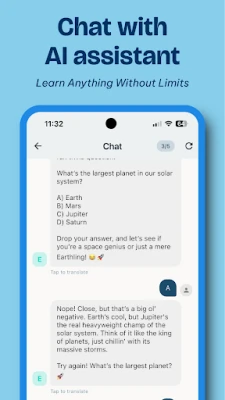
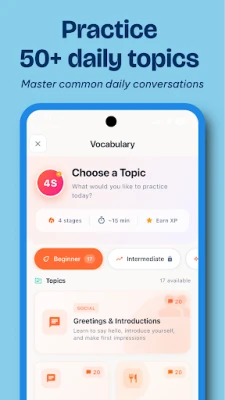
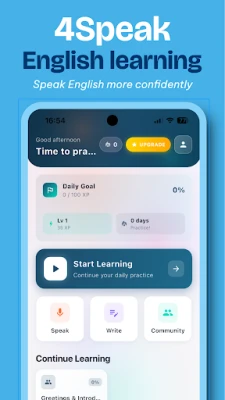
4Speak is a free Android app designed to help learners improve their spoken English through interactive dialogue. Rather than focusing solely on reading or writing, the app centers on speaking, offering a conversational environment where users can practice everyday topics and receive immediate feedback.
Main Features
- Conversation‑driven practice: Choose from a range of common situations—shopping, travel, work, and more—to simulate natural dialogue.
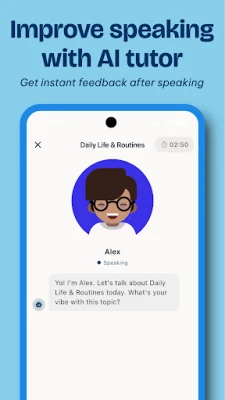
- Personalized tutor: An on‑device assistant listens to your speech, highlights pronunciation gaps, and suggests adjustments in real time.
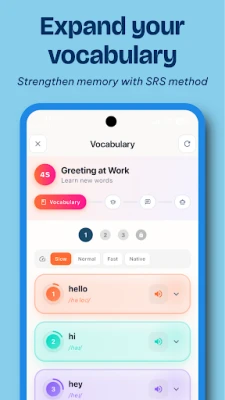
- Vocabulary reinforcement: New words and phrases encountered during chats are saved for later review, helping you retain them longer.
- Progress tracking: The app records session length, topics covered, and improvement metrics so you can see how your fluency evolves.
How It Works
When you start a session, you select a topic that matches your interests or current learning goals. The tutor prompts you with a question or a short dialogue line, and you respond aloud. The app analyzes your speech, compares it to native‑speaker patterns, and provides concise feedback—such as “try stressing the second syllable” or “slow down the pace.” You can repeat the exchange as many times as needed, gradually building confidence.
Practical Uses
- Daily speaking habit: Short, focused sessions fit into a commute or coffee break.
- Exam preparation: Practice the speaking sections of tests like IELTS or TOEFL by mimicking realistic prompts.
- Travel readiness: Role‑play common travel scenarios to feel more comfortable abroad.
Installation Information
The app is available through the Google Play Store. Search for the package name com.fourspeak.fourspeak or the title “Learn English Speaking: 4Speak.” Tap “Install,” and the download will begin automatically. Because the app is free, no purchase is required.
Things to Know Before Installing
- The app requires a microphone to capture your voice; ensure your device’s permission settings allow microphone access.
- Internet connectivity is needed for the initial language model download and for periodic updates.
- Data usage is modest, but prolonged sessions may consume additional bandwidth.
Who May Find It Useful?
Anyone who wants to move beyond textbook study and speak English more naturally can benefit—from beginners building confidence to intermediate learners polishing pronunciation. The app is also helpful for professionals who need conversational fluency for meetings, presentations, or client interactions.
Frequently Asked Questions
- Do I need an internet connection for every session? A connection is required for the first use and for updates. Subsequent sessions can run offline after the language model is cached.
- Can I track my improvement over time? Yes, the app logs metrics such as accuracy scores and session duration, which you can review in the “Progress” section.
- Is my voice data stored? The app processes speech locally for feedback. Only anonymized usage statistics are sent to the developer for improvement purposes.
Rate the App
User Reviews














Popular Apps










 Games
Games Entertainment
 Communication
 E-mail
 Security
 Tools
Tools Media
Media Internet
 Finance
 Design
 Education
 IT Tools
 Travel & Local
 Android
 Windows
 Linux
Linux