


Latest Version
Latest
August 22, 2026
FunEasyLearn
Education
Android
107
Free
com.funeasylearn.english
Report a Problem
More About Learn English – 11,000 Words by FunEasyLearn
What is Learn English – 11,000 Words?
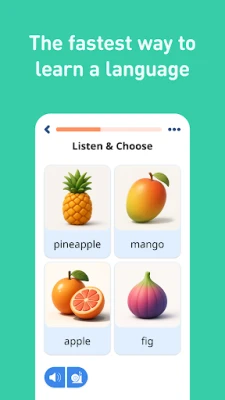
Learn English – 11,000 Words is a language‑learning app from FunEasyLearn that focuses on expanding your English vocabulary and everyday expressions. The app is designed for learners who prefer a visual and auditory approach, offering hand‑drawn illustrations, native‑speaker recordings, and interactive exercises that can be used without an internet connection.
Main features
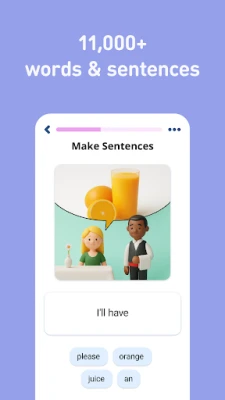
- Large word bank – Thousands of nouns, verbs, adjectives and other word types are organized into levels and topics, making it easy to progress step by step.
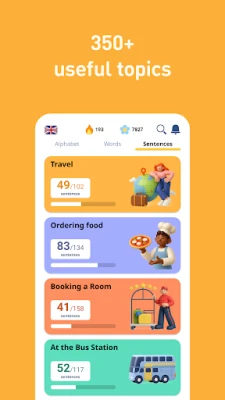
- Phrase collection – Frequently used phrases for travel, daily conversation and specific situations are grouped by difficulty.
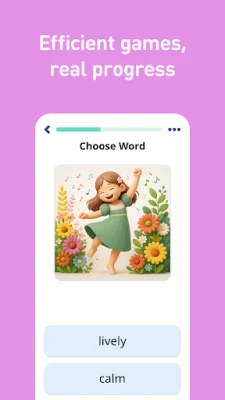
- Illustrated learning – Each entry is paired with a simple illustration that helps reinforce meaning.
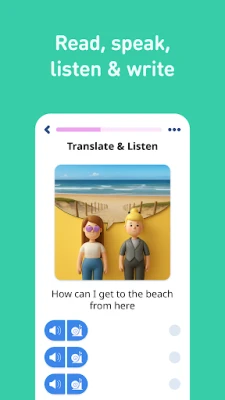
- Native audio – Pronunciation is demonstrated by native speakers, allowing you to compare your own speech.
- Progress tracking – Built‑in statistics show how many words you have mastered and which areas need review.
- Review manager – The app schedules review sessions so that learned items stay fresh in memory.
- Search and hide – Quickly find a word or phrase, and hide items you already know to keep the study list relevant.
- Offline access – All content is stored on the device, so you can study anywhere, even without a data connection.
How it works
After installing the app, you can choose a starting level that matches your current knowledge. The interface presents a word or phrase together with an illustration and an audio clip. You can listen, repeat, and then write the word using the on‑screen keyboard. The app records your pronunciation when speech recognition is available, giving you instant feedback. As you complete items, the review manager automatically adds them to future sessions, ensuring spaced repetition.
Practical uses
- Preparing for travel – Learn essential phrases for airports, hotels and restaurants.
- Daily conversation – Build a solid base of common words to improve fluency.
- Exam preparation – Use the level‑based structure to focus on vocabulary required for language tests.
- Professional settings – The app includes business‑related vocabulary that can help service‑industry workers communicate more effectively.
Who may find it useful?
The app is suitable for beginners who are just starting to read and speak English, as well as intermediate learners who want to broaden their vocabulary. It also serves advanced users who need a quick refresher on specific topics or who prefer an offline tool for on‑the‑go practice.
Things to know before installing
- The app is free to download and use.
- All content is stored locally, so you do not need a constant internet connection.
- Because the app does not require external links, it works well on devices with limited data plans.
Frequently asked questions
Do I need an internet connection?
No. All words, phrases, illustrations and audio files are bundled with the app, allowing full offline use.
Can I track my progress?
Yes. The built‑in statistics show how many items you have learned and which ones are scheduled for review.
Is there a way to skip words I already know?
Yes. The “hide what you know” option lets you remove familiar items from the active study list.
Rate the App
User Reviews














Popular Apps










 Games
 Entertainment
 Communication
 E-mail
 Security
 Tools
 Media
 Internet
 Finance
 Design
 Education
 Android Firmwares
 Travel & Local
 Android
 Windows
 Linux