

Latest Version
September 10, 2026
intelliiapps
Education
Android
11
Free
com.intelliiapps.azureaz900
Report a Problem
More About Learn Azure AZ-900 – Free Study Tool for Microsoft Azure Fundamentals
What is Learn Azure AZ-900?
Learn Azure AZ-900 is a mobile study companion designed for anyone who wants to understand the core concepts of Microsoft Azure and get ready for the AZ-900 certification exam. Developed by intelliiapps, the app offers a self‑paced learning environment that can be used on Android devices without any cost.
Main features
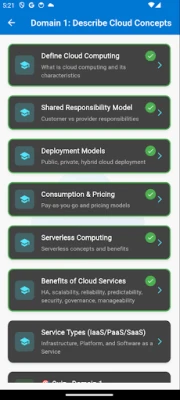
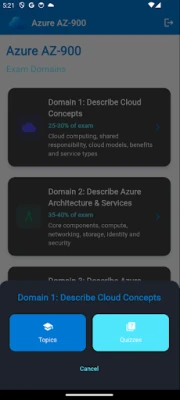
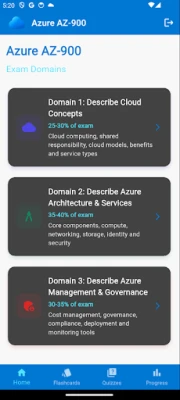
- Structured learning paths – Content is organized into the three main domains of the AZ‑900 exam, allowing users to focus on one area at a time.
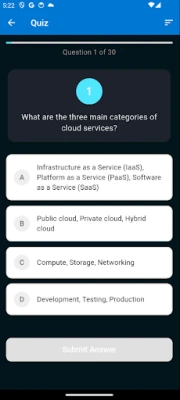
- Interactive quizzes – After each topic, short quizzes provide instant feedback to reinforce key ideas.
- Progress tracking – A visual progress bar and score summary let learners see how much they have covered and where they need more review.
- Offline access – All study material is stored locally after the first download, so learning can continue without an internet connection.
- Secure sign‑in options – Users can log in with Google or an email/password combination, which syncs their progress across devices via Firebase.
How it works
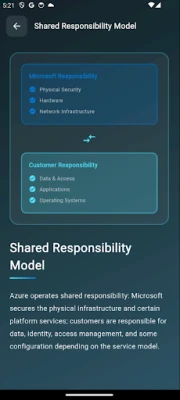
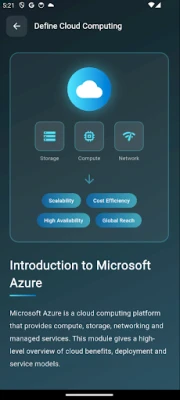
When you open the app, you are greeted with a dashboard that shows your overall completion percentage. Selecting a domain reveals a list of topics, each accompanied by concise explanations and visual aids such as diagrams or mind maps. After reviewing a topic, you can take a short quiz; the app immediately highlights correct and incorrect answers, helping you identify gaps in knowledge. Your results are saved automatically, and you can revisit any section at any time.
Practical uses
- Preparing for the AZ‑900 certification exam.
- Refreshing Azure fundamentals for IT professionals who are new to cloud services.
- Supplementing classroom or online courses with on‑the‑go review sessions.
- Tracking study habits and maintaining a consistent learning schedule.
Installation information
The app is available through the Google Play Store. Search for Learn Azure AZ-900 or use the package name com.intelliiapps.azureaz900. Installation follows the standard Android process: tap “Install,” wait for the download, and then open the app.
Compatibility
Learn Azure AZ-900 runs on Android devices that meet the minimum system requirements for the Google Play Store. Specific Android version details are not listed, but the app is built to work on most modern smartphones and tablets.
Things to know before installing
- The app is free to download and use; optional in‑app purchases may unlock additional content, but the core study material is available without payment.
- Progress sync requires an internet connection for the initial sign‑in and occasional data backup.
- No external links or advertisements are embedded within the learning modules.
Who may find it useful?
Anyone planning to sit for the Microsoft Azure Fundamentals exam will benefit from the focused content. The app is also suitable for:
- Students beginning a cloud‑computing curriculum.
- IT staff transitioning to Azure‑based solutions.
- Career changers looking for a concise introduction to cloud services.
Frequently asked questions
Do I need an internet connection to study?
After the initial download, all lessons and quizzes are stored locally, so you can study offline. An internet connection is only needed for sign‑in and optional data sync.
Is the content aligned with the official AZ‑900 exam objectives?
The app follows the publicly available exam outline, covering cloud concepts, Azure architecture, and management & governance topics.
Can I track my progress across multiple devices?
Yes. When you sign in with Google or an email account, your progress is saved to the cloud and will appear on any device where you log in.
Is there a way to test my knowledge before the actual exam?
The built‑in quizzes simulate exam‑style questions, giving you a sense of the format and difficulty level.
Rate the App
User Reviews














Popular Apps










 Games
Games Entertainment
 Communication
 E-mail
 Security
 Tools
Tools Media
Media Internet
 Finance
 Design
 Education
 IT Tools
 Travel & Local
 Android
 Windows
 Linux
Linux