
Latest Version
Latest
August 15, 2026
Price Digital Ventures
Education
Android
234
Free
com.learnazure.app
Report a Problem
More About Learn Azure – Cloud Training App
What is Learn Azure?
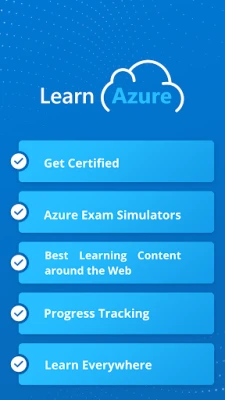
Learn Azure is a mobile learning platform designed for anyone who wants to understand Microsoft Azure cloud services. It offers structured content that guides users from basic cloud fundamentals to more advanced topics, supporting preparation for a range of Azure certification paths.
Main Features
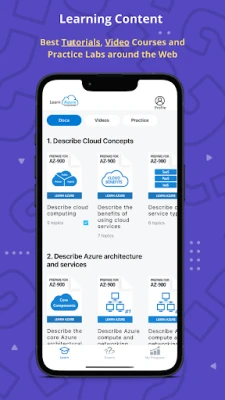
- Modular tutorials – Content is organized into short lessons that cover individual Azure services and concepts.
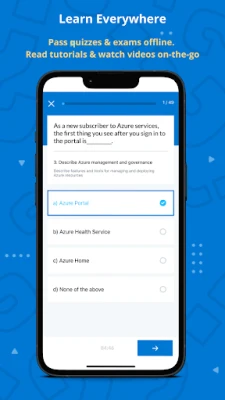
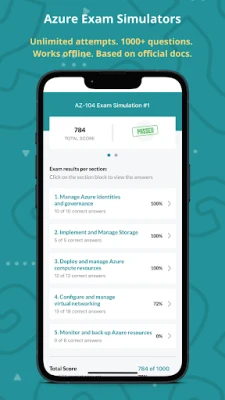
- Practice quizzes – After each lesson, quizzes let you test your knowledge and identify areas that need review.
- Offline mode – Lessons and quizzes can be downloaded, allowing study without an internet connection.
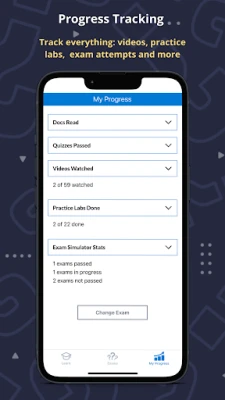
- Progress tracking – The app records completed lessons, quiz scores, and awards simple achievements to keep you motivated.
- Community support – A built‑in discussion area lets learners ask questions and share tips with peers.
How It Works
When you open Learn Azure, you start by selecting a learning track that matches your goals, such as fundamentals, administration, development, or architecture. Each track is broken into categories, and you can navigate lessons in any order. Lessons combine concise explanations, diagrams, and optional video snippets. After reviewing a lesson, you can take a quiz to reinforce the material. Scores are saved automatically, and you can revisit any lesson at any time.
Practical Uses
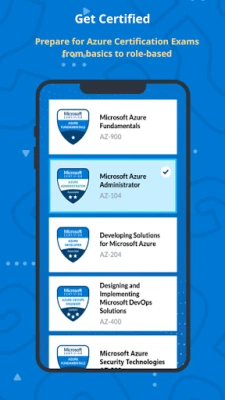
- Preparing for Azure certification exams (e.g., AZ‑900, AZ‑104, AZ‑204).
- Refreshing knowledge before working on real‑world Azure projects.
- Learning cloud concepts for personal or professional development.
Installation Information
The app is available for free on the Google Play Store. Simply search for "Learn Azure" by Price Digital Ventures, tap Install, and follow the on‑screen prompts. No additional setup is required beyond granting standard permissions for storage and network access.
Things to Know Before Installing
- The core learning content is free, but some advanced video courses or practice labs may be offered as optional in‑app purchases.
- To use offline mode, you need to download lessons while connected to the internet.
- Regular updates add new content and improve existing lessons, so keeping the app up to date is recommended.
Who May Find It Useful?
Anyone interested in cloud computing can benefit, including:
- Students preparing for a career in IT.
- Professionals seeking Azure certification to advance their roles.
- Developers who need a quick reference for Azure services.
- IT administrators looking to deepen their operational knowledge.
Frequently Asked Questions
Is the app suitable for beginners?
Yes. The introductory track starts with basic cloud concepts before moving to Azure‑specific topics.
Can I track my certification readiness?
The app’s quiz scores and progress markers give you a sense of readiness, but official exam readiness should be confirmed with Microsoft’s exam guides.
Do I need an internet connection to study?
Only for the initial download of lessons. Once saved, you can study and take quizzes offline.
Are there any recurring fees?
The base app is free. Some premium content may be available through one‑time in‑app purchases, but there are no mandatory subscriptions.
Rate the App
User Reviews












Popular Apps










 Games
Games Entertainment
 Communication
 E-mail
 Security
 Tools
Tools Media
Media Internet
 Finance
 Design
 Education
 Android Firmwares
 Travel & Local
 Android
 Windows
 Linux
Linux