

Latest Version
Latest
September 01, 2026
KING SAUD UNIVERSITY
Education
Android
4
Free
edu.ksu.StudentMobile
Report a Problem
More About KSU Students e-Services – Campus Mobile Portal
What is KSU Students e-Services?
KSU Students e-Services is a mobile application created by King Saud University to give students a convenient way to interact with core university systems. The app brings academic, financial and administrative information directly to a smartphone, allowing students to stay informed without needing to visit campus offices.
Main features
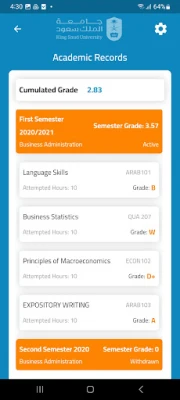
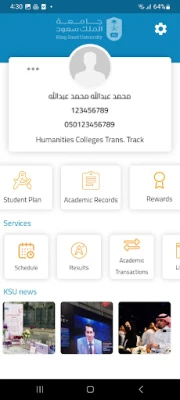
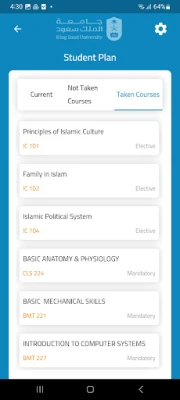
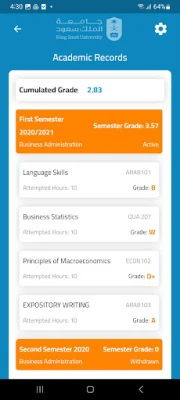
- Academic record – View semester‑by‑semester grades, credit totals and course details.
- Financial overview – Check any outstanding loans, tuition balances and scholarship awards.
- Student rewards – See earned points or recognitions linked to university programs.
- Service requests – Submit and track common requests such as transcript copies, enrollment changes or facility reservations.
- Accessibility support – The interface includes options for larger text, screen‑reader compatibility and other accessibility features.
How it works
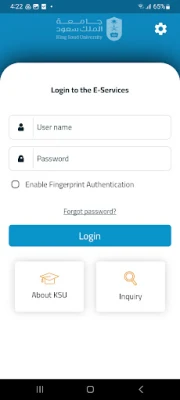
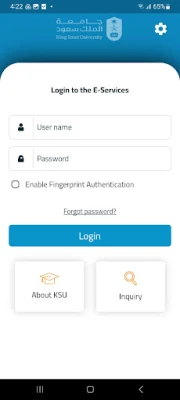
After installing the app, students log in with their university credentials. The authentication process connects the app to the university’s secure backend, pulling the latest data for each module. Information is refreshed automatically when the device is online, and cached data can be viewed offline for a short period, ensuring that critical details are available even without a constant internet connection.
Practical uses
- Check grades quickly – Instead of waiting for email notifications, students can open the app after exams to see updated results.
- Monitor tuition and loans – A clear summary of financial obligations helps students plan payments and avoid surprises.
- Submit administrative requests – Forms for transcript issuance, course add/drop or facility bookings can be completed within minutes, reducing the need for in‑person visits.
- Stay informed about rewards – Participation in university events or competitions often earns points; the app consolidates these recognitions in one place.
Installation information
The app is distributed as a free download from the official Android marketplace. Search for "KSU Students e-Services" or the package name edu.ksu.StudentMobile. Tap Install and allow the standard permissions required for network access and secure login.
Things to know before installing
- Make sure you have a stable internet connection for the initial login and data sync.
- The app uses your university credentials; keep your login details confidential.
- Regular updates may be released to add new services or improve security; enable automatic updates if possible.
Who may find it useful?
All currently enrolled students at King Saud University, including undergraduate, graduate and postgraduate candidates, can benefit from the app. It is especially helpful for students who commute, live off‑campus, or prefer managing their academic affairs from a mobile device.
Frequently asked questions
Do I need a university email to log in?
Yes, the app requires the same credentials you use for the university’s online portal.
Can I use the app on a tablet?
The interface adapts to larger screens, so tablets are supported.
What should I do if I forget my password?
Use the university’s password‑reset procedure through the web portal; the app will accept the new password on the next login.
Is my personal data protected?
The app communicates with the university’s secure servers using encrypted connections. No personal data is stored on the device beyond what is necessary for offline viewing.
Rate the App
User Reviews















Popular Apps










 Games
Games Entertainment
 Communication
 E-mail
 Security
 Tools
Tools Media
Media Internet
 Finance
 Design
 Education
 IT Tools
 Travel & Local
 Android
 Windows
 Linux
Linux