

Latest Version
Latest
August 28, 2026
Khan Academy
Education
Android
110
Free
org.khankids.android
Report a Problem
More About Khan Academy Kids – Free Learning App for Ages 2‑8
What is Khan Academy Kids?
Khan Academy Kids is a mobile learning platform designed for preschool‑through‑second‑grade children. Developed by Khan Academy in collaboration with early‑education experts, the app provides a safe, self‑guided environment where kids can explore a wide range of subjects through play‑based activities.
Main features
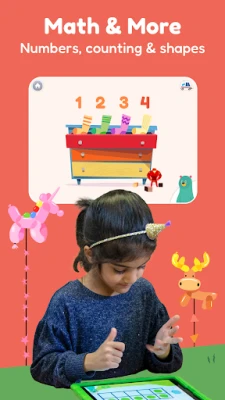
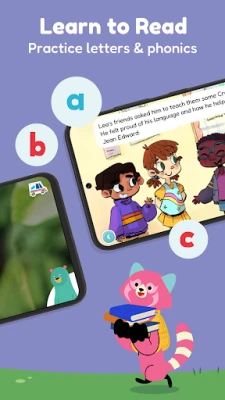
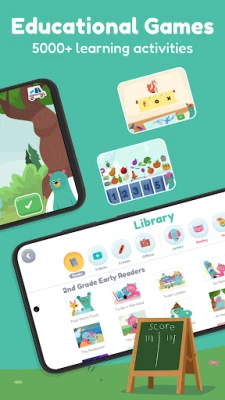
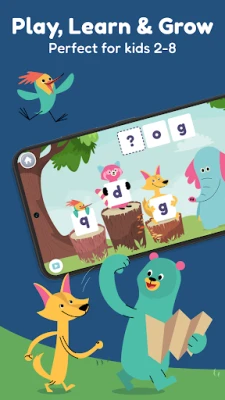
- Play‑based learning: Over a thousand interactive games cover phonics, letter recognition, counting, basic addition, shapes and more.
- Story library: Hundreds of illustrated books and short videos are available in English and Spanish, with optional read‑aloud narration.
- Progress tracking: The app records completed activities, allowing parents or teachers to see which skills have been practiced.
- Character‑guided adventures: Friendly characters such as Kodi the Bear guide children through themed quests, keeping engagement high.
- Curriculum alignment: Content aligns with widely used early‑learning standards, supporting classroom and at‑home instruction.
How it works
When the app opens, children choose a character and a learning area that interests them. Each activity is short (typically 2‑5 minutes) and offers immediate feedback. Children earn virtual stickers and badges for completing tasks, encouraging repeat use without external rewards.
Practical uses
- Home learning: Parents can let kids explore the app during screen‑time, knowing the material is educational and age‑appropriate.
- Classroom supplement: Teachers can assign specific activities that reinforce lessons taught in class.
- Travel companion: Offline access to most content makes it suitable for trips where internet connectivity is limited.
Installation information
The app is available through the Google Play Store. Search for Khan Academy Kids or use the package name org.khankids.android. Installation follows the standard Android process and does not require additional permissions beyond those needed for basic functionality.
Things to know before installing
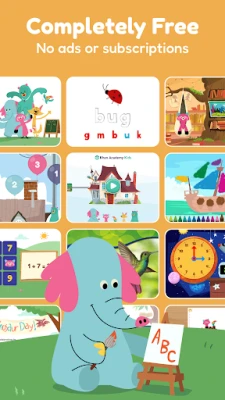
- The app is completely free and does not contain advertisements or subscription prompts.
- It complies with COPPA guidelines, meaning personal data collection is limited and parental consent is required for any data sharing.
- While most content works offline after the initial download, an internet connection is needed for updates and to download new activities.
Who may find it useful?
Parents of toddlers and early elementary children, preschool teachers, homeschooling families, and anyone looking for a structured yet playful way to introduce foundational academic concepts will benefit from Khan Academy Kids.
Frequently asked questions
- Is there any cost hidden in the app? No. All content is provided free of charge and there are no in‑app purchases.
- Can I set a time limit for daily use? The app includes a parental dashboard where you can set daily usage limits and view activity reports.
- Is the content appropriate for all ages 2‑8? Activities are grouped by age range, allowing younger children to focus on basic concepts while older kids can access more advanced challenges.
- Do I need an account? An optional parent account can be created to sync progress across devices, but the app can be used without one.
Rate the App
User Reviews














Popular Apps










 Games
 Entertainment
 Communication
 E-mail
 Security
 Tools
 Media
 Internet
 Finance
 Design
 Education
 Android Firmwares
 Travel & Local
 Android
 Windows
 Linux