
Latest Version
Latest
September 04, 2026
Jolly Technologies SL
Education
Android
5
Free
com.gilbertjolly.teachphonics.teachers
Report a Problem
More About Jolly Phonics Lessons – Teacher‑focused phonics resources
What is Jolly Phonics Lessons?
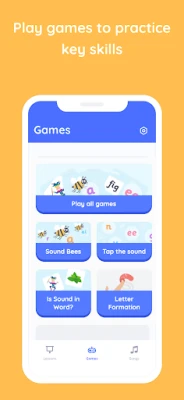
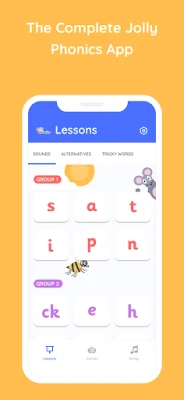
Jolly Phonics Lessons is a free Android application created by Jolly Technologies SL for educators who teach early reading and writing. The app gathers a range of phonics‑focused resources in one place, making it easier for teachers to plan and deliver lessons that follow a synthetic phonics approach.
Main features
- Audio for every letter sound – clear recordings let children hear each phoneme repeatedly.
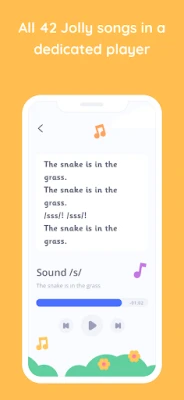
- Jolly songs – the well‑known songs that accompany each letter sound are included, helping learners remember the sounds through music.
- Animated letter formation – step‑by‑step animations show the correct way to write each letter, supporting fine‑motor development.
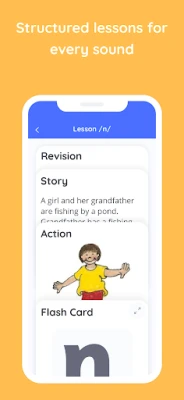
- Action images and instructions – visual cues that illustrate the mouth and hand movements associated with each sound.
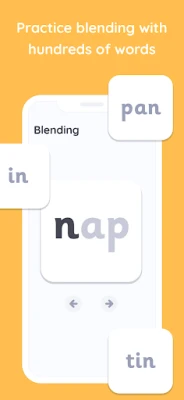
- Word bank and flash‑cards – a collection of words that can be turned into digital flash‑cards for quick review.
How it works
After installing the app, teachers can browse the content by letter or by activity type. Selecting a letter opens a screen with the audio clip, the corresponding song, an animated formation video, and the associated action image. The word bank can be filtered to show only words that contain selected sounds, and flash‑cards can be shuffled for classroom games or individual practice.
Practical uses in the classroom
- Introduce a new sound with the audio clip, then reinforce it with the song.
- Demonstrate letter formation on a projector using the animation, then have pupils practice on paper.
- Use the action images to model mouth positions during pronunciation drills.
- Create quick flash‑card sessions from the word bank for spelling or reading fluency practice.
Installation information
The app is available through the Google Play Store. Installation follows the standard process: tap Install, wait for the download, and open the app once the installation completes. No additional setup steps are required.
Things to know before installing
- The app is free to download and use.
- It is designed primarily for teachers; the interface assumes a classroom‑oriented workflow.
- No personal data collection is described in the available information, but users should review the app’s permissions after installation.
Who may find it useful?
Early‑years teachers, literacy specialists, and homeschooling parents who follow a synthetic phonics curriculum will benefit from the ready‑made audio, visual, and interactive materials. The app can also serve as a supplemental resource for speech‑language pathologists working with young children.
Frequently asked questions
- Do I need an internet connection to use the app? All audio, video and flash‑card content is stored locally after the initial download, so the app can be used offline.
- Can I add my own words to the flash‑card set? The current version does not include a custom‑word editor; it provides a predefined word bank aligned with the Jolly Phonics curriculum.
- Is the app compatible with tablets? Yes, the layout adapts to larger screens, making it suitable for both phones and tablets.
Rate the App
User Reviews









Popular Apps










 Games
Games Entertainment
 Communication
 E-mail
 Security
 Tools
Tools Media
Media Internet
 Finance
 Design
 Education
 IT Tools
 Travel & Local
 Android
 Windows
 Linux
Linux