
Latest Version
Latest
August 25, 2026
Jolly Learning
Education
Android
143
Free
com.jollytechnologies.classroom
Report a Problem
More About Jolly Classroom – Interactive Phonics & Grammar App for Teachers
What is Jolly Classroom?
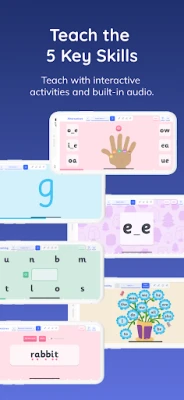
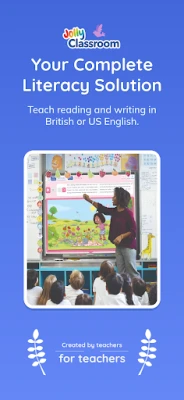
Jolly Classroom is a free Android app created by Jolly Learning. It is designed as a classroom‑focused tool that supports teachers in planning and running lessons around phonemic awareness, spelling, grammar and punctuation. The app bundles a series of sequenced activities that follow a systematic approach to early reading and writing.
Main features
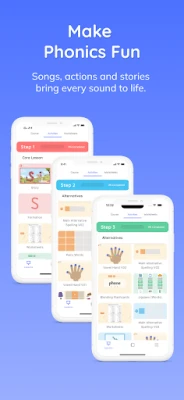
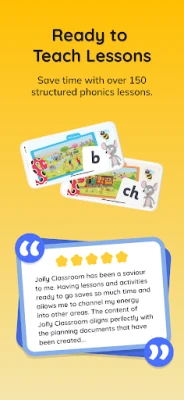
- Lesson library – A collection of lessons that progress from basic sound recognition to more complex spelling and grammar concepts.
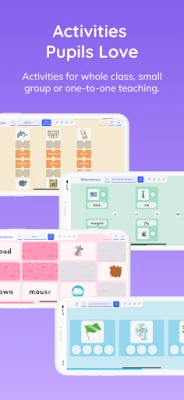
- Interactive activities – Touch‑based exercises that let students practice blending, segmenting and writing in a hands‑on way.
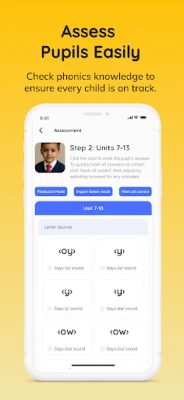
- Built‑in assessments – Simple quizzes and screening tests that let teachers monitor each learner’s progress.
- Teacher‑friendly setup – Ability to create staff and student profiles, assign lessons and view results within the app.
- Multi‑sensory support – Audio cues, animated guidance and visual prompts aim to engage different learning styles.
How it works
After installing the app, a teacher can set up a class by adding student names. Lessons are organized into modules; the teacher selects a module and launches the activity. Students interact directly on the device, while the app records responses. At the end of a session, teachers can review scores and identify areas that need reinforcement.
Practical uses in the classroom
- Introduce new phonemes with animated demonstrations.
- Reinforce spelling patterns through drag‑and‑drop word building.
- Practice punctuation rules with fill‑in‑the‑blank sentences.
- Run quick screening tests to gauge readiness for the next teaching stage.
Installation information
The app is available for free on the Google Play Store. Search for Jolly Classroom or use the package name com.jollytechnologies.classroom to locate it. Installation follows the standard Android process: tap Install, wait for the download, and open the app once the installation completes.
Things to know before installing
- The app does not require a paid license; all core features are free.
- It is intended primarily for educational use, so a classroom or small‑group setting works best.
- Device storage requirements are modest, but sufficient free space is needed for lesson data.
Who may find it useful?
Early‑years teachers, literacy specialists, and homeschooling parents who want a structured, interactive way to teach phonics and basic grammar will benefit from Jolly Classroom. The app’s assessment tools also help educators track progress over time.
Frequently asked questions
Do I need an internet connection?
All core lessons and activities are stored locally after the initial download, so the app can be used offline.
Can I export student results?
The app provides a simple view of scores within the interface; exporting data is not a built‑in feature.
Is the app compatible with all Android versions?
Specific version requirements are not listed, but the app runs on standard Android devices that support Google Play installations.
Rate the App
User Reviews














Popular Apps










 Games
 Entertainment
 Communication
 E-mail
 Security
 Tools
 Media
 Internet
 Finance
 Design
 Education
 Android Firmwares
 Travel & Local
 Android
 Windows
 Linux