

Latest Version
September 08, 2026
Google LLC
Entertainment
Android
9
Free
com.google.android.play.games
Report a Problem
More About Google Play Games – Your Hub for Mobile Gaming
What is Google Play Games?
Google Play Games is a companion app from Google that brings a unified gaming experience to Android devices. It serves as a central hub where players can browse titles, launch games, keep track of achievements, and sync progress across multiple devices.
Main Features
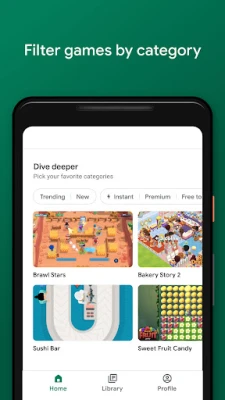
- Game discovery – Browse a curated selection of games, see recommendations and read brief overviews to find titles that match your interests.
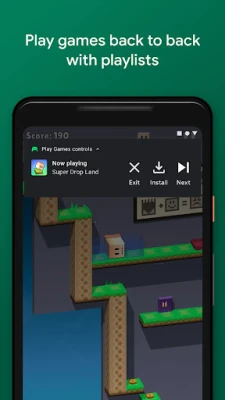
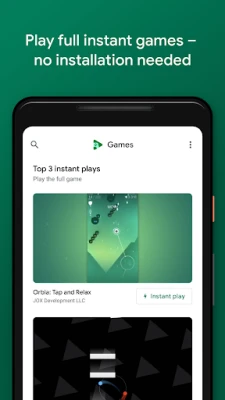
- Instant Play support – For games that offer it, you can start playing directly from the app without a full installation, saving time and storage.
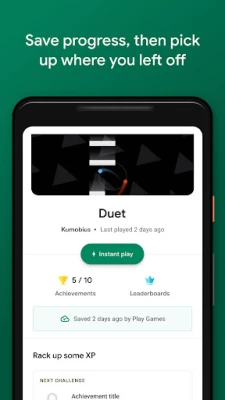
- Cloud‑based progress – Your game progress, achievements and leader‑board standings are saved to your Google account, allowing you to continue where you left off on any compatible device.
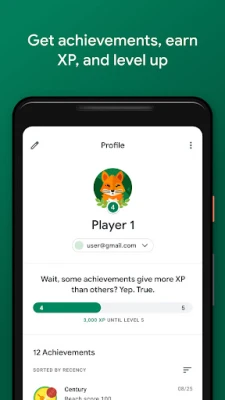
- Gamer profile – Create a personalized gamer ID, earn experience points (XP), unlock achievements and level up as you play.
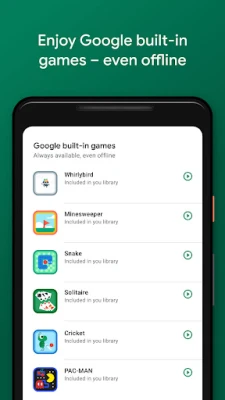
- Built‑in casual games – A small collection of classic titles such as Solitaire, Minesweeper, Snake and PAC‑MAN is available offline.
- Gameplay recording – Capture short video clips of your gameplay and share them with friends or on social platforms.
How It Works
After installing the app, you sign in with your Google account. The home screen presents a mix of featured games, categories and personalized suggestions. Tapping a game opens its store page where you can read a description, view screenshots and start the download. If the game supports Instant Play, a single tap launches it immediately.
During play, the app automatically records milestones such as earned achievements or completed levels. These are synced to the cloud whenever you have an internet connection, ensuring that your progress is preserved even if you switch phones.
Practical Uses
- Keep all your game achievements in one place instead of scattered across individual apps.
- Switch between a phone and a tablet without losing progress.
- Try new games quickly with Instant Play before deciding to install the full version.
- Share memorable moments using the built‑in recording tool.
Installation Information
The app is available through the Google Play Store. Search for "Google Play Games" or use the package name com.google.android.play.games. Installation follows the standard process for Android apps: tap Install, grant any required permissions, and launch the app once the download completes.
Things to Know Before Installing
- The app requires a Google account for sign‑in and cloud sync.
- Some features, such as Instant Play, depend on the individual game developer’s implementation.
- Storage usage is minimal for the app itself; most space is consumed by the games you download.
Who May Find It Useful?
Casual gamers who enjoy trying a variety of titles, players who value achievement tracking, and anyone who wants a seamless way to continue games across multiple Android devices will benefit from Google Play Games.
Frequently Asked Questions
Do I need a Google account?
Yes. The app uses your Google account to store progress, achievements and profile information.
Can I play games without installing them?
If a game offers Instant Play, you can launch it directly from Google Play Games without a full installation. Availability varies by title.
How are my achievements saved?
Achievements are linked to your Google account and synced to the cloud automatically when you have an internet connection.
Is the built‑in gameplay recorder optional?
Yes. You can enable or disable recording in the app’s settings, and you control which clips are saved or shared.
Rate the App
User Reviews











Popular Apps










 Games
Games Entertainment
 Communication
 E-mail
 Security
 Tools
Tools Media
Media Internet
 Finance
 Design
 Education
 IT Tools
 Travel & Local
 Android
 Windows
 Linux
Linux