Latest Version
Latest
August 17, 2026
Google LLC
Education
Android
119
Free
com.google.android.apps.classroom
Report a Problem
More About Google Classroom – Classroom Management for Teachers and Students
What is Google Classroom?
Google Classroom is a free mobile application from Google LLC that brings classroom organization to Android devices. It connects teachers, students, and school staff in a shared digital space, allowing the distribution of assignments, sharing of resources, and communication without the need for paper.
Main features
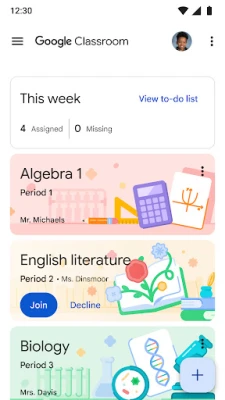
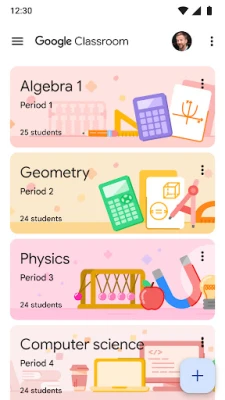
- Class creation and enrollment – Teachers can start a new class in seconds and invite students by sharing a code or adding them directly.
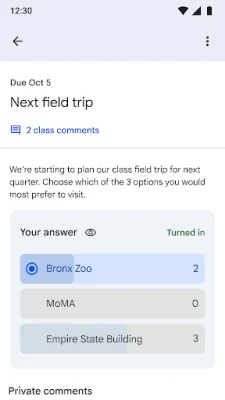
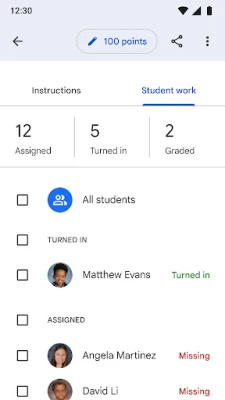
- Assignment workflow – Create, attach files, set due dates, and publish assignments. Students can submit work, view feedback, and see grades in one place.
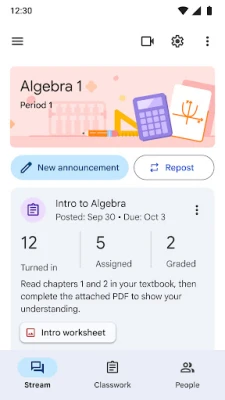
- Stream for announcements – A real‑time feed lets teachers post announcements, ask questions, and start discussions that appear instantly for all class members.
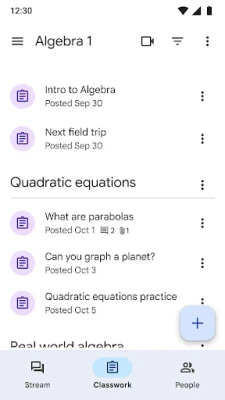
- Resource organization – Materials posted in Classroom are automatically stored in Google Drive, keeping documents, images, and videos neatly organized.
- Offline access – Students can view previously downloaded assignments and submit work when they regain connectivity.
How it works
After installing the app, users sign in with a Google account that is linked to their school or personal education domain. Teachers start by creating a class, then share the class code with students. Once enrolled, the class appears on each participant’s home screen. Teachers can post assignments or announcements, attach files from Drive or the device, and set due dates. Students receive push notifications, complete the work, and submit directly from the app. Teachers review submissions, provide comments, and assign grades, all within the same interface.
Practical uses
- Distribute homework and project guidelines without printing.
- Collect essays, presentations, or photos directly from students’ devices.
- Facilitate quick Q&A sessions during or after class.
- Organize class resources so they are always accessible from any Android device.
Installation information
The app is available through the Google Play Store. Search for "Google Classroom" or use the package name com.google.android.apps.classroom. Tap Install, grant the requested permissions, and launch the app to begin setup.
Things to know before installing
- Requires a Google account that is part of a supported education domain or a personal Google account for individual use.
- The app may request access to the camera, storage, and account information to enable photo capture, file attachment, and sign‑in functionality.
- All data is stored in Google Drive under the user’s account, following Google’s standard privacy and security policies.
Who may find it useful?
Teachers looking for a streamlined way to manage coursework, students who need a single place to track assignments, and school administrators who want a consistent digital platform for classroom communication.
Frequently asked questions
Do I need a paid Google Workspace subscription?
No. Google Classroom is free for anyone with a Google account. Schools may choose to integrate it with a broader Google Workspace for Education suite, but the core app works without additional fees.
Can I use the app on a tablet?
Yes. The interface adapts to larger screens, making it suitable for both phones and tablets.
What happens to my data if I uninstall the app?
All class data, assignments, and files remain in Google Drive and are accessible when you reinstall the app or log in from another device.
Rate the App
User Reviews













Popular Apps










 Games
Games Entertainment
 Communication
 E-mail
 Security
 Tools
Tools Media
Media Internet
 Finance
 Design
 Education
 Android Firmwares
 Travel & Local
 Android
 Windows
 Linux
Linux