
Latest Version
Latest
June 26, 2026
Salhi Rateb
Entertainment
Android
17MB
468
Free
com.salhirateb.globelivetv
Report a Problem
More About GlobeLiveTV – Free Global Live TV Streams
What is GlobeLiveTV?
GlobeLiveTV is a free Android application that aggregates live television streams from many countries into a single, easy‑to‑use library. The app focuses on delivering real‑time content such as news bulletins, sports events, cultural shows and entertainment programs without the need for a subscription.
Key features
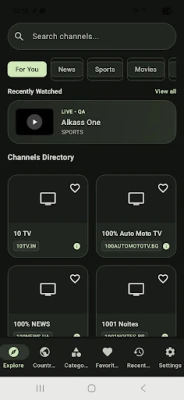
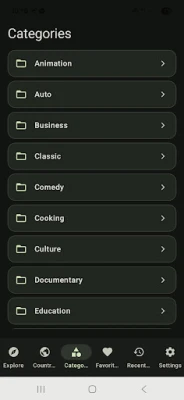
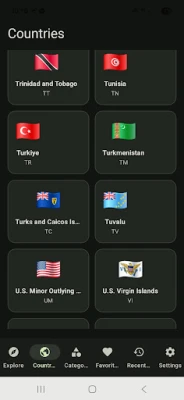
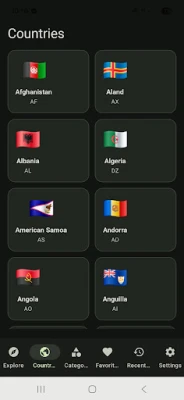
- Worldwide channel catalogue – Access dozens of live channels covering North America, Europe, Asia, Africa, Oceania and Latin America.
- Simple navigation – Channels are grouped by region and genre, and a search bar lets you find a specific station in seconds.
- Optimised streaming – Adaptive bitrate technology adjusts video quality to match your mobile data or Wi‑Fi connection, reducing buffering.
- Push notifications – Get alerts when new channels are added or when a favourite channel updates its schedule.
- Lightweight and ad‑supported – The app stays small on your device and remains free thanks to unobtrusive advertising.
How the application works
When you launch GlobeLiveTV, the app contacts a cloud‑based index that lists the currently available streams. Each entry contains the stream URL, channel name, country of origin and a short description. The list is cached locally, so you can browse channels even when you are offline; playback, however, still requires an active internet connection.
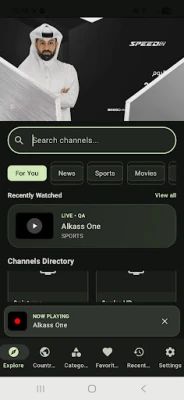
Select a channel and the built‑in player starts the stream. The player automatically selects the best quality based on your network speed, but you can manually switch between low, medium and high definitions if you prefer more control.
Installation information
GlobeLiveTV is distributed through the Google Play Store. Simply search for “GlobeLiveTV”, tap Install, and grant the requested permissions for network access and notifications. The initial download is under 20 MB, and the app occupies roughly 30 MB after installation.
Compatibility
The app requires Android 5.0 (Lollipop) or newer and works on smartphones, tablets and Android TV devices. It supports both portrait and landscape orientations, and the interface scales automatically for larger screens.
Things to know before installing
- Because the service relies on public streaming links, occasional channel outages may occur; the development team updates the index regularly to minimise downtime.
- For the best viewing experience, disable VPNs or proxy services that could interfere with the stream source.
- The app contains ads; they are displayed between channel switches and do not interrupt playback.
- No personal data is collected beyond the minimal analytics needed for crash reporting and performance monitoring.
Frequently asked questions
Is GlobeLiveTV legal?
The app only aggregates streams that are publicly available on the internet. It does not host any copyrighted content itself.
Can I record live TV?
Recording is not built into the app. Users who need that functionality should use a separate screen‑recording tool that complies with local regulations.
What if a channel I want is missing?
Use the “Suggest a channel” option in the settings menu. The development team reviews submissions and adds verified streams in future updates.
Does the app work on limited data plans?
Yes. The adaptive streaming engine reduces quality automatically when bandwidth is low, helping you stay within data limits.
Rate the App
User Reviews










Popular Apps










 Games
Games Entertainment
 Communication
 E-mail
 Security
 Tools
Tools Media
Media Internet
 Finance
 Design
 Education
 Android Firmwares
 Travel & Local
 Android
 Windows
 Linux
Linux