



Latest Version
September 02, 2026
EBO SYSTEMS
Entertainment
Android
2
Free
com.vemserglobal.tv
Report a Problem
More About Global TV – Free streaming for Global Lines customers
What is Global TV?
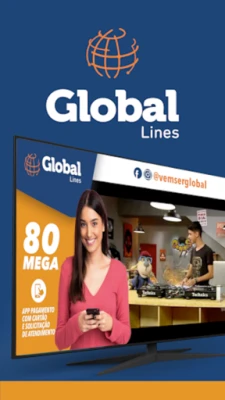
Global TV is a free Android application developed by EBO SYSTEMS that provides access to television content for users who are subscribed to Global Lines services. The app serves as a convenient portal for watching live and on‑demand programs directly from a mobile device.
Main features
- Live streaming – Stream current broadcasts in real time.
- On‑demand playback – Choose from a selection of previously aired shows when you prefer to watch later.
- Simple navigation – An intuitive interface lets you find channels and programs quickly.
- Free of charge – The app does not require any additional payment beyond your existing Global Lines subscription.
How it works
After installing Global TV, you sign in with the credentials associated with your Global Lines account. The app then authenticates your subscription and presents a list of available channels and programs. Selecting a channel starts a live stream, while choosing a program from the on‑demand library begins playback at the chosen point.
Practical uses
Global TV is useful for anyone who wants to keep up with their regular TV schedule while away from a traditional set‑top box. Whether you are traveling, commuting, or simply prefer to watch on a smartphone or tablet, the app lets you stay connected to the content you love.
Installation information
To install Global TV, open the Google Play Store on your Android device, search for "Global TV" by EBO SYSTEMS, and tap the Install button. The download size is modest, and the installation process follows the standard Android app installation flow.
Compatibility
The app is built for Android devices that meet the minimum requirements set by the Google Play Store. Specific version numbers are not disclosed, but the app is expected to run on devices running recent Android releases.
Things to know before installing
- You need an active Global Lines subscription to access content.
- An internet connection (Wi‑Fi or mobile data) is required for streaming.
- Data usage will depend on the quality of the stream you select.
Who may find it useful?
Current Global Lines customers who want a mobile way to watch their TV channels, as well as occasional users who need a reliable method to view specific programs while on the go, will benefit from Global TV.
Frequently asked questions
Do I need to pay inside the app?
No. The app itself is free; access to content depends on your existing Global Lines subscription.
Can I watch on multiple devices?
Yes, as long as each device is logged in with a valid Global Lines account.
What if I experience buffering?
Check your internet connection speed and consider switching to a stronger Wi‑Fi network or a higher‑speed mobile data plan.
Rate the App
User Reviews











Popular Apps










 Games
Games Entertainment
 Communication
 E-mail
 Security
 Tools
Tools Media
Media Internet
 Finance
 Design
 Education
 IT Tools
 Travel & Local
 Android
 Windows
 Linux
Linux