

Latest Version
Latest
August 22, 2026
Signum International AG
Education
Android
105
Free
com.ef.efhello
Report a Problem
More About EF Hello: Language Learning
What is EF Hello?
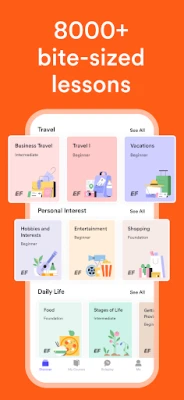
EF Hello is a free Android app from Signum International AG that focuses on improving spoken English. The app presents short, interactive lessons that can be completed in a few minutes, making it easy to fit language practice into a busy day.
Main features
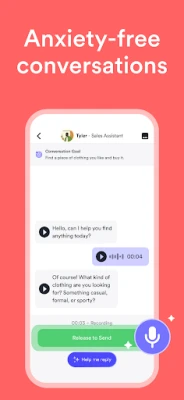
- Conversational practice: Simulated dialogues let you rehearse everyday situations such as ordering coffee or introducing yourself.
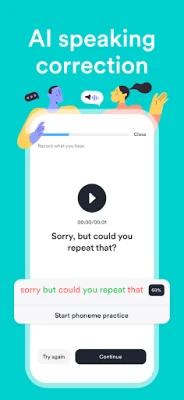
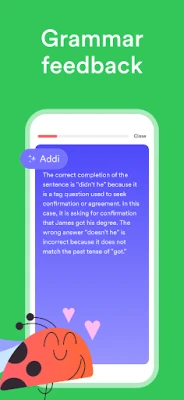
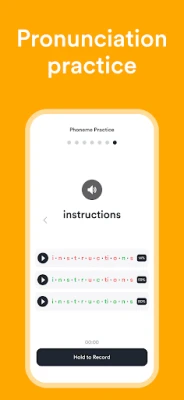
- Instant feedback: The app evaluates pronunciation, fluency and basic grammar, giving you clear pointers on how to improve.
- Personalized pacing: Lessons are organized in small modules, so you can choose how much time to spend each session.
- Progress tracking: A simple overview shows which topics you have completed and which areas need more attention.
How it works
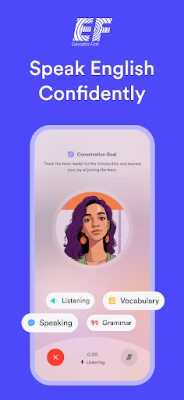
When you open EF Hello, you are guided to a virtual conversation partner that prompts you with a line of dialogue. You respond by speaking into your device’s microphone. The app processes your input and provides a brief assessment, highlighting any pronunciation or grammar issues. You can repeat the exchange as often as needed before moving on to the next scenario.
Practical uses
- Quick practice during a commute or coffee break.
- Preparation for real‑world situations like travel, work meetings or social gatherings.
- Supplement to classroom or self‑study English courses.
Installation information
Search for EF Hello: Language Learning in the Google Play Store, then tap Install. The download size is modest, and the app runs on most Android devices that support the standard Google Play services.
Things to know before installing
- The app requires a microphone for speaking exercises.
- Internet connectivity is needed for the initial download and for accessing lesson content.
- All core lessons are free; additional premium content may be offered within the app.
Who may find EF Hello useful?
Anyone who wants to improve spoken English without committing to long study sessions can benefit from EF Hello. It is especially handy for:
- Students preparing for exams that include an oral component.
- Professionals needing conversational confidence for meetings or travel.
- Travelers who want to handle everyday interactions in English.
Frequently asked questions
Do I need an account?
EF Hello can be used without creating a separate account, though signing in may allow you to sync progress across devices.
Is the feedback reliable?
The app uses speech‑recognition technology to compare your pronunciation with standard models. While it provides useful guidance, it is not a substitute for a qualified language instructor.
Can I use the app offline?
Basic lesson content can be accessed after an initial download, but real‑time speech analysis requires an internet connection.
Rate the App
User Reviews















Popular Apps










 Games
 Entertainment
 Communication
 E-mail
 Security
 Tools
 Media
 Internet
 Finance
 Design
 Education
 Android Firmwares
 Travel & Local
 Android
 Windows
 Linux