


Latest Version
Latest
September 16, 2026
Halal Apps
Education
Android
74
Free
com.allahsword.DhikrReminder
Report a Problem
More About Dhikr Reminder – Simple Islamic Reminders
What is Dhikr Reminder?
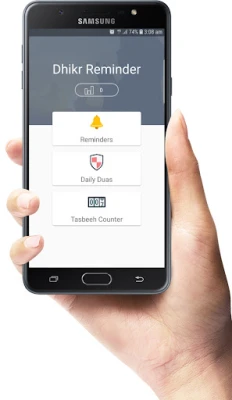
Dhikr Reminder is a lightweight Android utility created by Halal Apps. Its purpose is to help users keep a regular rhythm of remembrance (dhikr) and seeking forgiveness (istighfar) throughout the day. By scheduling short notifications, the app encourages consistent spiritual practice without requiring constant manual effort.
Main features
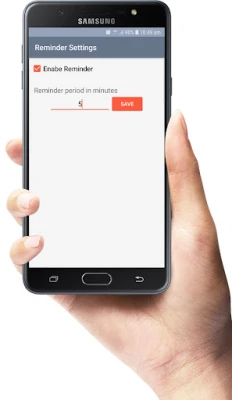
- Customizable reminder intervals – Choose from a range of frequencies, from every five minutes up to a full day.
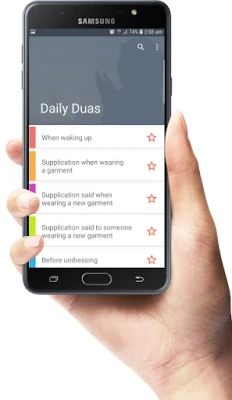
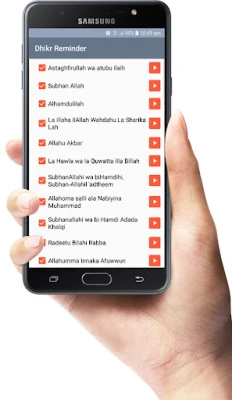
- Built‑in collection of common dhikr – The app includes a selection of frequently recited phrases such as Subhan'Allah, Alhamdulillah, and Astaghfirullah.
- Personal dhikr entry – If you have a specific phrase you prefer, you can type it in and have it reminded just like the pre‑loaded options.
- Dhikr counter – Track how many times you have recited a particular phrase during a session.
- Silent‑mode friendly – The app uses simple notifications, allowing you to keep your device on silent when needed.
How it works
After installing the app, you open it and select the dhikr or istighfar you wish to be reminded of. Next, pick a reminder interval – options include 5 minutes, 30 minutes, 1 hour, and other common periods up to 24 hours. Press the save button and the app schedules recurring notifications accordingly. When a notification appears, you can open the app to view the phrase and use the built‑in counter to log each recitation.
Practical uses
- Maintain a steady flow of dhikr during work or study breaks.
- Integrate istighfar into daily routines, such as after meals or before sleep.
- Use the counter to set personal goals, for example, completing 100 recitations of a specific phrase.
- Support mindfulness by receiving gentle prompts without being intrusive.
Installation information
The application is offered as a free download from the Android marketplace. No purchase is required, and there are no in‑app purchases advertised. Simply search for “Dhikr Reminder” by Halal Apps, tap Install, and launch the app once the download completes.
Things to know before installing
- The app does not request unnecessary permissions; it only needs the ability to post notifications.
- It is designed for personal use and does not collect personal data for advertising purposes.
- Because the app relies on notifications, ensure that your device’s notification settings allow Dhikr Reminder to display alerts.
Who may find it useful?
Anyone looking to incorporate regular dhikr or istighfar into their daily schedule can benefit from this tool. It is especially helpful for students, professionals, or anyone whose day is filled with activities that can make spiritual practice easy to overlook.
Frequently asked questions
Can I add my own phrases?
Yes. The app includes a text field where you can type any phrase you wish to be reminded of.
How do I stop the reminders?
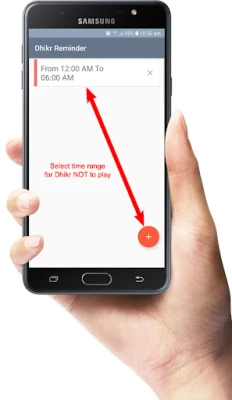
Open the app, select the active reminder, and either change the interval to “Off” or delete the entry.
Will the app work on all Android devices?
The app is built for standard Android versions; however, it does not specify a minimum version, so it should run on most devices that support basic notification functionality.
Rate the App
User Reviews















Popular Apps










 Games
 Entertainment
 Communication
 E-mail
 Security
 Tools
 Media
 Internet
 Finance
 Design
 Education
 Android Firmwares
 Travel & Local
 Android
 Windows
 Linux