
Latest Version
August 16, 2026
MANDALA CONSULTING CO.,LTD
Entertainment
Android
92
Free
com.skin.edit.clothes.outfit.avatar.maker
Report a Problem
More About Clothes Skins Maker for RBX – Create Custom Avatar Outfits
What is Clothes Skins Maker for RBX?
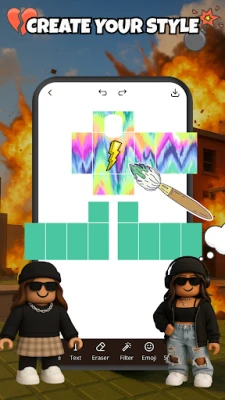
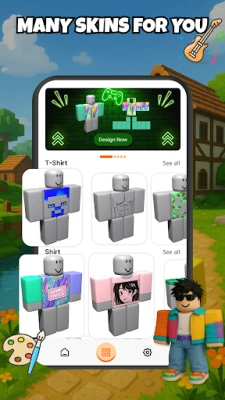
Clothes Skins Maker for RBX is a free Android tool that lets players design their own clothing items for RBX avatars. The app provides a canvas where you can draw, import textures, and arrange elements to produce unique t‑shirts, shirts, and pants. It is created by MANDALA CONSULTING CO.,LTD and is not an official Roblox product.
Main features
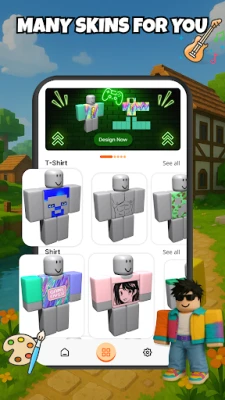
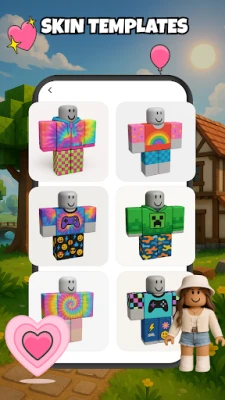
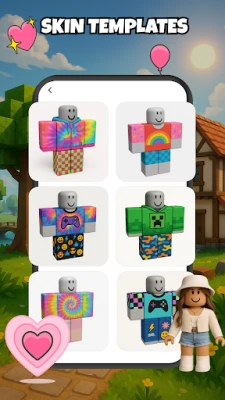
- Template library – A selection of basic garment outlines helps you start quickly.
- Layer‑based editing – Add colors, patterns, and details on separate layers for flexible adjustments.
- Export options – Save your designs as image files that can be uploaded to RBX platforms that support custom clothing.
- Touch‑friendly interface – All tools are optimized for finger input, making it convenient on smartphones and tablets.
How it works
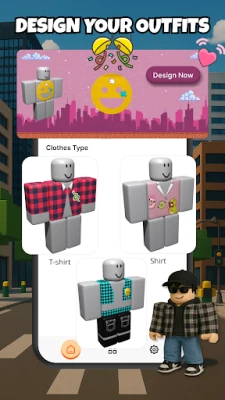
After installing the app, open it and choose the type of garment you want to create. A blank template appears, and you can use drawing tools, shape stamps, and color palettes to build your design. When you are satisfied, tap the export button to store the file on your device. The saved image can then be used in the RBX community according to the platform’s guidelines.
Practical uses
The editor is useful for players who enjoy personalizing their avatars, for creators who want to share free outfits with the community, and for anyone experimenting with digital fashion concepts. Because the app works offline, you can design anywhere without needing an internet connection.
Installation information
Search for the package name com.skin.edit.clothes.outfit.avatar.maker in the Android store you trust, then follow the standard installation steps. The app does not require a paid license.
Things to know before installing
- The app is unofficial and not affiliated with Roblox Corporation.
- It does not provide direct uploading to RBX; you will need to use the official RBX website or client to apply your creations.
- Make sure you have enough storage space for the exported images.
Who may find it useful?
Players who like to stand out with custom outfits, hobbyist designers exploring virtual clothing, and community members who share free designs will benefit from this tool.
Frequently asked questions
Do I need an internet connection to use the editor?
No. All design functions work offline after the app is installed.
Can I import my own textures?
Yes. The app allows you to import image files from your device to use as patterns or decals.
Is the exported file ready for upload?
The export produces a PNG image that matches the standard format used by RBX for custom clothing. You will still need to follow RBX’s upload process.
Rate the App
User Reviews












Popular Apps










 Games
Games Entertainment
 Communication
 E-mail
 Security
 Tools
Tools Media
Media Internet
 Finance
 Design
 Education
 Android Firmwares
 Travel & Local
 Android
 Windows
 Linux
Linux