Latest Version
Latest
September 05, 2026
NTD GLOBAL LIMITED
Entertainment
Android
6
Free
com.clothes.skins.rbx.edit.maker
Report a Problem
More About Clothes Maker & Skins for RBX – Create Roblox Outfits
What is Clothes Maker & Skins for RBX?
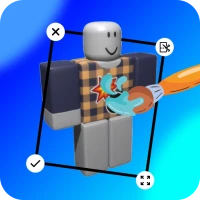
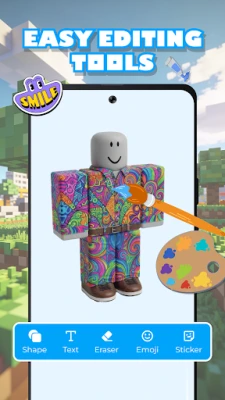
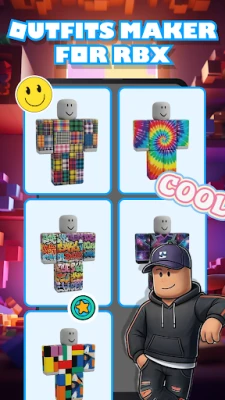
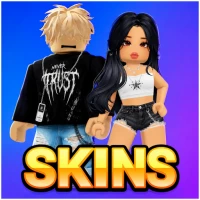
Clothes Maker & Skins for RBX is a free Android tool that lets Roblox players design and experiment with clothing items for their avatars. The app focuses on providing a simple canvas where users can draw, edit, and preview shirts, t‑shirts and pants before applying them in the game.
Main features
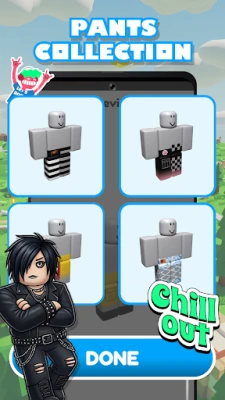
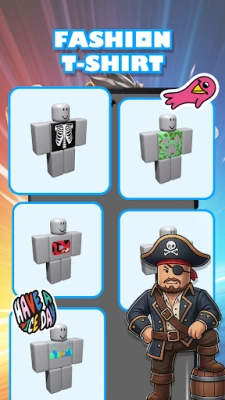
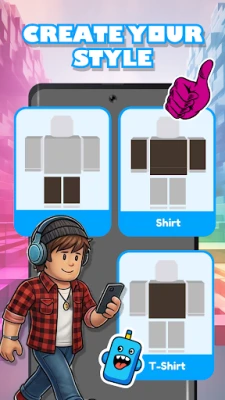
- Custom clothing creation – Choose from basic templates for shirts, t‑shirts and pants and add your own graphics, colors and patterns.
- Easy editing controls – Brush, eraser, fill and shape tools work with touch gestures, so you don’t need prior design experience.
- Template library – A small set of pre‑made outlines helps you start quickly, whether you prefer a minimalist look or a more detailed design.
- Preview mode – See how your design will appear on a Roblox avatar model before you export it.
- User‑friendly interface – A clean layout keeps the workflow straightforward, with clear icons for saving and loading projects.
How it works
After installing the app, open it and select the type of garment you want to create. The app loads a blank template that matches the dimensions used by Roblox. Using the on‑screen tools you can draw directly on the canvas, import images from your device, or apply solid colors. When you are satisfied, you can save the design as a PNG file, which can then be uploaded to Roblox through the official website’s clothing upload feature.
Practical uses
- Experiment with new outfit ideas without committing to an upload.
- Create seasonal or event‑specific clothing for your group or community.
- Learn basic pixel‑art techniques while customizing your avatar.
Installation information
The app is available as a free download from the Android marketplace. Simply search for the package name com.clothes.skins.rbx.edit.maker, tap Install, and grant the standard storage permission so the app can save your designs.
Things to know before installing
- The application is unofficial and not affiliated with Roblox Corporation.
- It does not upload clothing directly to Roblox; you must use Roblox’s own upload process.
- Designs are saved locally on your device; back up your files if you plan to reuse them.
Who may find it useful?
Anyone who enjoys customizing their Roblox avatar, from casual players looking for a fresh look to creators who design clothing for sale in the Roblox catalog. The tool is also handy for educators teaching basic digital art concepts.
Frequently asked questions
Do I need a Roblox account to use the app?
No. The app works independently of your Roblox login. You only need an account when you decide to upload the finished PNG file to Roblox.
Can I share my designs with friends?
Yes. Saved PNG files can be shared through any messaging or file‑sharing app on your device.
Is there a limit to how many designs I can create?
The app does not impose a specific limit; the only constraint is the available storage on your device.
Rate the App
User Reviews




Popular Apps










 Games
Games Entertainment
 Communication
 E-mail
 Security
 Tools
Tools Media
Media Internet
 Finance
 Design
 Education
 IT Tools
 Travel & Local
 Android
 Windows
 Linux
Linux