


Latest Version
Latest
August 26, 2026
ClassDojo
Education
Android
141
Free
com.classdojo.android
Report a Problem
More About ClassDojo – Classroom Communication & Community
What is ClassDojo?
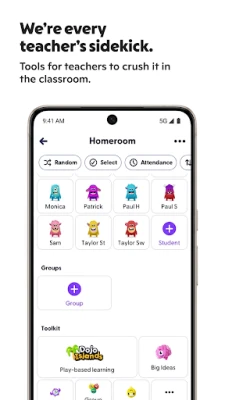
ClassDojo is a free mobile application that helps teachers, parents, and students stay connected throughout the school day. It provides a simple way to share classroom activities, give feedback, and keep families informed about what’s happening at school.
Main features
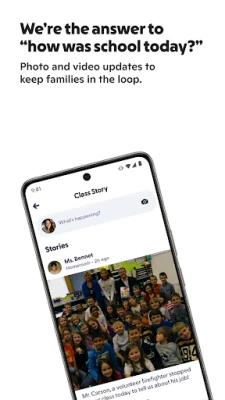
- Real‑time updates – Teachers can post photos, short videos, and messages that appear instantly on parents’ devices.
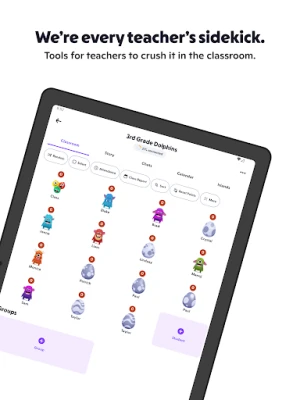
- Positive feedback system – Educators can award points or badges for specific behaviors, helping to reinforce good habits.
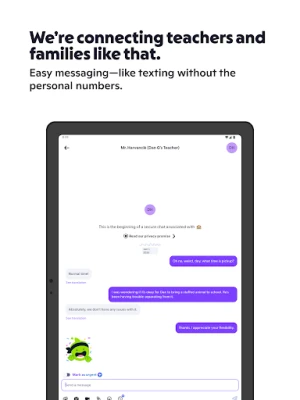
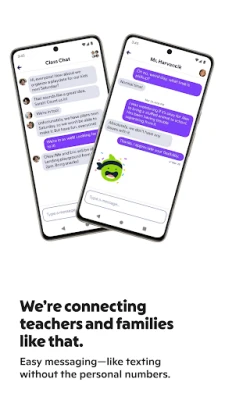
- Classroom communication – Secure messaging lets teachers and parents exchange brief notes without exposing personal contact details.
- Student portfolios – Children can view a collection of their work and achievements, fostering a sense of pride.
- Announcements – Schools can broadcast news, events, or reminders to all families in a single tap.
How it works
After downloading the app, a teacher creates a class profile and invites parents using a unique code or link. Once joined, parents receive a stream of updates that they can view at any time. Teachers can log activities directly from the classroom, and the app stores the information securely for later reference.
Practical uses
- Daily snapshots – Parents see short video clips or photos of classroom projects, giving them a window into the day.
- Behavior tracking – Positive reinforcement is logged in real time, allowing families to discuss progress at home.
- Event reminders – Upcoming field trips, parent‑teacher meetings, or school holidays are communicated instantly.
- Student reflection – Kids can look back at their own portfolio, encouraging self‑assessment.
Installation information
The app is available through the Google Play Store. Search for "ClassDojo" or use the package name com.classdojo.android. Tap Install and follow the on‑screen prompts. No additional configuration is required beyond creating or joining a class.
Things to know before installing
- The app is free to download and use.
- It requires an internet connection for real‑time updates; offline access is limited to previously downloaded content.
- Account creation is handled by the teacher, who controls which parents are invited.
Who may find it useful?
ClassDojo is designed for elementary and middle‑school environments, but any educational setting that values regular communication between teachers and families can benefit. Parents who want a quick glimpse into classroom life, teachers seeking a streamlined feedback tool, and students who enjoy visual records of their work will all find value.
Frequently asked questions
Is my data private?
ClassDojo stores information on secure servers and limits access to invited participants only. Personal contact details are not shared publicly.
Can I use the app without a teacher account?
Parents join a class through a code provided by the teacher. Without an invitation, the app does not grant access to classroom content.
Do I need a Google account?
No. The app uses its own login system managed by the school, so a separate Google account is not required.
Is there a cost for additional features?
The core communication and feedback tools are free. Optional premium services may be offered by the developer, but they are not required for basic classroom use.
Rate the App
User Reviews















Popular Apps










 Games
 Entertainment
 Communication
 E-mail
 Security
 Tools
 Media
 Internet
 Finance
 Design
 Education
 Android Firmwares
 Travel & Local
 Android
 Windows
 Linux