


Latest Version
Latest
September 05, 2026
BrickMonkey LLC
Entertainment
Android
8
Free
io.brickmonkey.minifigapp
Report a Problem
More About BrickScan: AI Minifig Scanner – Identify LEGO Parts Instantly
What is BrickScan?
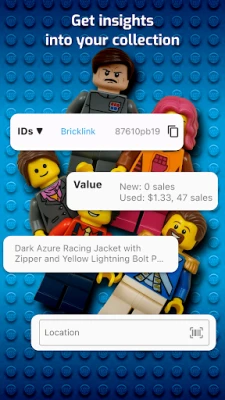
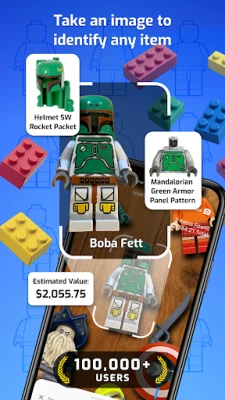
BrickScan is a free Android app from BrickMonkey LLC that turns your smartphone into a visual reference tool for LEGO enthusiasts. By pointing the camera at a minifigure, brick, or accessory, the app attempts to recognize the item and provide its name, part number, and basic details.
Main features
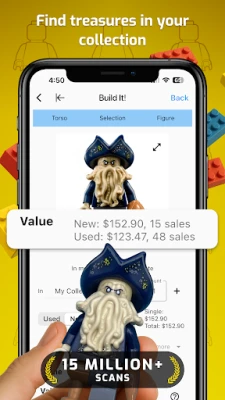
- Image‑based identification – Snap a photo of a LEGO element and receive an instant match from the app’s database.
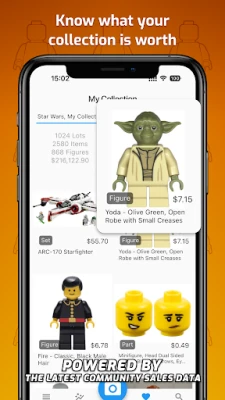
- Collection tracking – Save identified items to a personal list, allowing you to monitor what you own and what you still need.
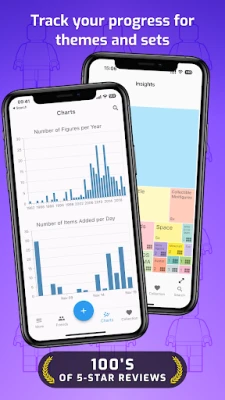
- Basic statistics – View simple counts of identified pieces and see a summary of your collection.
- Offline capability – The core recognition engine works without an active internet connection after the initial download.
How it works
The app uses on‑device image analysis to compare the captured photo with a locally stored catalogue of LEGO parts. When a match is found, the app displays the part’s official name and number. Users can then add the item to their personal inventory with a single tap.
Practical uses
- Inventory management – Keep an up‑to‑date record of minifigures and bricks you own.
- Missing‑part hunting – Identify exactly which element you need to complete a figure or set.
- Trade and sale preparation – Quickly generate a list of items you plan to trade or sell.
Installation information
BrickScan is available through the Google Play Store. Search for the package name io.brickmonkey.minifigapp or the app title and tap “Install.” The download size is modest, and the app does not require additional data packs after the initial installation.
Compatibility
The app runs on Android devices that support the standard camera API. No specific Android version is listed, but it works on most devices released in the past several years.
Things to know before installing
- The recognition database is limited to the items included in the app’s bundled catalogue; very rare or custom pieces may not be identified.
- While the core functions work offline, occasional updates may be required to keep the part list current.
- Permissions required include camera access for scanning and storage access for saving your collection data.
Who may find BrickScan useful?
Anyone who builds, collects, or trades LEGO minifigures and parts can benefit from BrickScan. It is especially handy for:
- New collectors who want to catalog their first acquisitions.
- Experienced hobbyists managing large inventories.
- Parents helping children keep track of their LEGO toys.
Frequently asked questions
Does BrickScan require an internet connection?
Basic scanning works offline after the app is installed. An internet connection is only needed for optional updates.
Can I export my collection?
The app stores the list locally; exporting is not a built‑in feature at this time.
Is the app free forever?
BrickScan is offered as a free download with no mandatory in‑app purchases.
Rate the App
User Reviews














Popular Apps










 Games
Games Entertainment
 Communication
 E-mail
 Security
 Tools
Tools Media
Media Internet
 Finance
 Design
 Education
 IT Tools
 Travel & Local
 Android
 Windows
 Linux
Linux