



Latest Version
Latest
September 03, 2026
Brickit
Entertainment
Android
6
Free
com.brickit.brickit
Report a Problem
More About Brickit: Your Brick Collection – Smart Brick Scanner
What is Brickit?
Brickit is a free Android app that helps you make sense of scattered toy bricks. By taking a photo of a pile, the app recognises individual pieces, suggests builds you can create, and lets you keep a digital inventory of your collection.
Main features
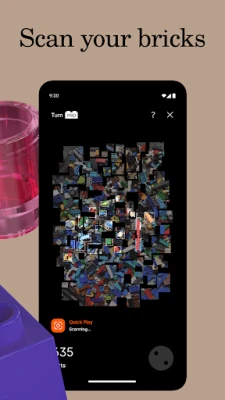
- Brick scanning – Capture a picture of any brick assortment; Brickit identifies each part in the image.
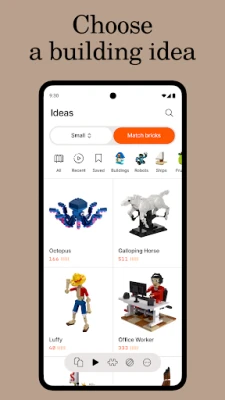
- Build suggestions – Based on the bricks it finds, the app offers a range of building ideas, from simple models to more complex creations.
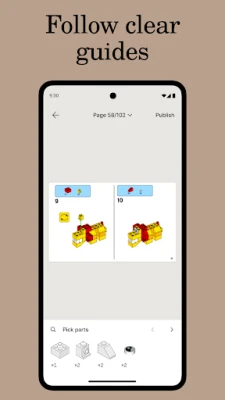
- Step‑by‑step instructions – For each suggested model, Brickit provides clear, numbered steps that you can follow or adapt.
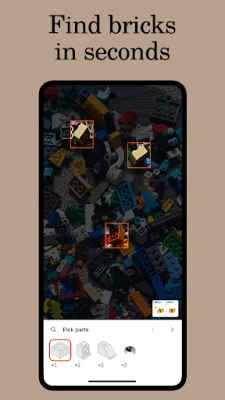
- Part locating – Choose a specific piece from the catalog and the app highlights where that piece appears in your photo, making it easier to retrieve.
- Digital collection – Keep a record of the bricks you own, helping you see what you have and what you might need for future projects.
How it works
1. Spread the bricks on a flat surface with good lighting.
2. Open Brickit and tap the scanner button.
3. Take a clear photo; the app processes the image and marks each recognized brick.
4. Browse the suggested builds or search for a particular part.
5. Follow the on‑screen instructions to assemble your model, or use the ideas as inspiration for your own design.
Practical uses
- Family play – Parents can quickly organise a shared brick stash, turning a messy pile into a ready‑to‑build set for kids.
- Collectors – Keep track of rare or special pieces without manual inventory.
- Creative brainstorming – When you’re stuck for ideas, the app suggests builds that match the exact bricks you have on hand.
- Efficient building – Locate needed parts in seconds, reducing the time spent searching through a box.
Who may find Brickit useful?
Anyone who owns loose toy bricks can benefit: children discovering new builds, parents organising family collections, hobbyists looking for inspiration, and adult builders who want a quick inventory of their parts.
Things to know before installing
- The app requires camera access to scan bricks.
- Performance depends on lighting and the clarity of the photo; a well‑lit, clutter‑free surface yields the best results.
- All core scanning and build‑suggestion features are free; additional advanced tools may be offered as optional in‑app purchases.
Frequently asked questions
- Do I need an internet connection? Scanning works offline, but downloading new build ideas or updates may require connectivity.
- Can Brickit recognise all brick brands? The app is optimised for the most common brick shapes and colors; recognition may be less accurate for very rare or custom pieces.
- Is my data safe? The app stores scanned images locally unless you choose to sync or share them.
Rate the App
User Reviews















Popular Apps










 Games
Games Entertainment
 Communication
 E-mail
 Security
 Tools
Tools Media
Media Internet
 Finance
 Design
 Education
 IT Tools
 Travel & Local
 Android
 Windows
 Linux
Linux