
Latest Version
September 10, 2026
VanLife
Travel & Local
Android
3
Free
pl.tcy.viewpoint
Report a Problem
More About ViewPoints – Offline map for scenic stops
What is ViewPoints?
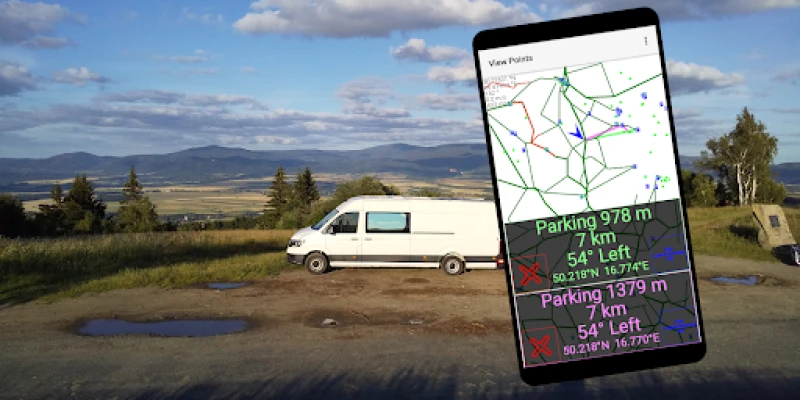
ViewPoints is a free Android app created by VanLife that focuses on helping drivers who enjoy exploring landscapes find safe parking near viewpoints. The app works completely offline, relying on OpenStreetMap data that is stored on the device, so you can use it without a data connection or roaming charges.
Main features
- Offline operation – All map data is downloaded once and then available without an internet connection.
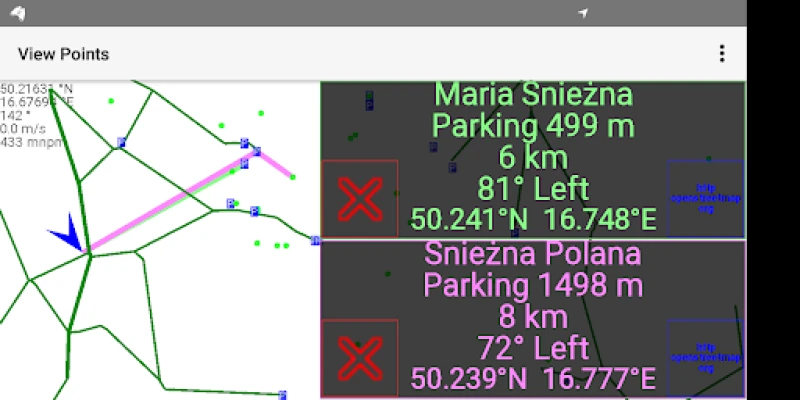
- Viewpoint parking alerts – The app notifies you when you approach a parking area that is close to a scenic spot.
- Road condition indicators – Roads with poor surface quality are highlighted in red, helping you plan a smoother drive.
- Toll‑road awareness – Toll roads appear in yellow, making it easy to avoid unexpected fees, especially when traveling abroad.
- Parking zones – Areas where parking is permitted are shown in blue, giving you confidence that you can stop safely.
How it works
When you first launch ViewPoints, the app loads the map data that has been stored on your device. As you move, the GPS sensor provides your current location, and the app compares it to the locations of known parking spots near viewpoints. When you come within a predefined distance, a simple notification appears, prompting you to consider stopping.
Practical uses
- Road trips through mountainous or coastal regions where scenic pull‑outs are common.
- Planning stops on long drives without needing to search online for parking.
- Traveling abroad where data roaming is expensive – the offline maps keep you covered.
- Avoiding toll roads or poorly maintained routes by following the colour‑coded overlays.
Installation information
ViewPoints can be installed directly from the Google Play Store. After installation, the app will ask for permission to access your device’s location – this is required for the navigation and notification features. Once granted, you can download the map area you intend to explore. The initial download size depends on the geographic region you select.
Things to know before installing
- The app does not download map updates automatically; you will need to refresh the offline data manually when you have a connection.
- Because the app works offline, real‑time traffic information is not available.
- Battery usage is comparable to other GPS‑based navigation apps; consider using a power bank on long journeys.
Who may find ViewPoints useful?
Anyone who enjoys driving through scenic landscapes – from weekend road‑trippers to professional drivers who need reliable parking information – will benefit from ViewPoints. The colour‑coded road information also helps cyclists and motorcyclists who prefer to avoid rough surfaces or tolls.
Frequently asked questions
Do I need an internet connection to use ViewPoints?
No. All map data is stored locally after you download the desired region, so the app works without a data connection.
Can I update the map data?
Yes. When you have internet access, you can download newer map extracts from OpenStreetMap through the app’s update option.
Is the app safe for use abroad?
Because it does not require a data connection after the initial download, you can use it in any country without incurring roaming charges.
Rate the App
User Reviews












Popular Apps










 Games
Games Entertainment
 Communication
 E-mail
 Security
 Tools
Tools Media
Media Internet
 Finance
 Design
 Education
 IT Tools
 Travel & Local
 Android
 Windows
 Linux
Linux