

Latest Version
August 26, 2026
Fora Travel, Inc.
Travel & Local
Android
136
Free
com.foratravel.app
Report a Problem
More About Fora: The Traveler App – View Your Custom Itineraries
What is Fora: The Traveler App?
Fora is a lightweight Android client designed for travelers who receive a personalized itinerary from a Fora travel advisor. The app’s sole purpose is to present that itinerary in a clear, mobile‑friendly format, allowing you to reference hotel details, confirmation numbers, daily activities and more while on the go.
Main features
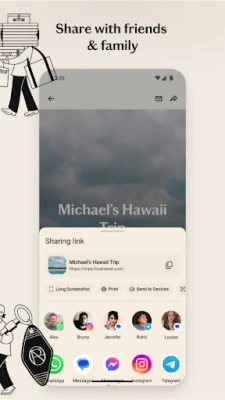
- Instant itinerary loading – Copy the unique link your advisor provides, paste it into the app, and the full trip appears within seconds.
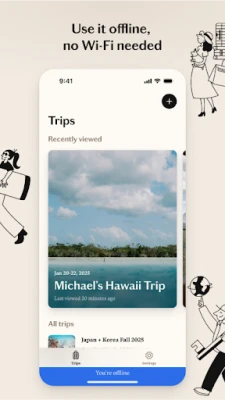
- Offline access – All data is stored locally, so you can consult your plans without an internet connection.
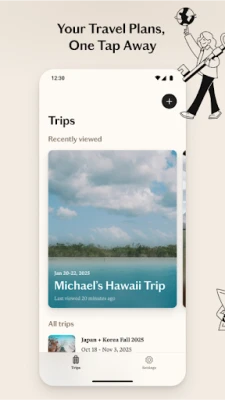
- Multiple trips support – Keep several upcoming vacations organized and switch between them with a simple tap.
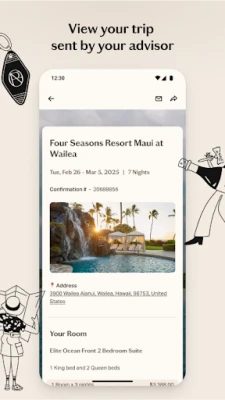
- Quick reference – Hotel addresses, check‑in times, activity start times and confirmation codes are displayed prominently for fast lookup.
- No account required – The app does not ask for registration, passwords or personal data beyond the itinerary link.
How it works
When a Fora advisor creates a travel plan, they generate a shareable link. Open the Fora app, tap the input field, paste the link, and the app parses the information into a structured view. The content is cached on your device, enabling offline reading. You can add additional itineraries by repeating the paste process; each itinerary is saved separately.
Practical uses
- During travel – Use the app as a digital travel folder, eliminating the need for printed documents.
- Trip comparison – If you are evaluating multiple proposals, load each itinerary and compare dates, accommodations and activities side by side.
- Last‑minute changes – Advisors can send an updated link; pasting it replaces the old version, keeping your information current.
Installation information
The app is distributed as a free download from the Google Play Store. Installation follows the standard Android process: tap Install, grant any required permissions (typically storage for local caching), and launch the app from your app drawer.
Things to know before installing
- The app does not include a built‑in browser; it only processes the specific itinerary link format provided by Fora.
- Because the app stores itinerary data locally, removing the app will delete all saved trips.
- No personal account is created, so any synchronization across devices must be handled by sharing the itinerary link again.
Who may find it useful?
Anyone who works with a Fora travel advisor – from leisure vacationers to business travelers – will benefit from a single place to view all trip details without juggling emails or PDFs. The offline capability is especially valuable for destinations with limited connectivity.
Frequently asked questions
Do I need an internet connection to view my itinerary?
Only for the initial load. After the itinerary is cached, you can access it offline.
Can I edit the itinerary inside the app?
No. The app is a viewer; any changes must be made by the advisor and shared via a new link.
Is my personal data safe?
The app does not request personal information beyond the itinerary link, and all data remains on your device.
What if I have multiple itineraries?
Each itinerary is saved as a separate entry. You can switch between them from the main screen.
Rate the App
User Reviews











Popular Apps










 Games
 Entertainment
 Communication
 E-mail
 Security
 Tools
 Media
 Internet
 Finance
 Design
 Education
 Android Firmwares
 Travel & Local
 Android
 Windows
 Linux