

Latest Version
September 06, 2026
Google LLC
Travel & Local
Android
20
Free
com.google.android.apps.maps
Report a Problem
More About Google Maps – Navigation and Local Discovery
What is Google Maps?
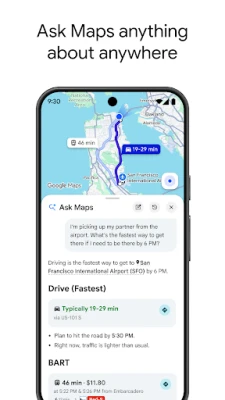
Google Maps is a free mapping service from Google LLC that combines navigation, traffic information, and local business data in a single app. It is designed to help users find routes, explore neighborhoods, and discover points of interest while on the move.
Main features
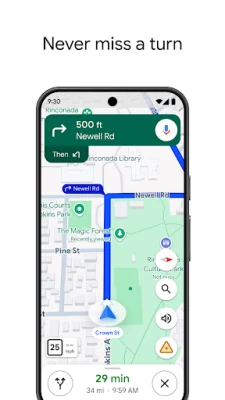
- Turn‑by‑turn navigation for driving, walking, cycling and public transport, with voice guidance and on‑screen directions.
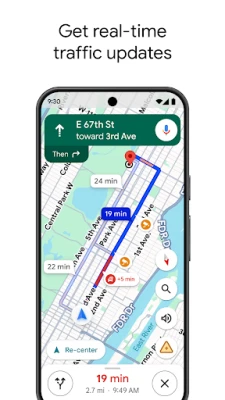
- Live traffic data that adjusts routes in real time based on congestion, accidents and road closures.
- Offline maps let you download an area in advance, useful when connectivity is limited.
- Place search includes millions of businesses, restaurants, shops and landmarks, each with photos, hours and user reviews.
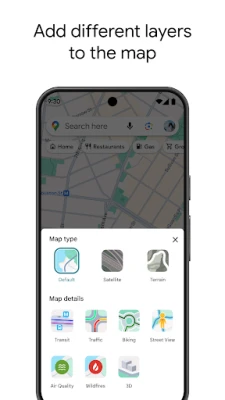
- Street View and Immersive View provide a visual preview of streets, landmarks and even weather conditions.
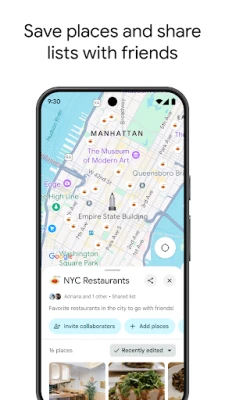
- Custom lists let you save favorite locations and share them with others.
How it works
After installing the app, you can enter a destination or let the app use your current GPS location. The service calculates several route options, highlighting the fastest based on live traffic. During navigation, the app updates the route automatically if conditions change. For places you want to explore, you can browse categories, read reviews and view photos before deciding where to go.
Practical uses
- Planning daily commutes with the most efficient route.
- Finding public‑transport schedules and real‑time arrival information.
- Exploring new cities by browsing nearby attractions and restaurants.
- Downloading maps for road trips where cellular service may be spotty.
- Saving and sharing a list of favorite coffee shops, parks or meeting spots.
Installation information
The app is available through the Google Play Store. Search for "Google Maps" and tap Install. Because the app is free, no purchase is required.
Compatibility
Google Maps runs on Android devices that meet the minimum system requirements set by Google. Specific version requirements are listed on the Play Store page.
Things to know before installing
- The app accesses location services to provide navigation and place recommendations.
- Data usage can increase while downloading maps or using live traffic updates; consider using Wi‑Fi for large downloads.
- Some features, such as certain public‑transport options, may not be available in all regions.
Who may find it useful?
Anyone who needs reliable directions—commuters, travelers, cyclists, and people looking for local businesses—will benefit from Google Maps. Its blend of navigation and place discovery makes it a versatile tool for everyday use.
Frequently asked questions
Can I use Google Maps without an internet connection?
Yes, by downloading offline maps for a specific area you can navigate without a data connection, though live traffic and real‑time updates will not be available.
Does the app store my search history?
Google Maps keeps a history of recent searches and visited places to improve suggestions, but you can clear this history in the app’s settings.
Is the navigation voice guidance available in multiple languages?
Voice guidance supports many languages; you can change the language in the app’s navigation settings.
Rate the App
User Reviews











Popular Apps










 Games
Games Entertainment
 Communication
 E-mail
 Security
 Tools
Tools Media
Media Internet
 Finance
 Design
 Education
 IT Tools
 Travel & Local
 Android
 Windows
 Linux
Linux