

Latest Version
September 05, 2026
MicroMacro Mobile Incorporated
Travel & Local
Android
17
Free
com.passesalliance.wallet
Report a Problem
More About Pass2U Wallet – Store Your Cards and Tickets Digitally
What is Pass2U Wallet?
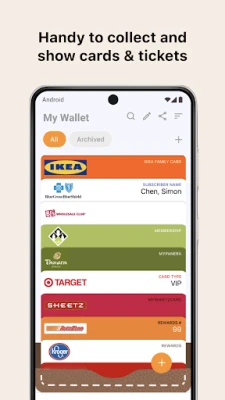
Pass2U Wallet is a free Android app from MicroMacro Mobile Incorporated that helps you turn physical cards, coupons, tickets and similar items into digital passes that live on your phone. By storing these items in one place, you can access them quickly without hunting through wallets or email attachments.
Main features
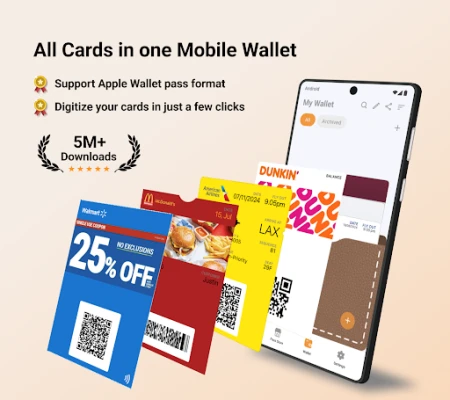
- Digital storage for many pass types – loyalty cards, coupons, event tickets, boarding passes and more can be added.
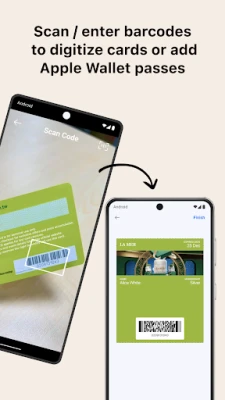
- Barcode scanning – use the built‑in scanner to capture barcodes and automatically create a pass.
- Import from files – .pkpass files, images or PDFs can be converted into usable passes.
- Backup via Google Drive – your collection can be saved to a Google Drive account, making it easy to restore on a new device.
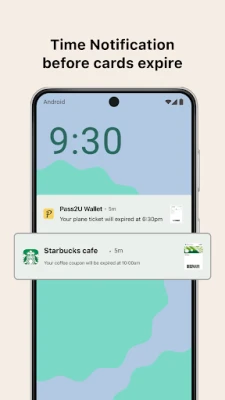
- Notifications – the app can alert you before a pass expires or when a flight check‑in window opens.
- Wear OS support – compatible devices can display passes on a smartwatch for quick access.
How it works
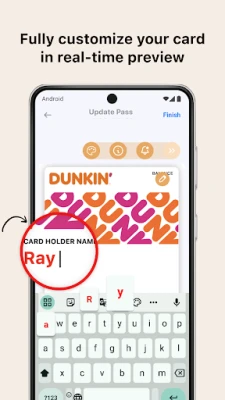
When you open Pass2U Wallet, you can add a new pass by scanning a barcode, selecting a file from storage, or downloading a .pkpass file from a website. The app creates a digital card that includes the relevant barcode, expiration date and any visual design associated with the original pass. You can edit the name or notes, and the app shows a real‑time preview so you know exactly how the pass will appear.
Practical uses
- Keep all your store loyalty cards in one place to earn points without carrying plastic cards.
- Store airline boarding passes and receive timely reminders before gate closing.
- Save concert or event tickets and present them directly from your phone at the venue.
- Maintain coupons and promotional offers, reducing the chance of losing paper copies.
Installation information
The app is available for free on the Google Play Store. Search for Pass2U Wallet – Add store card or use the package name com.passesalliance.wallet to locate it. Installation follows the standard Android process.
Things to know before installing
- The app requires a Google account if you want to use the backup feature.
- Passes are stored locally on the device; ensure you have enough free storage for the images and PDFs you import.
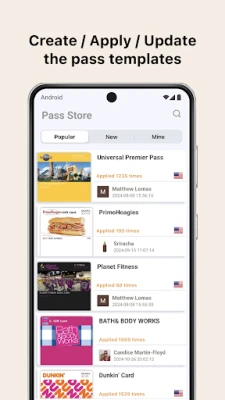
- While the core functionality is free, some advanced templates or extra tools may be offered as in‑app purchases.
Who may find it useful?
Anyone who regularly uses loyalty programs, travels by air or public transport, attends events, or simply wants to reduce the clutter of paper tickets will benefit from Pass2U Wallet. It is especially handy for users who prefer a single digital hub for all their passes.
Frequently asked questions
Can I add passes from iOS Wallet?
Yes. Passes saved as .pkpass files, which are the format used by Apple Wallet, can be imported into Pass2U Wallet.
How do I restore my passes on a new phone?
After installing the app on the new device, sign in with the same Google account and use the backup‑restore option to retrieve your saved passes from Google Drive.
Is there a limit to the number of passes I can store?
The app does not impose a hard limit; the practical limit is the available storage on your device.
Rate the App
User Reviews











Popular Apps










 Games
Games Entertainment
 Communication
 E-mail
 Security
 Tools
Tools Media
Media Internet
 Finance
 Design
 Education
 IT Tools
 Travel & Local
 Android
 Windows
 Linux
Linux