
Latest Version
Latest
September 07, 2026
DesignWiz Apps
Design
Android
22
Free
com.bg.socialcardmaker
Report a Problem
More About Social Media Post Maker – Design & Schedule
What is Social Media Post Maker?
Social Media Post Maker, developed by DesignWiz Apps, is a free Android tool that lets you design visual content for popular platforms and organise your publishing schedule in one place. It combines a template library, a simple graphic editor and a content calendar, so you can move from idea to post without leaving your device.
Main features
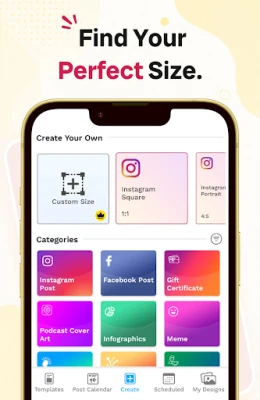
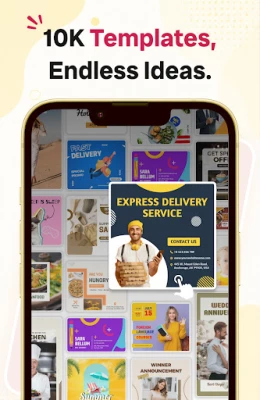
- Template collection – A set of pre‑designed layouts for Instagram, Facebook, Pinterest and other networks. Templates are sized correctly for each platform, saving you time on dimensions.
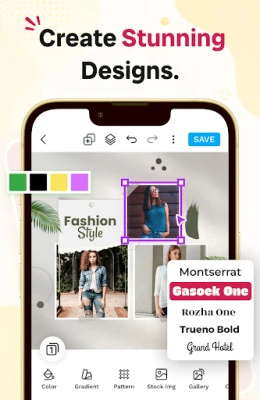
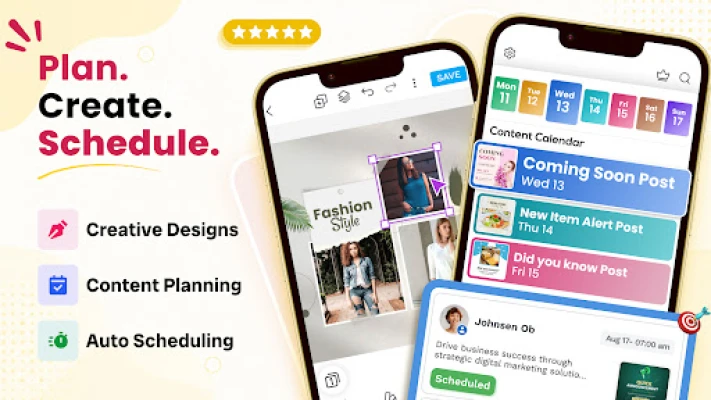
- Graphic editor – Add text, change fonts, insert icons, shapes and background colours. The editor works offline and offers basic layering tools.
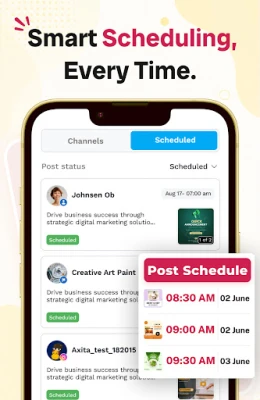
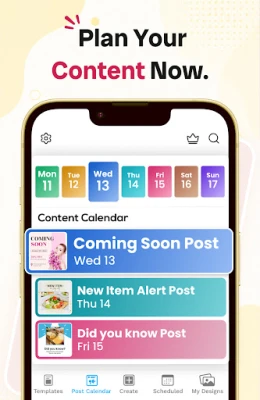
- Content calendar – Visual weekly or monthly view where you can drag and drop planned posts, assign dates and add short notes.
- Post scheduler – When you are ready, set a date and time for automatic publishing. The app stores the schedule locally until the posting time arrives.
- Export options – Save your designs as image files or share them directly to the chosen social network.
How it works
- Open the app and choose the platform you want to create a post for.
- Select a template that matches the style you need.
- Customize the text, colours, and graphics using the editor.
- Save the finished image to your device or add it to the calendar.
- If you want to publish later, set the desired date and time in the scheduler.
Practical uses
The app is handy for small business owners who need to keep a steady feed, influencers planning weekly themes, and anyone who prefers a single app for design and scheduling. Because the editor works offline, you can create content while traveling or in low‑connectivity areas and upload later.
Who may find it useful?
- Social media managers handling multiple accounts.
- Freelance designers looking for a quick way to produce platform‑specific graphics.
- Entrepreneurs who want to maintain a regular posting rhythm without hiring a designer.
- Students or hobbyists experimenting with visual storytelling.
Things to know before installing
The app is free to download and use. It does not require a separate subscription for the core features described here. Some advanced templates or premium fonts may be offered as in‑app purchases, but the basic library is sufficient for everyday posting.
Frequently asked questions
Do I need an internet connection to design a post?
No. All editing tools and templates are stored locally after the first launch, so you can work offline.
Can I edit a scheduled post before it goes live?
Yes. Open the calendar, tap the scheduled item, make changes, and resave the schedule.
Which social networks are supported?
The app includes ready‑made templates for Instagram, Facebook and Pinterest. You can also create generic images that can be shared on other platforms.
Rate the App
User Reviews








Popular Apps










 Games
Games Entertainment
 Communication
 E-mail
 Security
 Tools
Tools Media
Media Internet
 Finance
 Design
 Education
 IT Tools
 Travel & Local
 Android
 Windows
 Linux
Linux