

Latest Version
Latest
August 13, 2026
Customuse
Design
Android
346
Free
com.customuse.customuse
Report a Problem
More About Customuse: Skins Maker Roblox – Create Your Own Roblox, Minecraft & Zepeto Designs
What is Customuse?
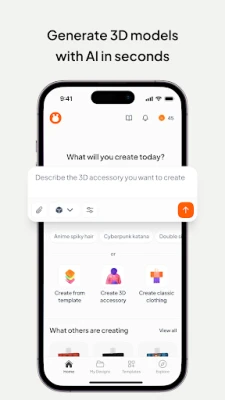
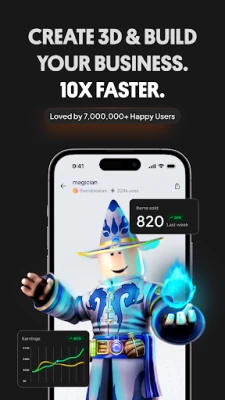
Customuse is a free Android app that provides a versatile canvas for creating digital clothing and avatar assets. While it is best known for its Roblox skin editor, the tool also supports Minecraft skin creation, Zepeto outfit design, and simple AR filter prototyping for platforms such as Instagram, Snapchat and TikTok. The app is developed by Customuse and is distributed without charge.
Main Features
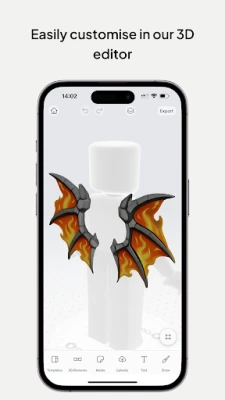
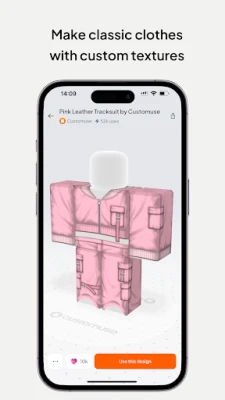
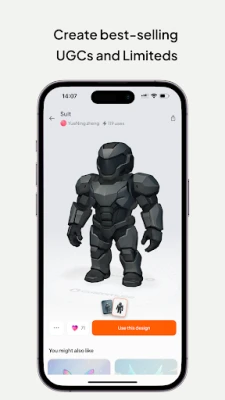
- Roblox skin editor – Build 2‑D shirts and 3‑D outfits using a library of templates or start from a blank canvas.
- Minecraft avatar creator – Paint pixel‑art skins and preview them on a 3‑D model.
- Zepeto clothing designer – Assemble outfits with ready‑made pieces or custom drawings.
- Basic AR filter builder – Add simple graphic overlays that can be exported for use on popular social‑media apps.
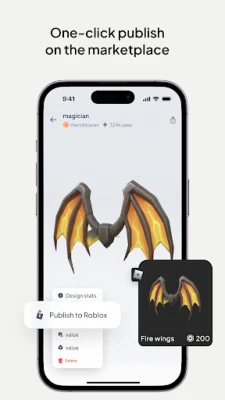
- Export options – Save your creations as image files or compatible game asset packages for later upload.
How It Works
After installing the app, you are greeted with a dashboard that groups the four design modes. Selecting a mode opens a layered editor where you can draw, paint, or place pre‑made elements. The interface includes typical tools such as brush size, color picker, undo/redo, and layer visibility. For Roblox and Minecraft, a real‑time preview shows how the skin will appear on the respective avatar model. Once you are satisfied, the app lets you export the file to your device storage, where you can manually upload it to the game’s creator portal or share it with friends.
Practical Uses
- Experiment with new outfit ideas before committing them to a game marketplace.
- Create personalized avatars for role‑playing or streaming.
- Develop simple AR graphics for personal social‑media posts.
- Teach basic digital‑art concepts to younger creators in a familiar gaming context.
Installation Information
The app is available through the standard Android app store. Installation follows the usual process: tap “Install,” grant any required permissions for storage access, and launch the app once the download completes. Because the app is free, there are no in‑app purchases required to use the core design tools.
Compatibility
Customuse runs on Android devices that meet the minimum system requirements for the Google Play Store. Specific version numbers are not published, but the app is designed for modern Android releases and should work on devices running Android 6.0 (Marshmallow) or later.
Things to Know Before Installing
- The app stores created files locally; you will need to manually upload them to Roblox, Minecraft or Zepeto platforms.
- Advanced 3‑D modeling or animation features are not included; the focus is on 2‑D skin and simple 3‑D preview.
- Because the app can write to external storage, ensure you have sufficient free space for saved designs.
Who May Find It Useful?
Anyone who enjoys customizing avatars in Roblox, Minecraft or Zepeto will benefit from Customuse. It is also a handy tool for hobbyist designers who want a quick way to prototype clothing graphics or AR overlays without needing a full‑blown desktop suite.
Frequently Asked Questions
Do I need a Roblox account to use the editor?
No. The editor works independently; you only need an account when you decide to upload the finished skin to Roblox.
Can I share my creations directly from the app?
The app provides an export function that saves files to your device. From there you can share them via any messaging or social‑media app you prefer.
Is there any cost hidden in the app?
Customuse is free to download and use. There are no mandatory in‑app purchases for the core design features.
Rate the App
User Reviews







Popular Apps










 Games
Games Entertainment
 Communication
 E-mail
 Security
 Tools
Tools Media
Media Internet
 Finance
 Design
 Education
 Android Firmwares
 Travel & Local
 Android
 Windows
 Linux
Linux