
Latest Version
Latest
September 16, 2026
Splendid App Maker
Design
Android
16
Free
splendid.postermaker.designer
Report a Problem
More About Poster Maker – Flyer Designer for Android
What is Poster Maker – Flyer maker?
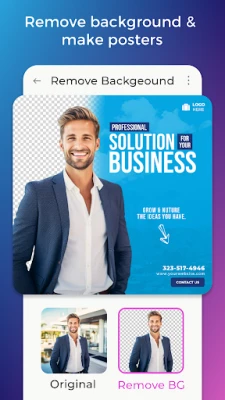
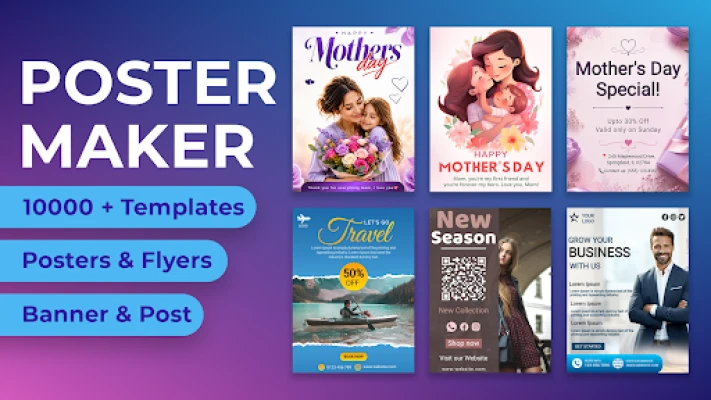
Poster Maker – Flyer maker is a free Android app from Splendid App Maker that lets you design promotional graphics directly on your device. Whether you need a poster for a local event, a flyer for a sale, or a banner for social media, the app provides a ready‑to‑use canvas and a collection of templates that you can customize with your own text, images, and colors.
Main features
- Template library – A selection of pre‑designed layouts covering common categories such as business promotions, educational notices, party invitations, and seasonal themes.
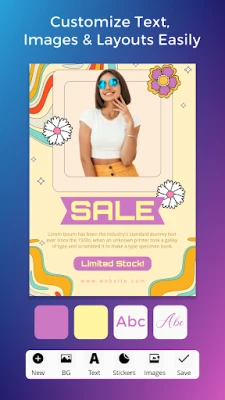
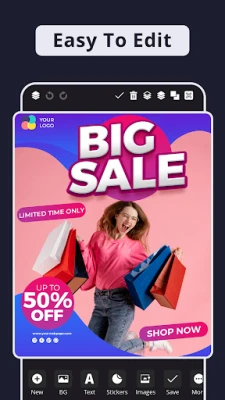
- Simple editing tools – Add and format text, insert photos from your gallery, adjust colors, and move elements with drag‑and‑drop gestures.
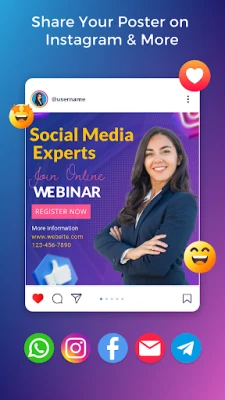
- Export options – Save your finished design as an image file (PNG or JPEG) or share it directly to messaging apps and social platforms.
- Custom dimensions – Choose from standard poster sizes or set custom dimensions for banners, flyers, or thumbnails.
- Layer control – Arrange text, images, and shapes on separate layers for precise positioning.
How it works
After installing the app, you start a new project by selecting a template or a blank canvas. The interface presents a toolbar at the bottom where you can tap to add text boxes, import photos, or insert shapes. Each element can be resized, rotated, and recolored using on‑screen handles. When you are satisfied with the layout, tap the export button to save the file to your device or share it instantly.
Practical uses
- Small businesses – Create sales flyers, discount coupons, or storefront posters without hiring a designer.
- Event organizers – Produce event announcements, ticket flyers, or venue banners quickly.
- Educators and students – Design classroom notices, club flyers, or project posters.
- Social media creators – Generate YouTube thumbnails, Instagram story graphics, or Facebook cover images.
Installation information
The app is available through the Google Play Store. Search for "Poster Maker – Flyer maker" or use the package name splendid.postermaker.designer. Tap Install and follow the standard Android installation prompts.
Things to know before installing
- The app is free to download and use; some optional in‑app purchases may be offered for additional template packs.
- It requires Android devices capable of running standard Google Play applications; specific version requirements are not listed, so it should work on most modern phones and tablets.
- All design work is stored locally on your device unless you choose to share it.
Who may find it useful?
Anyone who needs to produce visual promotional material on the go can benefit from Poster Maker – Flyer maker. This includes entrepreneurs, marketers, teachers, community organizers, and hobbyists who want a quick way to create polished graphics without learning complex design software.
Frequently asked questions
- Can I use my own fonts? The app includes a set of built‑in fonts. Importing custom fonts is not currently supported.
- Is there a limit to how many designs I can create? There is no hard limit; you can create as many projects as your device storage allows.
- Do I need an internet connection? An internet connection is only required for the initial download and for optional template updates. All editing functions work offline.
- Can I edit a design after exporting? Exported image files are static, but you can reopen the original project file within the app to make further changes.
Rate the App
User Reviews









Popular Apps










 Games
Games Entertainment
 Communication
 E-mail
 Security
 Tools
Tools Media
Media Internet
 Finance
 Design
 Education
 IT Tools
 Travel & Local
 Android
 Windows
 Linux
Linux