

Latest Version
Latest
June 26, 2026
Sketchbook
Design
Android
393
Free
com.adsk.sketchbook
Report a Problem
More About Sketchbook – Free Drawing and Painting App
What is Sketchbook?
Sketchbook is a free Android application designed for anyone who enjoys drawing, sketching, or painting on a mobile device. It provides a digital canvas that mimics the feel of traditional media, allowing you to work from quick ideas to detailed illustrations.
Main features
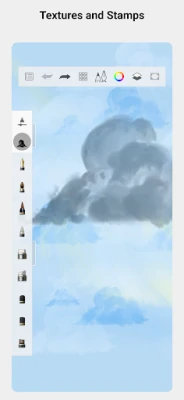
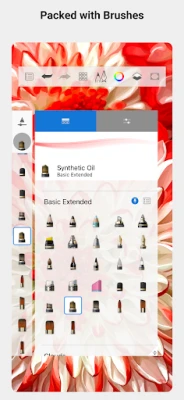
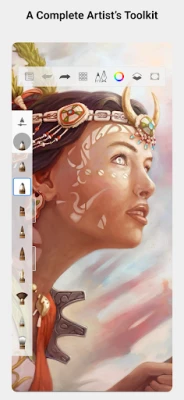
- Variety of brushes – A selection of pencils, markers, airbrushes, and smudge tools that behave like their real‑world counterparts.
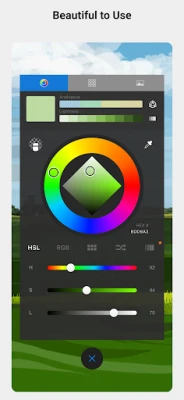
- Customizable brush settings – Adjust size, opacity, flow, and other parameters to suit your style.
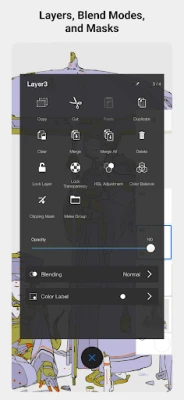
- Layer support – Add multiple layers, reorder them, and apply blend modes for complex compositions.
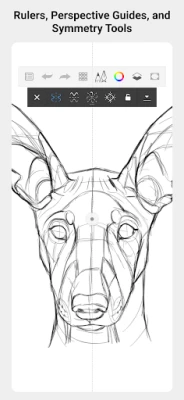
- Guides and rulers – Built‑in guides, rulers, and stroke tools help you achieve precise lines and shapes.
- Minimalist interface – The UI stays out of the way, keeping the focus on the canvas.
How it works
When you launch Sketchbook, you are presented with a blank canvas and a toolbar that can be hidden or shown as needed. Select a brush from the palette, adjust its settings, and start drawing with your finger or a stylus. Layers can be added via the layer panel, and you can toggle visibility, lock layers, or change their blending mode. The app also offers undo/redo actions, zoom, and pan gestures for detailed work.
Practical uses
Sketchbook is suitable for a range of creative activities:
- Quick idea capture – Jot down concepts wherever you are.
- Concept art – Build up detailed illustrations using layers and custom brushes.
- Educational sketches – Teachers and students can illustrate diagrams or annotate images.
- Hobby drawing – Practice techniques without needing physical supplies.
Installation information
The app can be installed directly from the Appitika store. Simply tap the install button, grant any required permissions, and wait for the download to complete. No additional steps are needed to start drawing.
Things to know before installing
- The app is free to download and use.
- It does not require an internet connection for core drawing functions.
- Any optional in‑app purchases are optional and do not affect the basic drawing experience.
Who may find Sketchbook useful?
Whether you are a professional illustrator, a student learning to draw, or someone who enjoys doodling in spare moments, Sketchbook offers tools that adapt to different skill levels. Its layer system and brush customization appeal to more advanced users, while the straightforward interface welcomes beginners.
Frequently asked questions
Do I need a stylus?
No. Sketchbook works with finger input, but a stylus can provide finer control for detailed work.
Can I export my artwork?
Yes. Finished drawings can be saved to your device’s gallery or shared via standard Android sharing options.
Is there a limit to the number of layers?
The app does not impose a strict layer limit, but performance may vary depending on device resources.
Rate the App
User Reviews










Popular Apps










 Games
Games Entertainment
 Communication
 E-mail
 Security
 Tools
Tools Media
Media Internet
 Finance
 Design
 Education
 Android Firmwares
 Travel & Local
 Android
 Windows
 Linux
Linux