

Latest Version
Latest
September 02, 2026
Life.Church
BOOKS AND REFERENCE
Android
8
Free
com.sirma.mobile.bible.android
Report a Problem
More About YouVersion Bible App + Audio – Free Scripture Reader
What is YouVersion Bible App + Audio?
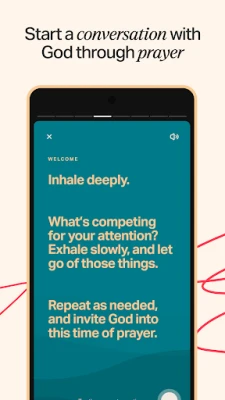
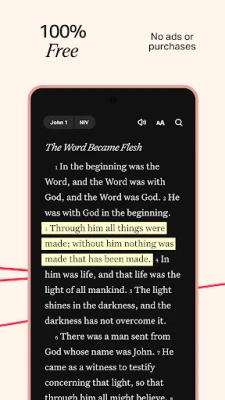
YouVersion Bible App + Audio, developed by Life.Church, is a free Android application that lets users access the Bible in many languages and versions. It combines a text reader with audio playback, allowing you to read or listen to Scripture at your own pace.
Main features
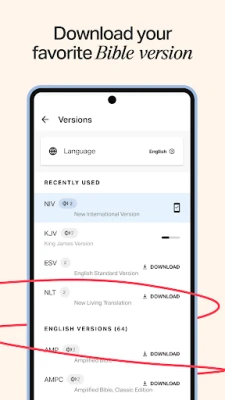
- Multiple translations – Switch among a wide range of Bible versions, including popular ones such as the King James Version, New International Version, and English Standard Version.
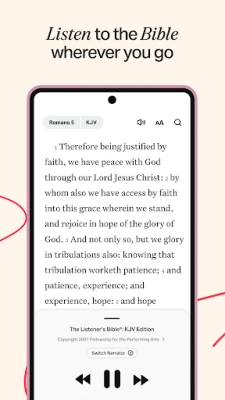
- Audio Bibles – Listen to selected translations when you prefer spoken Word, useful for commutes or quiet reflection.
- Offline access – Download chosen versions for reading without an internet connection.
- Personal study tools – Highlight verses, add private notes, and bookmark passages for quick reference.
- Sharing and community – Share verses with friends, view a simple activity feed, and discuss insights within the app.
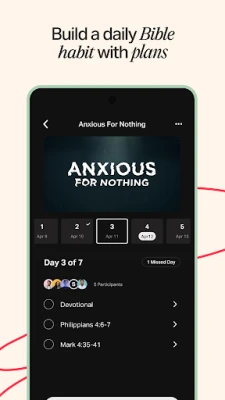
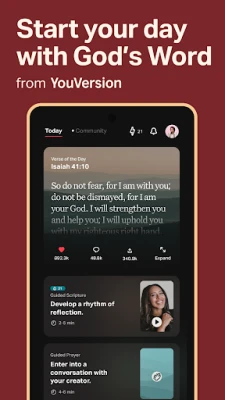
- Reading plans – Choose from a variety of devotional plans and structured reading schedules to guide daily study.
How it works
After installing the app, you can browse the library of translations and select the one(s) you want to use. For offline reading, tap the download icon next to a version; the text is stored locally on your device. Audio playback works similarly—tap the speaker icon to start listening. The interface lets you add highlights in different colors, write notes that stay private or become public, and set bookmarks for quick navigation.
Practical uses
- Morning or evening devotion – read a short passage or listen to an audio chapter.
- Study groups – share notes and highlights with friends to discuss specific verses.
- Travel – download a translation and read without needing mobile data.
- Language learning – compare the same passage across multiple languages.
Installation information
The app is available through the Google Play Store. Search for "YouVersion Bible App + Audio" or use the package name com.sirma.mobile.bible.android. Tap Install, and once the download completes, open the app to begin exploring the Bible.
Things to know before installing
- The app is free to download and use.
- Some features, such as certain audio translations, may require an internet connection.
- Storage space is needed for any offline versions you choose to download.
Who may find it useful?
Anyone looking for a flexible way to read or listen to the Bible on Android will benefit—from casual readers and daily devotions to scholars and small‑group leaders who need study tools and sharing options.
Frequently asked questions
Do I need an account?
Creating an account is optional but enables syncing of highlights, notes, and bookmarks across devices.
Can I listen to the entire Bible?
Audio is available for many, but not all, translations. You can stream or download the audio files that are provided.
Is the app safe to use?
The app is developed by Life.Church, a well‑known organization, and follows standard Android security practices.
Rate the App
User Reviews















Popular Apps










 Games
Games Entertainment
 Communication
 E-mail
 Security
 Tools
Tools Media
Media Internet
 Finance
 Design
 Education
 IT Tools
 Travel & Local
 Android
 Windows
 Linux
Linux