
Latest Version
Latest
September 17, 2026
Librera
BOOKS AND REFERENCE
Android
133
Free
pdf.pdf.reader
Report a Problem
More About PDF Reader: PDF Viewer+Folders – Free Document Viewer
What is PDF Reader: PDF Viewer+Folders?
PDF Reader: PDF Viewer+Folders is a free Android application developed by Librera that lets you open and manage a wide range of document and ebook formats directly on your device. The app combines a document viewer with a built‑in file browser, making it easy to locate and read files stored locally.
Main features
- Broad format support – In addition to PDF, the app handles popular ebook types such as EPUB, MOBI, FB2, DjVu, CBZ/CBR and common office files like ODT and RTF.
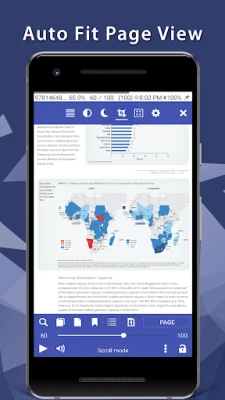
- Multiple viewing modes – Choose between a page‑by‑page layout with a realistic page‑turn animation or a continuous scroll view.
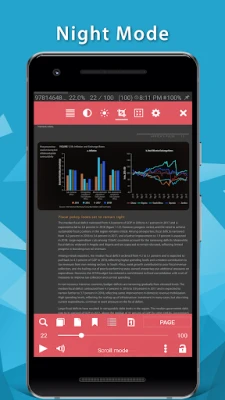
- Night and day reading modes – Switch to a dark theme for low‑light environments or keep a bright layout for daytime reading.
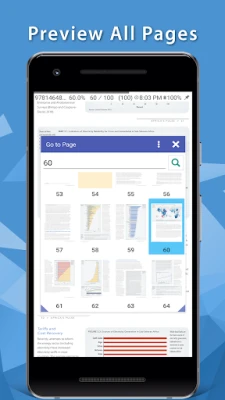
- Search and navigation – Use a built‑in table of contents, bookmarks and text search to jump quickly to the part you need.
- Text‑to‑speech (TTS) – Let the app read PDF text aloud, useful for multitasking or accessibility.
- Customizable interface – Adjust brightness by swiping the screen edge, change tap zones, and select preferred fonts.
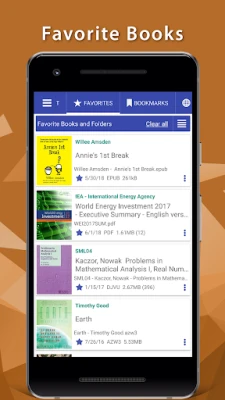
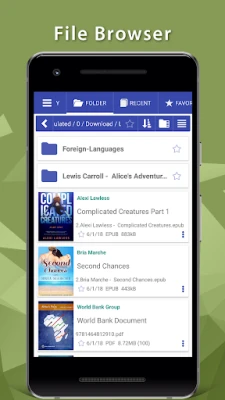
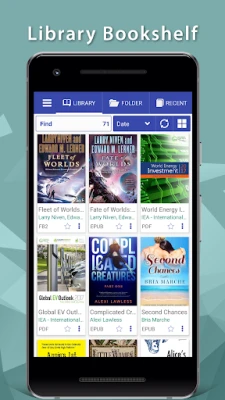
- File management – A simple folder browser lets you browse recent files, create shortcuts and organize documents without leaving the app.
How it works
When you launch the app, the file browser displays the folders on your device. Tap a document to open it; the viewer automatically detects the file type and applies the appropriate rendering engine. From the toolbar you can access search, bookmarks, TTS and display settings. All changes—such as added bookmarks—are saved locally for quick retrieval.
Practical uses
- Reading textbooks, research papers or manuals on the go.
- Enjoying novels and comics in formats like EPUB, FB2 or CBZ without needing separate readers.
- Proofreading documents by adding temporary bookmarks or notes.
- Listening to PDF content via TTS while commuting.
Installation information
The app is distributed as a free download from the Google Play Store. Installation follows the standard Android process: tap “Install,” grant any requested permissions for file access, and the app will appear in your app drawer.
Things to know before installing
- The app requires permission to read storage so it can locate your documents.
- Features such as TTS depend on the device’s built‑in speech engine.
- Performance may vary with very large files or on low‑end devices.
Who may find it useful?
Students, professionals, avid readers and anyone who needs a single, lightweight tool to open a variety of document types on Android will benefit from PDF Reader: PDF Viewer+Folders.
Rate the App
User Reviews













Popular Apps










 Games
Games Entertainment
 Communication
 E-mail
 Security
 Tools
Tools Media
Media Internet
 Finance
 Design
 Education
 Android Firmwares
 Travel & Local
 Android
 Windows
 Linux
Linux