

Latest Version
September 17, 2026
FBReader.ORG Limited
BOOKS AND REFERENCE
Android
102
Free
org.geometerplus.fbreader.plugin.djvu
Report a Problem
More About FBReader DjVu Plugin – Read DjVu Books in FBReader
What is the FBReader DjVu Plugin?
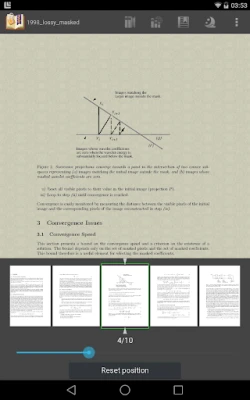
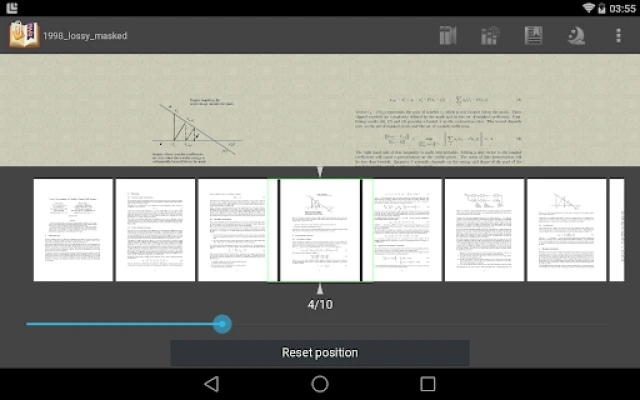
The FBReader DjVu Plugin is a small add‑on that extends the capabilities of the FBReader e‑reading application. By installing the plugin, FBReader gains the ability to open and display DjVu files, a format often used for scanned books and documents.
Main features
- DjVu support – Seamlessly open DjVu e‑books without leaving FBReader.
- Integrated experience – The plugin works inside FBReader, so you keep the same library, bookmarks, and reading settings.
- Free to use – No cost or subscription required.
How it works
After installing the plugin, FBReader automatically detects DjVu files placed in your device’s storage. When you select a DjVu file from FBReader’s library, the plugin renders the pages just like any other supported format. Because the plugin does not appear as a separate app icon, you won’t see it in the Android app drawer; its functionality is invoked only from within FBReader.
Practical uses
DjVu is popular for high‑resolution scanned books, technical manuals, and archival documents because it offers good compression while preserving image quality. If you have a collection of DjVu e‑books or need to read scanned PDFs that have been converted to DjVu, this plugin lets you stay within the familiar FBReader environment.
Installation information
- Ensure that FBReader is already installed on your device.
- Download the FBReader DjVu Plugin (package name org.geometerplus.fbreader.plugin.djvu) from a trusted source.
- Run the installer and follow the on‑screen prompts.
- Open FBReader; the plugin will be activated automatically.
Compatibility
The plugin is designed for Android devices that can run FBReader. It does not have its own Android version requirement listed, so it follows the same requirements as the host application. If FBReader runs on your device, the plugin should be compatible.
Things to know before installing
- The plugin does not create a separate launcher icon; it is accessed only through FBReader.
- It does not modify any existing FBReader settings; it simply adds DjVu handling.
- Because the plugin is free, there are no in‑app purchases or subscription fees.
Who may find it useful?
Anyone who already uses FBReader and has DjVu files in their library will benefit. This includes students, researchers, and readers of classic literature that is often distributed in DjVu format.
Frequently asked questions
Do I need to update the plugin when FBReader updates?
Usually the plugin continues to work after an FBReader update, but checking for a newer version of the plugin after a major FBReader release is a good practice.
Can I uninstall the plugin without affecting FBReader?
Yes. Removing the plugin will simply stop FBReader from opening DjVu files; all other FBReader functionality remains unchanged.
Will the plugin affect battery usage?
The plugin only runs when a DjVu file is opened, so its impact on battery life is minimal.
Rate the App
User Reviews














Popular Apps










 Games
Games Entertainment
 Communication
 E-mail
 Security
 Tools
Tools Media
Media Internet
 Finance
 Design
 Education
 Android Firmwares
 Travel & Local
 Android
 Windows
 Linux
Linux